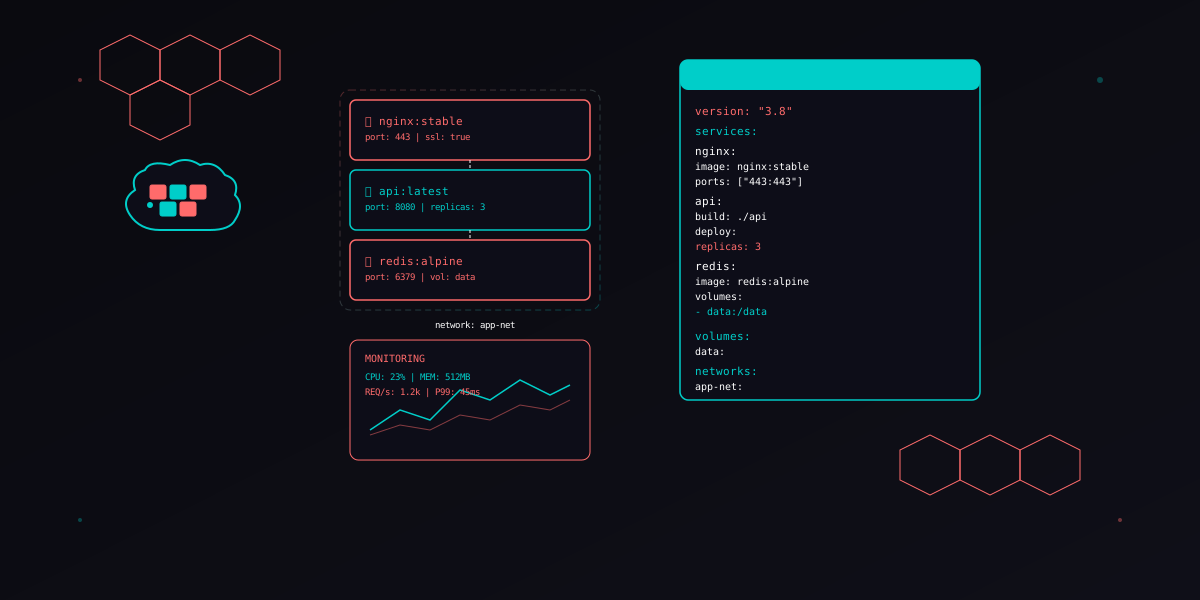
Docker Compose for Production - 2026 Guide
Docker Compose v2 Changes
Docker Compose v2 replaced the Python-based docker-compose binary with a Go plugin integrated directly into the Docker CLI. The command changed from docker-compose up to docker compose up (no hyphen). As of 2026, v1 is fully deprecated and no longer receives security patches.
Key differences that matter for production:
- Built-in BuildKit - parallel multi-stage builds are the default, cutting image build times by 40-60%
- Compose Watch - file sync and rebuild triggers for development (replace bind mounts in dev)
- Profiles - selectively start services by profile, so monitoring and debug tools only run when needed
- Dry run mode -
docker compose up --dry-runvalidates your config without starting anything - GPU support - native
deploy.resources.reservations.devicesfor GPU workloads - Improved networking - DNS resolution is faster and more reliable between services
# Check your version - must be v2.x
docker compose version
# Docker Compose version v2.32.4

# Validate without starting
docker compose -f docker-compose.prod.yml config
docker compose -f docker-compose.prod.yml up --dry-runversion: "3.8" line from your files. Compose v2 ignores it and uses the latest schema automatically. Keeping it triggers a deprecation warning.
Production Patterns
Multi-stage Builds
Multi-stage builds keep production images small by separating build dependencies from runtime. A typical Node.js API image drops from 1.2 GB to under 150 MB.
# Dockerfile - multi-stage production build
FROM node:22-alpine AS builder
WORKDIR /app
COPY package*.json ./
RUN npm ci --only=production
COPY . .
RUN npm run build

FROM node:22-alpine AS production
RUN addgroup -g 1001 appgroup && adduser -u 1001 -G appgroup -s /bin/sh -D appuser
WORKDIR /app
COPY --from=builder --chown=appuser:appgroup /app/dist ./dist
COPY --from=builder --chown=appuser:appgroup /app/node_modules ./node_modules
COPY --from=builder --chown=appuser:appgroup /app/package.json ./
USER appuser
EXPOSE 3000
HEALTHCHECK --interval=30s --timeout=5s --start-period=10s --retries=3 \
  CMD wget --no-verbose --tries=1 --spider http://localhost:3000/health || exit 1
CMD ["node", "dist/server.js"]
Health Checks
Health checks tell Docker whether a container is actually working, not just running. Without them, a container with a crashed process but alive PID 1 stays in the "running" state forever. Compose uses health checks to control startup order via depends_on conditions.
services:
  api:
    build:
      context: .
      target: production
    healthcheck:
      test: ["CMD", "wget", "--no-verbose", "--tries=1", "--spider", "http://localhost:3000/health"]
      interval: 30s
      timeout: 5s
      start_period: 10s
      retries: 3
    depends_on:
      db:
        condition: service_healthy
      redis:
        condition: service_healthy

  db:
    image: postgres:17-alpine
    healthcheck:
      test: ["CMD-SHELL", "pg_isready -U $${POSTGRES_USER} -d $${POSTGRES_DB}"]
      interval: 10s
      timeout: 5s
      retries: 5

  redis:
    image: redis:7-alpine
    healthcheck:
      test: ["CMD", "redis-cli", "ping"]
      interval: 10s
      timeout: 3s
      retries: 5
Restart Policies
Production containers must restart automatically after crashes and host reboots. Use unless-stopped for most services and on-failure for one-shot tasks like migrations.
services:
  api:
    restart: unless-stopped   # survives host reboot, stops only on manual docker compose stop

  db:
    restart: unless-stopped

  migrate:
    restart: on-failure       # runs once, retries on failure, stays stopped on success
    command: ["npm", "run", "migrate"]
Resource Limits
Without resource limits, a single runaway container can consume all host memory and crash everything. Set both limits (hard ceiling) and reservations (guaranteed minimum).
services:
  api:
    deploy:
      resources:
        limits:
          cpus: "1.0"
          memory: 512M
        reservations:
          cpus: "0.25"
          memory: 128M

  db:
    deploy:
      resources:
        limits:
          cpus: "2.0"
          memory: 1G
        reservations:
          cpus: "0.5"
memory: 256Mdocker inspect --format='{{.State.OOMKilled}}' container_name after unexpected restarts. If a container keeps getting OOM-killed, raise its memory limit or fix the leak.
Networking and Service Discovery
Docker Compose creates a default bridge network for each project, but production stacks benefit from explicit custom networks. Custom networks provide isolation between service groups and control which containers can talk to each other.
networks:
  frontend:
    driver: bridge
  backend:
    driver: bridge
    internal: true    # no external internet access
  monitoring:
    driver: bridge

services:
  traefik:
    networks:
      - frontend

  api:
    networks:
      - frontend      # reachable by traefik
      - backend        # can reach db and redis

  db:
    networks:
      - backend        # only reachable by api, NOT by traefik

  redis:
    networks:
      - backend

  prometheus:
    networks:
      - frontend      # scrape traefik metrics
      - backend        # scrape api metrics
      - monitoring
Service discovery works through Docker's built-in DNS. Every service name resolves to its container IP within shared networks. Your API connects to Postgres at db:5432 and Redis at redis:6379 with zero configuration.
# In your API's environment
services:
  api:
    environment:
      DATABASE_URL: "postgresql://app:secret@db:5432/myapp"
REDIS_URL: "redis://redis:6379/0"pg for Node.js and sqlalchemy for Python support automatic reconnection.
For multi-host networking, Docker Compose alone is not enough. You need Kubernetes or Docker Swarm with overlay networks. On a single host, bridge networks handle everything.
Secrets Management
Environment variables are the most common way to pass credentials to containers, and the most dangerous. They show up in docker inspect, process listings, crash dumps, and log output. Docker Compose supports file-based secrets that mount as read-only files inside the container.
secrets:
  db_password:
    file: ./secrets/db_password.txt
  api_key:
    file: ./secrets/api_key.txt

services:
  api:
    secrets:
      - api_key
    environment:
      # Read the secret from the mounted file
      API_KEY_FILE: /run/secrets/api_key

  db:
    secrets:
      - db_password
    environment:
      POSTGRES_PASSWORD_FILE: /run/secrets/db_password
The secrets mount at /run/secrets/<name> as read-only files. Many official images (Postgres, MySQL, Redis) support the _FILE suffix convention, reading the credential from a file path instead of a plain environment variable.
For applications that do not support _FILE variables, use an entrypoint script:
#!/bin/sh
# entrypoint.sh - load secrets from files into env vars
export DB_PASSWORD=$(cat /run/secrets/db_password)
export API_KEY=$(cat /run/secrets/api_key)
exec "$@"
services:
api:
entrypoint: ["/app/entrypoint.sh"]
command: ["node", "dist/server.js"]
secrets:
- db_password
- api_keysecrets/ to your .gitignore. For CI/CD, inject secrets from your pipeline's secret store (GitHub Actions secrets, AWS Secrets Manager, or HashiCorp Vault) and write them to files before running docker compose up.
For production deployments on AWS, consider pulling secrets at startup from AWS Secrets Manager using an init container or entrypoint script with the AWS CLI.
Volumes and Persistence
Named volumes persist data across container restarts and recreations. Without them, every docker compose down destroys your database. Named volumes are the only safe option for production data.
volumes:
  postgres_data:
    driver: local
  redis_data:
    driver: local
  prometheus_data:
    driver: local
  grafana_data:
    driver: local

services:
  db:
    image: postgres:17-alpine
    volumes:
      - postgres_data:/var/lib/postgresql/data
      - ./init.sql:/docker-entrypoint-initdb.d/init.sql:ro

  redis:
    image: redis:7-alpine
    volumes:
      - redis_data:/data
    command: ["redis-server", "--appendonly", "yes"]
Key volume rules for production:
- Never use bind mounts for data - they bypass Docker's storage driver and create permission issues
- Use
:rofor config files - mount configuration as read-only to prevent accidental writes - Back up volumes regularly - use
docker run --rm -v volume:/data -v $(pwd):/backup alpine tar czf /backup/dump.tar.gz /data - Avoid
docker compose down -vin production - the-vflag deletes all named volumes
# Backup a named volume
docker run --rm \
  -v postgres_data:/source:ro \
  -v $(pwd)/backups:/backup \
  alpine tar czf /backup/postgres-$(date +%Y%m%d).tar.gz -C /source .

# Restore a volume
docker run --rm \
  -v postgres_data:/target \
  -v $(pwd)/backups:/backup \
  alpine tar xzf /backup/postgres-20260502.tar.gz -C /target
Monitoring Stack
A production stack without monitoring is flying blind. The standard open-source monitoring stack uses four components: Prometheus collects metrics, Grafana visualizes them, cAdvisor exposes container metrics, and Node Exporter exposes host metrics. All four run as Compose services. For a deeper dive, see our Observability Stack guide.
services:
  prometheus:
    image: prom/prometheus:v3.2.1
    volumes:
      - ./prometheus.yml:/etc/prometheus/prometheus.yml:ro
      - prometheus_data:/prometheus
    command:
      - "--config.file=/etc/prometheus/prometheus.yml"
      - "--storage.tsdb.retention.time=30d"
      - "--web.enable-lifecycle"
    ports:
      - "9090:9090"
    networks:
      - monitoring
      - backend
    restart: unless-stopped
    deploy:
      resources:
        limits:
          memory: 512M

  grafana:
    image: grafana/grafana:11.5.2
    volumes:
      - grafana_data:/var/lib/grafana
      - ./grafana/provisioning:/etc/grafana/provisioning:ro
    environment:
      GF_SECURITY_ADMIN_PASSWORD_FILE: /run/secrets/grafana_password
      GF_USERS_ALLOW_SIGN_UP: "false"
      GF_SERVER_ROOT_URL: "https://grafana.example.com"
    secrets:
      - grafana_password
    ports:
      - "3001:3000"
    networks:
      - monitoring
    restart: unless-stopped
    depends_on:
      prometheus:
        condition: service_started

  cadvisor:
    image: gcr.io/cadvisor/cadvisor:v0.51.0
    volumes:
      - /:/rootfs:ro
      - /var/run:/var/run:ro
      - /sys:/sys:ro
      - /var/lib/docker/:/var/lib/docker:ro
    ports:
      - "8080:8080"
    networks:
      - monitoring
    restart: unless-stopped
    deploy:
      resources:
        limits:
          memory: 128M

  node-exporter:
    image: prom/node-exporter:v1.9.0
    volumes:
      - /proc:/host/proc:ro
      - /sys:/host/sys:ro
      - /:/rootfs:ro
    command:
      - "--path.procfs=/host/proc"
      - "--path.sysfs=/host/sys"
      - "--path.rootfs=/rootfs"
      - "--collector.filesystem.mount-points-exclude=^/(sys|proc|dev|host|etc)($$|/)"
    ports:
      - "9100:9100"
    networks:
      - monitoring
    restart: unless-stopped
The Prometheus configuration scrapes all four targets:
# prometheus.yml
global:
  scrape_interval: 15s
  evaluation_interval: 15s

scrape_configs:
  - job_name: "prometheus"
    static_configs:
      - targets: ["localhost:9090"]

  - job_name: "api"
    static_configs:
      - targets: ["api:3000"]
    metrics_path: /metrics

  - job_name: "cadvisor"
    static_configs:
      - targets: ["cadvisor:8080"]

  - job_name: "node-exporter"
    static_configs:
- targets: ["node-exporter:9100"]prom-client for Node.js, prometheus_client for Python, or prometheus/client_golang for Go. Track request duration, error rates, and active connections at minimum.
Reverse Proxy with Traefik
Traefik is the best reverse proxy for Docker Compose because it auto-discovers services through Docker labels. No config file updates when you add or remove services. It handles TLS certificates automatically via Let's Encrypt.
services:
  traefik:
    image: traefik:v3.3
    command:
      - "--api.dashboard=true"
      - "--providers.docker=true"
      - "--providers.docker.exposedbydefault=false"
      - "--entrypoints.web.address=:80"
      - "--entrypoints.websecure.address=:443"
      - "--entrypoints.web.http.redirections.entrypoint.to=websecure"
      - "--entrypoints.web.http.redirections.entrypoint.scheme=https"
      - "--certificatesresolvers.letsencrypt.acme.tlschallenge=true"
      - "--certificatesresolvers.letsencrypt.acme.email=admin@example.com"
      - "--certificatesresolvers.letsencrypt.acme.storage=/letsencrypt/acme.json"
      - "--metrics.prometheus=true"
      - "--accesslog=true"
      - "--accesslog.format=json"
    ports:
      - "80:80"
      - "443:443"
    volumes:
      - /var/run/docker.sock:/var/run/docker.sock:ro
      - letsencrypt_data:/letsencrypt
    networks:
      - frontend
    restart: unless-stopped
    deploy:
      resources:
        limits:
          cpus: "0.5"
          memory: 256M
    labels:
      - "traefik.enable=true"
      - "traefik.http.routers.dashboard.rule=Host(`traefik.example.com`)"
      - "traefik.http.routers.dashboard.service=api@internal"
      - "traefik.http.routers.dashboard.tls.certresolver=letsencrypt"
      - "traefik.http.routers.dashboard.middlewares=auth"
      - "traefik.http.middlewares.auth.basicauth.users=admin:$$apr1$$xyz$$hashedpassword"

  api:
    labels:
      - "traefik.enable=true"
      - "traefik.http.routers.api.rule=Host(`api.example.com`)"
      - "traefik.http.routers.api.tls.certresolver=letsencrypt"
      - "traefik.http.routers.api.entrypoints=websecure"
      - "traefik.http.services.api.loadbalancer.server.port=3000"
      - "traefik.http.middlewares.api-ratelimit.ratelimit.average=100"
      - "traefik.http.middlewares.api-ratelimit.ratelimit.burst=50"
      - "traefik.http.routers.api.middlewares=api-ratelimit"

  grafana:
    labels:
      - "traefik.enable=true"
      - "traefik.http.routers.grafana.rule=Host(`grafana.example.com`)"
      - "traefik.http.routers.grafana.tls.certresolver=letsencrypt"
      - "traefik.http.services.grafana.loadbalancer.server.port=3000"
Traefik reads Docker labels at runtime. When you scale a service with docker compose up --scale api=3, Traefik automatically load-balances across all three instances. Certificates renew automatically 30 days before expiry.
tecnativa/docker-socket-proxy that exposes only the read endpoints Traefik needs.
CI/CD with GitHub Actions
A production Compose deployment needs automated builds, image scanning, and zero-downtime deploys. GitHub Actions handles the full pipeline: build, scan, push to a registry, SSH into the server, pull new images, and restart services.
# .github/workflows/deploy.yml
name: Deploy Production
on:
  push:
    branches: [main]

env:
  REGISTRY: ghcr.io
  IMAGE_NAME: ${{ github.repository }}

jobs:
  build-and-push:
    runs-on: ubuntu-latest
    permissions:
      contents: read
      packages: write
    steps:
      - uses: actions/checkout@v4

      - name: Log in to Container Registry
        uses: docker/login-action@v3
        with:
          registry: ${{ env.REGISTRY }}
          username: ${{ github.actor }}
          password: ${{ secrets.GITHUB_TOKEN }}

      - name: Build and push image
        uses: docker/build-push-action@v6
        with:
          context: .
          push: true
          target: production
          tags: |
            ${{ env.REGISTRY }}/${{ env.IMAGE_NAME }}:${{ github.sha }}
            ${{ env.REGISTRY }}/${{ env.IMAGE_NAME }}:latest
          cache-from: type=gha
          cache-to: type=gha,mode=max

      - name: Scan image with Trivy
        uses: aquasecurity/trivy-action@master
        with:
          image-ref: "${{ env.REGISTRY }}/${{ env.IMAGE_NAME }}:${{ github.sha }}"
          format: "sarif"
          output: "trivy-results.sarif"
          severity: "CRITICAL,HIGH"
          exit-code: "1"

  deploy:
    needs: build-and-push
    runs-on: ubuntu-latest
    steps:
      - name: Deploy to production server
        uses: appleboy/ssh-action@v1
        with:
          host: ${{ secrets.PROD_HOST }}
          username: ${{ secrets.PROD_USER }}
          key: ${{ secrets.SSH_PRIVATE_KEY }}
          script: |
            cd /opt/myapp
            docker compose -f docker-compose.prod.yml pull api
            docker compose -f docker-compose.prod.yml up -d --no-deps api
            docker image prune -f
The deploy step pulls only the updated image and restarts only the API service (--no-deps), leaving the database, Redis, and monitoring stack untouched. This gives you near-zero-downtime deployments.
For true zero-downtime, use Traefik's health check integration. Traefik waits for the new container to pass its health check before routing traffic to it and draining the old one.
# Add to your api service labels
labels:
  - "traefik.http.services.api.loadbalancer.healthcheck.path=/health"
  - "traefik.http.services.api.loadbalancer.healthcheck.interval=5s"
Scaling and When to Graduate to K8s
Docker Compose supports horizontal scaling on a single host with the --scale flag or the deploy.replicas key. Combined with Traefik's auto-discovery, this gives you basic load balancing without any extra configuration.
services:
  api:
    deploy:
      replicas: 3
      resources:
        limits:
          cpus: "1.0"
          memory: 512M
# Scale dynamically
docker compose -f docker-compose.prod.yml up -d --scale api=5
# Check running instances
docker compose ps apiCompose scaling has hard limits. All replicas run on the same host, so you are bounded by that machine's CPU and memory. There is no automatic failover if the host goes down.
| Capability | Docker Compose | Kubernetes |
|---|---|---|
| Single-host scaling | Yes (replicas flag) | Yes |
| Multi-host scaling | No | Yes (auto) |
| Auto-scaling on load | No | HPA, VPA, KEDA |
| Self-healing | Restart policies only | Full pod rescheduling |
| Rolling updates | Manual (pull + up) | Built-in with rollback |
| Service mesh | No | Istio, Linkerd, Cilium |
| Secret rotation | Manual restart | Automatic with CSI driver |
| Complexity | Low (one YAML file) | High (many abstractions) |
| Ops overhead | Minimal | Significant (or use managed) |
Stay with Compose when: you run on a single server, traffic fits one machine, your team is small, and you value simplicity over features. Many SaaS products serve thousands of users from a single well-provisioned host running Compose.
Graduate to Kubernetes when: you need multi-node high availability, auto-scaling based on CPU or custom metrics, canary deployments, or your team has the bandwidth to manage the added complexity. Managed Kubernetes (EKS, GKE, AKS) reduces the ops burden significantly.
docker stack deploy and supports multi-node clusters. It is simpler than Kubernetes but less feature-rich. Consider it if you need two or three nodes but not the full Kubernetes ecosystem.
Security Hardening
Default Docker containers run with more privileges than they need. Production hardening means reducing the attack surface: read-only filesystems, dropped capabilities, non-root users, and vulnerability scanning.
Read-only Filesystem
A read-only root filesystem prevents attackers from writing malware, modifying binaries, or planting backdoors inside a compromised container. Use tmpfs mounts for directories that need write access.
services:
  api:
    read_only: true
    tmpfs:
      - /tmp
      - /var/run
    volumes:
      - app_logs:/app/logs    # only specific dirs are writable
Drop Capabilities and Prevent Privilege Escalation
Linux capabilities grant fine-grained root powers. Drop all of them and add back only what the container actually needs. The no-new-privileges flag prevents processes inside the container from gaining additional privileges through setuid binaries or capability inheritance.
services:
  api:
    security_opt:
      - no-new-privileges:true
    cap_drop:
      - ALL
    cap_add:
      - NET_BIND_SERVICE    # only if binding to ports below 1024

  db:
    security_opt:
      - no-new-privileges:true
    cap_drop:
      - ALL
    cap_add:
      - CHOWN
      - SETUID
      - SETGID
      - FOWNER
      - DAC_OVERRIDE
Non-root Users
Running as root inside a container means a container escape gives the attacker root on the host. Always specify a non-root user in your Dockerfile or Compose file.
services:
  api:
    user: "1001:1001"    # matches the appuser created in Dockerfile
Vulnerability Scanning with Trivy
Scan every image before it reaches production. Trivy checks for OS package vulnerabilities, language-specific dependency issues, and misconfigurations in Dockerfiles.
# Scan a local image
trivy image myapp:latest

# Scan and fail on critical/high vulnerabilities
trivy image --severity CRITICAL,HIGH --exit-code 1 myapp:latest

# Scan a Dockerfile for misconfigurations
trivy config Dockerfile

# Scan a running Compose stack
for img in $(docker compose images -q); do
  trivy image "$img"
done
# Example Trivy output
myapp:latest (alpine 3.21.3)
Total: 0 (CRITICAL: 0, HIGH: 0)
Node.js (node_modules/package-lock.json)
Total: 1 (HIGH: 1)
+-----------+------------------+----------+-------------------+---------------+
| Library | Vulnerability | Severity | Installed Version | Fixed Version |
+-----------+------------------+----------+-------------------+---------------+
| lodash | CVE-2025-XXXXX | HIGH | 4.17.20 | 4.17.22 |
+-----------+------------------+----------+-------------------+---------------+- Non-root user in Dockerfile and Compose
read_only: truewith targeted tmpfs mountsno-new-privileges:truein security_optcap_drop: ALLwith minimal cap_add- Trivy scan in CI pipeline with exit-code 1 on HIGH/CRITICAL
- Pin image tags to digests, not
:latest - Use
internal: truenetworks for backend services
Complete Production Compose File
Here is the full production docker-compose.prod.yml combining everything from this guide: API, Postgres, Redis, Traefik with auto-SSL, and the complete monitoring stack. Copy this as your starting point and customize the domain names, image references, and resource limits for your workload.
# docker-compose.prod.yml - Complete production stack
# Usage: docker compose -f docker-compose.prod.yml up -d

secrets:
  db_password:
    file: ./secrets/db_password.txt
  api_key:
    file: ./secrets/api_key.txt
  grafana_password:
    file: ./secrets/grafana_password.txt

networks:
  frontend:
    driver: bridge
  backend:
    driver: bridge
    internal: true
  monitoring:
    driver: bridge

volumes:
  postgres_data:
  redis_data:
  letsencrypt_data:
  prometheus_data:
  grafana_data:

services:
  # ---- Reverse Proxy ----
  traefik:
    image: traefik:v3.3
    container_name: traefik
    command:
      - "--providers.docker=true"
      - "--providers.docker.exposedbydefault=false"
      - "--entrypoints.web.address=:80"
      - "--entrypoints.websecure.address=:443"
      - "--entrypoints.web.http.redirections.entrypoint.to=websecure"
      - "--entrypoints.web.http.redirections.entrypoint.scheme=https"
      - "--certificatesresolvers.letsencrypt.acme.tlschallenge=true"
      - "--certificatesresolvers.letsencrypt.acme.email=admin@example.com"
      - "--certificatesresolvers.letsencrypt.acme.storage=/letsencrypt/acme.json"
      - "--metrics.prometheus=true"
      - "--accesslog=true"
      - "--accesslog.format=json"
    ports:
      - "80:80"
      - "443:443"
    volumes:
      - /var/run/docker.sock:/var/run/docker.sock:ro
      - letsencrypt_data:/letsencrypt
    networks:
      - frontend
    restart: unless-stopped
    read_only: true
    security_opt:
      - no-new-privileges:true
    cap_drop:
      - ALL
    cap_add:
      - NET_BIND_SERVICE
    deploy:
      resources:
        limits:
          cpus: "0.5"
          memory: 256M
        reservations:
          cpus: "0.1"
          memory: 64M
    labels:
      - "traefik.enable=true"
      - "traefik.http.routers.dashboard.rule=Host(`traefik.example.com`)"
      - "traefik.http.routers.dashboard.service=api@internal"
      - "traefik.http.routers.dashboard.tls.certresolver=letsencrypt"

  # ---- Application ----
  api:
    build:
      context: .
      dockerfile: Dockerfile
      target: production
    image: ghcr.io/myorg/myapp:latest
    container_name: api
    secrets:
      - db_password
      - api_key
    environment:
      NODE_ENV: production
      DATABASE_URL: "postgresql://app:secret@db:5432/myapp"
      REDIS_URL: "redis://redis:6379/0"
      DB_PASSWORD_FILE: /run/secrets/db_password
      API_KEY_FILE: /run/secrets/api_key
    networks:
      - frontend
      - backend
    restart: unless-stopped
    read_only: true
    tmpfs:
      - /tmp
    security_opt:
      - no-new-privileges:true
    cap_drop:
      - ALL
    user: "1001:1001"
    healthcheck:
      test: ["CMD", "wget", "--no-verbose", "--tries=1", "--spider", "http://localhost:3000/health"]
      interval: 30s
      timeout: 5s
      start_period: 15s
      retries: 3
    depends_on:
      db:
        condition: service_healthy
      redis:
        condition: service_healthy
    deploy:
      replicas: 2
      resources:
        limits:
          cpus: "1.0"
          memory: 512M
        reservations:
          cpus: "0.25"
          memory: 128M
    labels:
      - "traefik.enable=true"
      - "traefik.http.routers.api.rule=Host(`api.example.com`)"
      - "traefik.http.routers.api.tls.certresolver=letsencrypt"
      - "traefik.http.routers.api.entrypoints=websecure"
      - "traefik.http.services.api.loadbalancer.server.port=3000"
      - "traefik.http.services.api.loadbalancer.healthcheck.path=/health"
      - "traefik.http.services.api.loadbalancer.healthcheck.interval=5s"
      - "traefik.http.middlewares.api-ratelimit.ratelimit.average=100"
      - "traefik.http.middlewares.api-ratelimit.ratelimit.burst=50"
      - "traefik.http.routers.api.middlewares=api-ratelimit"

  # ---- Database ----
  db:
    image: postgres:17-alpine
    container_name: db
    secrets:
      - db_password
    environment:
      POSTGRES_DB: myapp
      POSTGRES_USER: app
      POSTGRES_PASSWORD_FILE: /run/secrets/db_password
    volumes:
      - postgres_data:/var/lib/postgresql/data
      - ./init.sql:/docker-entrypoint-initdb.d/init.sql:ro
    networks:
      - backend
    restart: unless-stopped
    security_opt:
      - no-new-privileges:true
    cap_drop:
      - ALL
    cap_add:
      - CHOWN
      - SETUID
      - SETGID
      - FOWNER
      - DAC_OVERRIDE
    healthcheck:
      test: ["CMD-SHELL", "pg_isready -U app -d myapp"]
      interval: 10s
      timeout: 5s
      retries: 5
    deploy:
      resources:
        limits:
          cpus: "2.0"
          memory: 1G
        reservations:
          cpus: "0.5"
          memory: 256M

  # ---- Cache ----
  redis:
    image: redis:7-alpine
    container_name: redis
    command: ["redis-server", "--appendonly", "yes", "--maxmemory", "256mb", "--maxmemory-policy", "allkeys-lru"]
    volumes:
      - redis_data:/data
    networks:
      - backend
    restart: unless-stopped
    read_only: true
    security_opt:
      - no-new-privileges:true
    cap_drop:
      - ALL
    healthcheck:
      test: ["CMD", "redis-cli", "ping"]
      interval: 10s
      timeout: 3s
      retries: 5
    deploy:
      resources:
        limits:
          cpus: "0.5"
          memory: 300M
        reservations:
          cpus: "0.1"
          memory: 64M

  # ---- Monitoring ----
  prometheus:
    image: prom/prometheus:v3.2.1
    container_name: prometheus
    volumes:
      - ./prometheus.yml:/etc/prometheus/prometheus.yml:ro
      - prometheus_data:/prometheus
    command:
      - "--config.file=/etc/prometheus/prometheus.yml"
      - "--storage.tsdb.retention.time=30d"
      - "--web.enable-lifecycle"
    networks:
      - monitoring
      - backend
      - frontend
    restart: unless-stopped
    security_opt:
      - no-new-privileges:true
    cap_drop:
      - ALL
    deploy:
      resources:
        limits:
          cpus: "1.0"
          memory: 512M
        reservations:
          cpus: "0.25"
          memory: 128M

  grafana:
    image: grafana/grafana:11.5.2
    container_name: grafana
    volumes:
      - grafana_data:/var/lib/grafana
      - ./grafana/provisioning:/etc/grafana/provisioning:ro
    secrets:
      - grafana_password
    environment:
      GF_SECURITY_ADMIN_PASSWORD_FILE: /run/secrets/grafana_password
      GF_USERS_ALLOW_SIGN_UP: "false"
      GF_SERVER_ROOT_URL: "https://grafana.example.com"
    networks:
      - monitoring
      - frontend
    restart: unless-stopped
    security_opt:
      - no-new-privileges:true
    cap_drop:
      - ALL
    depends_on:
      prometheus:
        condition: service_started
    deploy:
      resources:
        limits:
          cpus: "0.5"
          memory: 256M
    labels:
      - "traefik.enable=true"
      - "traefik.http.routers.grafana.rule=Host(`grafana.example.com`)"
      - "traefik.http.routers.grafana.tls.certresolver=letsencrypt"
      - "traefik.http.services.grafana.loadbalancer.server.port=3000"

  cadvisor:
    image: gcr.io/cadvisor/cadvisor:v0.51.0
    container_name: cadvisor
    volumes:
      - /:/rootfs:ro
      - /var/run:/var/run:ro
      - /sys:/sys:ro
      - /var/lib/docker/:/var/lib/docker:ro
    networks:
      - monitoring
    restart: unless-stopped
    security_opt:
      - no-new-privileges:true
    deploy:
      resources:
        limits:
          memory: 128M

  node-exporter:
    image: prom/node-exporter:v1.9.0
    container_name: node-exporter
    volumes:
      - /proc:/host/proc:ro
      - /sys:/host/sys:ro
      - /:/rootfs:ro
    command:
      - "--path.procfs=/host/proc"
      - "--path.sysfs=/host/sys"
      - "--path.rootfs=/rootfs"
      - "--collector.filesystem.mount-points-exclude=^/(sys|proc|dev|host|etc)($$|/)"
    networks:
      - monitoring
    restart: unless-stopped
    security_opt:
      - no-new-privileges:true
    cap_drop:
      - ALL
    deploy:
      resources:
        limits:
          memory: 64M
# Deploy the full stack
docker compose -f docker-compose.prod.yml up -d
# Check all services are healthy
docker compose -f docker-compose.prod.yml ps
# View logs for a specific service
docker compose -f docker-compose.prod.yml logs -f api
# Scale the API
docker compose -f docker-compose.prod.yml up -d --scale api=3
# Update a single service (zero-downtime with Traefik)
docker compose -f docker-compose.prod.yml pull api
docker compose -f docker-compose.prod.yml up -d --no-deps api
# Full stack resource usage
docker stats --format "table {{.Name}}\t{{.CPUPerc}}\t{{.MemUsage}}"