HTMX Guide: Hypermedia-Driven Applications for Modern Web Dev
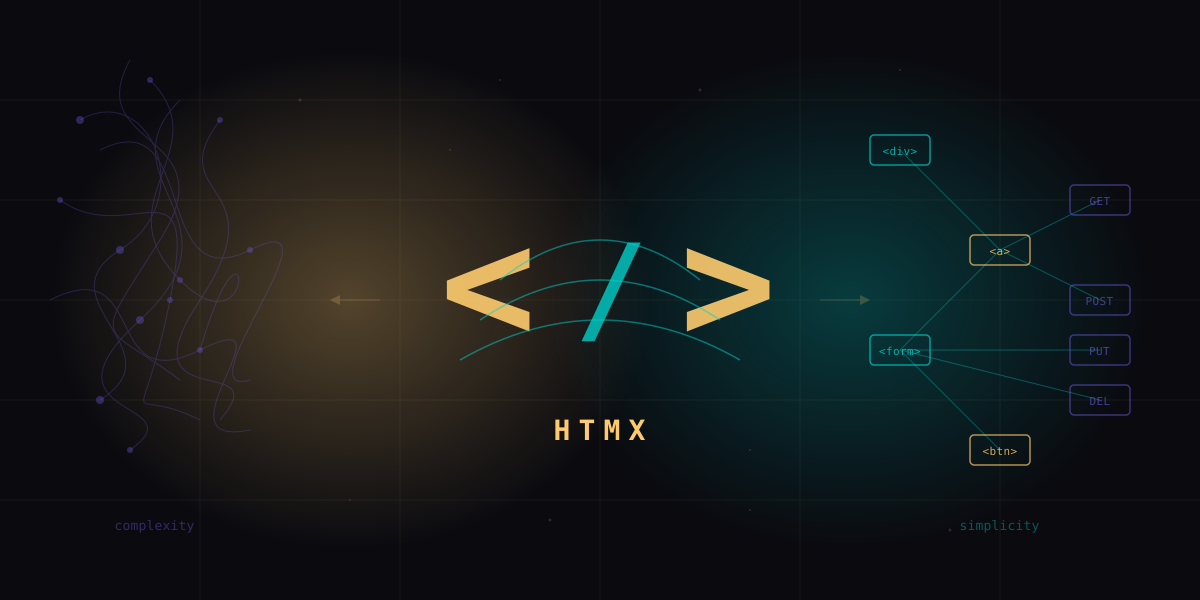
What is HTMX
HTMX is a small (14KB gzipped) JavaScript library that gives you access to AJAX, CSS Transitions, WebSockets, and Server-Sent Events directly in HTML using attributes. No build step. No virtual DOM. No client-side routing. You write HTML, sprinkle in a few hx- attributes, and your server returns HTML fragments that get swapped into the page.
That sounds almost too simple, and that is exactly the point. HTMX is a return to the original architecture of the web: the server is the application, HTML is the interface, and hypermedia (links and forms) is the engine of application state. This idea has a formal name: HATEOAS (Hypermedia As The Engine Of Application State), a constraint of REST that most "RESTful" JSON APIs completely ignore.
An HDA is a web application where the server returns hypermedia (HTML) instead of data (JSON). The client (browser + HTMX) knows how to render HTML natively. The server controls the UI by deciding what HTML to send. This eliminates the need for client-side state management, client-side routing, and most of the JavaScript that SPAs require.
The traditional SPA architecture looks like this: the browser loads a JavaScript bundle, that bundle makes API calls to fetch JSON, the client-side framework transforms that JSON into a virtual DOM, diffs it against the current DOM, and patches the real DOM. You need a router, a state manager, a build system, and often a meta-framework on top of the framework.
The HDA architecture with HTMX looks like this: the browser loads an HTML page. When the user clicks a button or submits a form, HTMX makes an HTTP request and swaps the returned HTML into the correct spot on the page. The server decides what to render. The browser does what browsers have always done: render HTML.
Carson Gross, the creator of HTMX, describes this as "completing HTML as a hypertext." HTML already has <a> tags for GET requests and <form> tags for GET/POST requests. But why can only anchors and forms make HTTP requests? Why only GET and POST? Why does a request always replace the entire page? HTMX removes these arbitrary limitations:
- Any element can make an HTTP request, not just anchors and forms
- Any HTTP method is available: GET, POST, PUT, PATCH, DELETE
- Any event can trigger a request: click, input, change, revealed, intersect, load
- Any part of the page can be updated, not just the whole document
This is not a new idea. It is the original idea of the web, extended to be more capable. Roy Fielding described this architecture in his 2000 dissertation. HTMX just makes it practical for modern interactive applications.
HTMX 2.x and the Road to 4.0
HTMX has an unusual version history. The library started life as intercooler.js, a jQuery-dependent library that Carson Gross created in 2013. In 2020, he rewrote it from scratch with zero dependencies and renamed it HTMX. The 1.x line ran from 2020 through early 2024, establishing the core API that developers know today.
HTMX 2.0 landed in June 2024 with several breaking changes. The biggest: HTMX 2.x dropped IE support entirely and moved to using the htmx: event prefix by default (previously unprefixed). It also removed deprecated attributes, tightened the default behavior of hx-boost, and required explicit opt-in for cross-origin requests. If you are starting a new project today, use 2.x. If you are migrating from 1.x, the migration guide is straightforward since most changes are search-and-replace.
The simplest approach:
<script src="https://unpkg.com/htmx.org@2.0.4"></script>Or via npm:
npm install htmx.org@2.0.4No build step required. Just a script tag.
The road to HTMX 4.0 is where things get interesting. (Yes, 4.0 - they are skipping 3.0 because the npm package htmx without the .org suffix already used version 3.x, and they want to avoid confusion.) The 4.0 release, currently in planning, includes two major architectural shifts:
1. Migration from XMLHttpRequest to fetch() - HTMX has used XHR internally since its inception. The 4.0 release will move to the modern fetch() API. This enables better streaming support, cleaner abort handling, and alignment with how modern browsers handle network requests. For most users this is invisible, but if you have custom XHR event handlers, you will need to update them.
2. Explicit inheritance model - In HTMX 1.x and 2.x, many attributes are inherited by child elements from their parents. For example, if you put hx-target="#results" on a <div>, all HTMX-enabled children inside that div inherit that target. This is powerful but can cause surprising behavior in large pages. HTMX 4.0 will make inheritance explicit, requiring you to opt in with a specific syntax. This is a breaking change but makes large applications more predictable.
There will be no HTMX 3.0. The jump from 2.x to 4.0 avoids a version collision with the unrelated
htmx npm package. When you see HTMX 4.0 references, this is the next major version after 2.x.
Core Attributes
HTMX has a small API surface. You can build most applications with fewer than 10 attributes. Here are the ones that matter.
hx-get, hx-post, hx-put, hx-delete
These attributes issue HTTP requests when the element is triggered (clicked by default for buttons, submitted for forms). The value is the URL to request.
<!-- GET request on click -->
<button hx-get="/api/users" hx-target="#user-list">
  Load Users
</button>

<!-- POST request on form submit -->
<form hx-post="/api/users" hx-target="#user-list" hx-swap="afterbegin">
  <input name="name" placeholder="Name" required>
  <input name="email" type="email" placeholder="Email" required>
  <button type="submit">Add User</button>
</form>

<!-- PUT request to update -->
<button hx-put="/api/users/42" hx-vals='{"status": "active"}'>
  Activate User
</button>

<!-- DELETE request -->
<button hx-delete="/api/users/42" hx-confirm="Delete this user?"
        hx-target="closest tr" hx-swap="outerHTML swap:500ms">
  Delete
</button>
The server responds with HTML fragments, not JSON. The browser swaps that HTML into the target element. No parsing, no state management, no virtual DOM diffing.
hx-swap
Controls how the returned HTML is inserted into the DOM. The default is innerHTML, which replaces the contents of the target element.
| Value | Behavior |
|---|---|
innerHTML | Replace inner HTML of target (default) |
outerHTML | Replace the entire target element |
afterbegin | Prepend inside target |
beforeend | Append inside target |
beforebegin | Insert before target |
afterend | Insert after target |
delete | Remove the target element |
none | Do not swap (useful for side-effect-only requests) |
You can also add modifiers: hx-swap="innerHTML swap:200ms settle:100ms" adds timing for CSS transition support. The scroll:top and show:top modifiers control scroll behavior after the swap.
hx-trigger
Defines what event triggers the request. Defaults to click for most elements and submit for forms.
<!-- Trigger on input with 300ms debounce -->
<input type="search" name="q"
       hx-get="/search"
       hx-trigger="input changed delay:300ms"
       hx-target="#results">

<!-- Trigger when element scrolls into view -->
<div hx-get="/api/more-content"
     hx-trigger="revealed"
     hx-swap="afterend">
  Loading...
</div>

<!-- Trigger on keyboard shortcut -->
<button hx-get="/refresh"
        hx-trigger="click, keyup[key=='r'] from:body">
  Refresh (R)
</button>

<!-- Poll every 5 seconds -->
<div hx-get="/api/notifications"
     hx-trigger="every 5s"
     hx-swap="innerHTML">
</div>
hx-target
Specifies which element should be updated with the response. Accepts any CSS selector. Without it, the element that made the request is the target.
<!-- Target a specific element -->
<button hx-get="/stats" hx-target="#dashboard-stats">
  Refresh Stats
</button>

<!-- Target relative to the triggering element -->
<button hx-delete="/api/items/7"
        hx-target="closest .item-row"
        hx-swap="outerHTML">
  Remove
</button>

<!-- Target the next sibling -->
<button hx-get="/preview" hx-target="next .preview-pane">
  Preview
</button>
hx-boost
The easiest way to add HTMX to an existing multi-page application. Put hx-boost="true" on the <body> tag and every anchor tag and form inside it will be "boosted" - they will use AJAX instead of full page loads, swapping just the <body> content and merging the <head>.
<body hx-boost="true">
  <nav>
    <!-- These links now use AJAX instead of full page loads -->
    <a href="/dashboard">Dashboard</a>
    <a href="/settings">Settings</a>
    <a href="/profile">Profile</a>
  </nav>
  <main id="content">
    <!-- Page content swapped via AJAX -->
  </main>
</body>
This gives you SPA-like navigation with zero JavaScript. The browser URL updates, the back button works, and the page does not flash white between navigations. It is the single fastest way to make a traditional server-rendered app feel modern.
hx-push-url
Pushes the request URL into the browser history, enabling back/forward navigation for AJAX requests.
<!-- Update URL when loading content -->
<a hx-get="/articles/42" hx-target="#main" hx-push-url="true">
  Read Article
</a>

<!-- Push a custom URL -->
<button hx-get="/api/filter?status=active"
        hx-target="#results"
        hx-push-url="/users/active">
  Active Users
</button>
Server-Side Integration
HTMX is backend-agnostic. Any server that returns HTML works. The key pattern is simple: check if the request is an HTMX request (via the HX-Request header), and if so, return a partial HTML fragment instead of a full page. Here are production patterns for the four most popular backend pairings.
Django + HTMX
Django is arguably the best pairing for HTMX. Django's template engine already renders HTML. The django-htmx package adds middleware that parses HTMX headers into the request object.
pip install django-htmx# settings.py
MIDDLEWARE = [
# ...
"django_htmx.middleware.HtmxMiddleware",
]
# views.py
from django.shortcuts import render
def contact_list(request):
contacts = Contact.objects.all()
if request.htmx:
return render(request, "partials/contact_rows.html", {"contacts": contacts})
return render(request, "contacts.html", {"contacts": contacts})
def add_contact(request):
form = ContactForm(request.POST or None)
if request.method == "POST" and form.is_valid():
contact = form.save()
return render(request, "partials/contact_row.html", {"contact": contact})
return render(request, "partials/contact_form.html", {"form": form})
def delete_contact(request, pk):
Contact.objects.filter(pk=pk).delete()
return HttpResponse("") # empty response with hx-swap="outerHTML" removes the row<!-- templates/contacts.html -->
<input type="search" name="q"
hx-get="{% url 'contact_search' %}"
hx-trigger="input changed delay:300ms"
hx-target="#contact-table">
<table>
<tbody id="contact-table">
{% include "partials/contact_rows.html" %}
</tbody>
</table>
<!-- templates/partials/contact_rows.html -->
{% for contact in contacts %}
<tr id="contact-{{ contact.pk }}">
<td>{{ contact.name }}</td>
<td>{{ contact.email }}</td>
<td>
<button hx-delete="{% url 'delete_contact' contact.pk %}"
hx-target="#contact-{{ contact.pk }}"
hx-swap="outerHTML swap:500ms"
hx-confirm="Delete {{ contact.name }}?">
Delete
</button>
</td>
</tr>
{% endfor %}The key Django + HTMX pattern: create a full template that
{% include %}s a partial, and have your view return just the partial for HTMX requests. This way the same view handles both full page loads and HTMX fragment requests.
Flask + HTMX
Flask's simplicity makes it a natural fit. Check the HX-Request header directly or use the flask-htmx extension.
from flask import Flask, render_template, request

app = Flask(__name__)

@app.route("/contacts")
def contacts():
    search = request.args.get("q", "")
    contacts = db.search_contacts(search) if search else db.get_all_contacts()
    if request.headers.get("HX-Request"):
        return render_template("partials/contact_list.html", contacts=contacts)
    return render_template("contacts.html", contacts=contacts)

@app.route("/contacts", methods=["POST"])
def create_contact():
    name = request.form["name"]
    email = request.form["email"]
    contact = db.create_contact(name, email)
    return render_template("partials/contact_row.html", contact=contact)

@app.route("/contacts/<int:id>/validate-email")
def validate_email(id):
    email = request.args.get("email", "")
    exists = db.email_exists(email, exclude_id=id)
    if exists:
        return '<span class="error">Email already in use</span>'
    return '<span class="valid">Email available</span>'
FastAPI + HTMX
FastAPI with Jinja2 templates works beautifully with HTMX. The async support means your HTMX endpoints can handle high concurrency without blocking.
from fastapi import FastAPI, Request
from fastapi.responses import HTMLResponse
from fastapi.templating import Jinja2Templates

app = FastAPI()
templates = Jinja2Templates(directory="templates")

@app.get("/contacts", response_class=HTMLResponse)
async def contacts(request: Request, q: str = ""):
    contacts = await db.search_contacts(q) if q else await db.get_all()
    template = "partials/rows.html" if request.headers.get("HX-Request") else "contacts.html"
    return templates.TemplateResponse(template, {"request": request, "contacts": contacts})

@app.post("/contacts", response_class=HTMLResponse)
async def create_contact(request: Request):
    form = await request.form()
    contact = await db.create(name=form["name"], email=form["email"])
    return templates.TemplateResponse("partials/row.html", {"request": request, "contact": contact})

@app.delete("/contacts/{contact_id}", response_class=HTMLResponse)
async def delete_contact(contact_id: int):
    await db.delete(contact_id)
    return HTMLResponse("")  # empty body, row removed via hx-swap="outerHTML"
Go + HTMX
Go's standard library html/template package and net/http router make it one of the cleanest HTMX backends. No framework needed.
package main

import (
    "html/template"
    "net/http"
)

var tmpl = template.Must(template.ParseGlob("templates/*.html"))

func contactsHandler(w http.ResponseWriter, r *http.Request) {
    contacts, _ := db.GetAll()

    if r.Header.Get("HX-Request") == "true" {
        tmpl.ExecuteTemplate(w, "contact_rows", contacts)
        return
    }
    tmpl.ExecuteTemplate(w, "contacts.html", contacts)
}

func deleteContactHandler(w http.ResponseWriter, r *http.Request) {
    id := r.PathValue("id")
    db.Delete(id)
    w.WriteHeader(http.StatusOK)
    // empty response - hx-swap="outerHTML" removes the row
}

func searchHandler(w http.ResponseWriter, r *http.Request) {
    q := r.URL.Query().Get("q")
    contacts, _ := db.Search(q)
    tmpl.ExecuteTemplate(w, "contact_rows", contacts)
}

func main() {
    mux := http.NewServeMux()
    mux.HandleFunc("GET /contacts", contactsHandler)
    mux.HandleFunc("DELETE /contacts/{id}", deleteContactHandler)
    mux.HandleFunc("GET /search", searchHandler)
    http.ListenAndServe(":8080", mux)
}
<!-- templates/contact_rows.html -->
{{define "contact_rows"}}
{{range .}}
<tr id="contact-{{.ID}}">
<td>{{.Name}}</td>
<td>{{.Email}}</td>
<td>
<button hx-delete="/contacts/{{.ID}}"
hx-target="#contact-{{.ID}}"
hx-swap="outerHTML swap:500ms"
hx-confirm="Delete {{.Name}}?">
Delete
</button>
</td>
</tr>
{{end}}
{{end}}Go 1.22 added method-based routing to the standard library with
mux.HandleFunc("DELETE /contacts/{id}", handler). This eliminates the need for third-party routers like Chi or Gorilla Mux for most HTMX applications.
Real-World Adoption
HTMX is not a toy project. As of early 2026, the library has over 47,000 GitHub stars, is downloaded millions of times per month from npm and CDNs, and has been adopted by companies ranging from startups to enterprises. It was the 2nd highest-rising library on the 2023 JavaScript Rising Stars list and has maintained that momentum through 2024 and 2025.
The most cited case study is Contexte, a French media intelligence company. They migrated their SPA (built with React) to a server-rendered Django + HTMX stack. The results were dramatic:
- 67% reduction in total codebase size - from a large React + API codebase to a smaller Django + HTMX codebase
- Eliminated the entire JSON API layer - no more serializers, no more client-side data fetching, no more state synchronization bugs
- Faster page loads - server-rendered HTML arrives ready to display, no waiting for JS bundles to download, parse, and execute
- Reduced team cognitive load - developers work in one language (Python) instead of context-switching between Python and TypeScript
- Easier onboarding - new developers productive in days instead of weeks
Other notable adopters include government agencies, fintech startups, and SaaS companies that realized they were paying the SPA complexity tax for applications that are fundamentally CRUD interfaces with some dynamic interactions.
HTMX went from ~5,000 stars in early 2023 to 47,000+ by early 2026. That growth rate rivals major frameworks. The library resonated with developers who were exhausted by the complexity of modern frontend toolchains.
Performance vs SPAs
The performance argument for HTMX is straightforward: you ship dramatically less JavaScript to the browser. Less JavaScript means faster Time to Interactive (TTI), faster First Contentful Paint (FCP), and better performance on low-end devices and slow networks.
| Framework / Library | Bundle Size (gzipped) | Build Step Required | Client-Side Routing |
|---|---|---|---|
| HTMX 2.x | ~14 KB | No | No (server-side) |
| Alpine.js 3.x | ~17 KB | No | No |
| HTMX + Alpine.js | ~31 KB | No | No |
| jQuery 3.x | ~30 KB | No | No |
| Vue 3 (runtime) | ~33 KB | Yes | Optional |
| Svelte (compiled) | ~2-10 KB | Yes | Optional |
| React 19 + ReactDOM | ~44 KB | Yes | No |
| React 19 + Router + State | ~90-128 KB | Yes | Yes |
| Next.js (typical app) | ~90-200 KB | Yes | Yes |
| Angular 18 | ~60-130 KB | Yes | Yes |
The Contexte migration numbers tell the story. Their React SPA shipped approximately 128 KB of gzipped JavaScript to the browser (React + React DOM + React Router + state management + API client + utilities). Their HTMX replacement ships 14 KB. That is a 9x reduction in JavaScript payload.
But bundle size is only part of the story. The more important metric is what the browser has to do with that JavaScript:
- SPA: Download JS bundle, parse it, execute it, make API calls, wait for JSON responses, transform JSON into DOM, hydrate event listeners. The page is not interactive until all of this completes.
- HTMX: Download HTML (already renderable), download 14KB of HTMX (can be cached indefinitely). The page is interactive as soon as the HTML arrives.
On a fast connection with a powerful device, the difference is small. On a 3G connection with a budget Android phone, the difference is seconds. Google's Core Web Vitals penalize heavy JavaScript bundles, which means HTMX applications tend to score better on Lighthouse and rank better in search results.
Svelte compiles away the framework, so its runtime cost can be lower than HTMX for simple components. Next.js and Nuxt do server-side rendering, which improves initial paint. The comparison is not purely about bundle size - it is about total architecture complexity and where your application logic lives.
When to Use HTMX vs SPA
HTMX is not a replacement for every SPA. It is a replacement for the SPAs that should never have been SPAs in the first place. The decision framework is simpler than most people think.
The 80/20 Rule
Roughly 80% of web applications are primarily server-driven: they display data, accept form input, navigate between pages, and show notifications. These applications do not need a virtual DOM, client-side routing, or a state management library. They need HTML with some dynamic interactions. HTMX handles this 80% with dramatically less complexity.
The remaining 20% genuinely benefit from SPA architecture: real-time collaborative editors (Google Docs), complex data visualization dashboards with heavy client-side computation, offline-first applications (Figma), and applications where the UI state is so complex that managing it on the server would be impractical.
Decision Framework
| Requirement | HTMX | SPA |
|---|---|---|
| CRUD interfaces and admin panels | Excellent | Overkill |
| Content-heavy sites with dynamic sections | Excellent | Unnecessary |
| E-commerce product pages | Excellent | Depends |
| Search with live filtering | Excellent | Good |
| Multi-step forms and wizards | Excellent | Good |
| Dashboards with charts and tables | Good | Good |
| Real-time chat applications | Good (with SSE/WS extensions) | Good |
| Collaborative editing (Google Docs-style) | Poor | Required |
| Offline-first applications | Poor | Required |
| Heavy client-side computation | Poor | Required |
| Complex drag-and-drop interfaces | Limited | Better |
| Native mobile app (via WebView) | Limited | Better |
The honest answer: if you are building a SaaS dashboard, an internal tool, a CMS, a blog, an e-commerce site, or any application where the primary interaction is "user clicks thing, server responds with updated content," HTMX is likely the better choice. You will ship faster, maintain less code, and your application will be more accessible and performant by default.
If you are building something that requires complex client-side state, offline support, or heavy real-time collaboration, use a SPA framework. There is no shame in that. The problem is not SPAs existing - it is SPAs being the default choice for applications that do not need them.
You do not have to choose one or the other for an entire application. Many teams use HTMX for 90% of their pages and drop in a small React or Vue component (via a web component or island architecture) for the one page that genuinely needs complex client-side interactivity. HTMX plays well with other libraries because it operates at the HTML level, not the component level.
Extensions
HTMX has a lean core, but ships with an official extension ecosystem for features that not every application needs. Extensions are loaded via a script tag and activated with the hx-ext attribute.
Server-Sent Events (SSE)
The sse extension connects to an SSE endpoint and swaps HTML fragments as they arrive. Perfect for live feeds, notifications, and real-time dashboards without the complexity of WebSockets.
<script src="https://unpkg.com/htmx-ext-sse@2.2.2/sse.js"></script>

<div hx-ext="sse" sse-connect="/events">
  <!-- This div updates when the server sends a "notification" event -->
  <div sse-swap="notification"></div>

  <!-- This div updates on "stats" events -->
  <div sse-swap="stats"></div>
</div>
# FastAPI SSE endpoint
from fastapi.responses import StreamingResponse
import asyncio
@app.get("/events")
async def events():
async def generate():
while True:
stats = await get_current_stats()
yield f"event: stats\ndata: <div>{stats.active_users} online</div>\n\n"
await asyncio.sleep(5)
return StreamingResponse(generate(), media_type="text/event-stream")WebSockets
For bidirectional communication, the ws extension provides WebSocket support with the same HTML-swapping model.
<script src="https://unpkg.com/htmx-ext-ws@2.0.1/ws.js"></script>

<div hx-ext="ws" ws-connect="/chat-ws">
  <div id="chat-messages">
    <!-- Messages swapped in here -->
  </div>
  <form ws-send>
    <input name="message" placeholder="Type a message...">
    <button type="submit">Send</button>
  </form>
</div>
The server sends HTML fragments over the WebSocket. Each fragment includes an id attribute, and HTMX swaps it into the matching element on the page. The form's ws-send attribute sends form data as JSON over the WebSocket.
response-targets
By default, HTMX swaps all responses into the same target. The response-targets extension lets you route responses to different targets based on HTTP status codes. This is essential for proper error handling.
<script src="https://unpkg.com/htmx-ext-response-targets@2.0.1/response-targets.js"></script>

<form hx-post="/api/register"
      hx-target="#success-message"
      hx-target-422="#form-errors"
      hx-target-500="#server-error"
      hx-ext="response-targets">
  <input name="email" type="email" required>
  <button type="submit">Register</button>
</form>
<div id="success-message"></div>
<div id="form-errors"></div>
<div id="server-error"></div>
head-support
The head-support extension merges <head> elements from HTMX responses into the current page's <head>. This is useful for updating page titles, meta tags, and stylesheets during AJAX navigation.
<script src="https://unpkg.com/htmx-ext-head-support@2.0.1/head-support.js"></script>

<body hx-ext="head-support" hx-boost="true">
  <!-- When navigating via hx-boost, the page title and meta tags
       from the response's <head> are merged into the current page -->
</body>
Idiomorph
Idiomorph is a DOM morphing algorithm (created by Carson Gross) that HTMX can use instead of the default innerHTML swap. Instead of replacing the target's content wholesale, idiomorph morphs the existing DOM to match the new HTML, preserving focus state, scroll position, CSS animations, and video playback.
<script src="https://unpkg.com/idiomorph@0.3.0/dist/idiomorph-ext.min.js"></script>

<!-- Use morph swapping on a specific element -->
<div hx-get="/dashboard"
     hx-swap="morph:innerHTML"
     hx-trigger="every 10s">
  <!-- Dashboard content morphed in place, preserving state -->
</div>

<!-- Or set it as the default swap strategy -->
<body hx-ext="morph">
  <!-- All swaps now use idiomorph -->
</body>Use idiomorph when you are updating content that has active state: forms with focus, playing videos, elements with CSS animations, or lists where you want smooth transitions instead of a flash of new content. For simple content replacement, the default innerHTML swap is fine and faster.
Alpine.js + HTMX Combo
HTMX handles server communication. Alpine.js handles client-side interactivity. Together they cover virtually every UI pattern you need, and the combined bundle is roughly 31 KB gzipped - smaller than React alone.
The division of labor is clean:
- HTMX: anything that talks to the server (fetching data, submitting forms, real-time updates)
- Alpine.js: anything that is purely client-side (dropdowns, tabs, toggles, modals, accordions, form validation feedback)
They do not conflict because they operate at different levels. HTMX uses hx- attributes for server interactions. Alpine uses x- attributes for client-side state. They coexist on the same elements without interference.
<!-- Dropdown menu: Alpine handles open/close, HTMX loads content -->
<div x-data="{ open: false }" class="dropdown">
  <button @click="open = !open">
    Notifications <span x-text="open ? '▲' : '▼'"></span>
  </button>
  <div x-show="open" x-transition
       hx-get="/api/notifications"
       hx-trigger="intersect once"
       hx-target="this">
    Loading notifications...
  </div>
</div>
<!-- Tabs: Alpine handles tab switching, HTMX lazy-loads tab content -->
<div x-data="{ tab: 'overview' }">
<nav>
<button @click="tab = 'overview'"
:class="tab === 'overview' ? 'active' : ''">Overview</button>
<button @click="tab = 'activity'"
:class="tab === 'activity' ? 'active' : ''">Activity</button>
<button @click="tab = 'settings'"
:class="tab === 'settings' ? 'active' : ''">Settings</button>
</nav>
<div x-show="tab === 'overview'">
<div hx-get="/tabs/overview" hx-trigger="load" hx-target="this">Loading...</div>
</div>
<div x-show="tab === 'activity'">
<div hx-get="/tabs/activity" hx-trigger="intersect once" hx-target="this">Loading...</div>
</div>
<div x-show="tab === 'settings'">
<div hx-get="/tabs/settings" hx-trigger="intersect once" hx-target="this">Loading...</div>
</div>
</div><!-- Character counter with Alpine, form submission with HTMX -->
<form hx-post="/api/posts" hx-target="#post-list" hx-swap="afterbegin"
x-data="{ chars: 0, max: 280 }">
<textarea name="body" maxlength="280"
@input="chars = $el.value.length"
placeholder="What's on your mind?"></textarea>
<div>
<span x-text="chars + '/' + max"
:class="chars > max * 0.9 ? 'text-warning' : ''">0/280</span>
<button type="submit" :disabled="chars === 0">Post</button>
</div>
</form>This combination is sometimes called the "new jQuery" - not because it resembles jQuery's API, but because it fills the same role: a lightweight, progressive enhancement layer that makes HTML interactive without the ceremony of a full framework. The difference is that HTMX + Alpine is architecturally sound where jQuery spaghetti was not.
HTMX (~14 KB) + Alpine.js (~17 KB) = ~31 KB gzipped. Compare that to a typical React + React DOM + React Router + Zustand setup at 90-128 KB. You get dropdowns, modals, tabs, transitions, AJAX, SSE, WebSockets, form validation, and URL management for less JavaScript than React's runtime alone.
Working Code Examples
Theory is nice. Working code is better. Here are four patterns you will use constantly in HTMX applications, with both the frontend HTML and backend code.
Infinite Scroll
Load more content as the user scrolls down. No pagination buttons, no "Load More" clicks. The last element in the list triggers the next page fetch when it scrolls into view.
<!-- Initial page -->
<div id="article-feed">
  <article class="feed-item">
    <h3>First Article</h3>
    <p>Article content...</p>
  </article>
  <article class="feed-item">
    <h3>Second Article</h3>
    <p>Article content...</p>
  </article>
  <!-- Sentinel element: triggers load when scrolled into view -->
  <div hx-get="/articles?page=2"
       hx-trigger="revealed"
       hx-swap="outerHTML"
       hx-indicator="#load-spinner">
    <div id="load-spinner" class="htmx-indicator">Loading...</div>
  </div>
</div>
# FastAPI backend
@app.get("/articles", response_class=HTMLResponse)
async def articles(request: Request, page: int = 1, per_page: int = 10):
offset = (page - 1) * per_page
articles = await db.get_articles(offset=offset, limit=per_page + 1)
has_more = len(articles) > per_page
articles = articles[:per_page]
return templates.TemplateResponse("partials/article_feed.html", {
"request": request,
"articles": articles,
"next_page": page + 1 if has_more else None,
})<!-- partials/article_feed.html -->
{% for article in articles %}
<article class="feed-item">
<h3>{{ article.title }}</h3>
<p>{{ article.excerpt }}</p>
</article>
{% endfor %}
{% if next_page %}
<div hx-get="/articles?page={{ next_page }}"
hx-trigger="revealed"
hx-swap="outerHTML">
<div class="htmx-indicator">Loading...</div>
</div>
{% endif %}The trick is the sentinel <div> at the bottom. When it scrolls into view, HTMX fetches the next page. The response replaces the sentinel with new articles and a new sentinel (if there are more pages). When there are no more pages, the sentinel is not included in the response, and scrolling stops triggering requests.
Search-as-you-type
Live search with debouncing. Results update as the user types, with a 300ms delay to avoid hammering the server on every keystroke.
<div class="search-container">
  <input type="search" name="q"
         hx-get="/search"
         hx-trigger="input changed delay:300ms, search"
         hx-target="#search-results"
         hx-indicator="#search-spinner"
         hx-push-url="true"
         placeholder="Search articles..."
         aria-label="Search articles">
  <span id="search-spinner" class="htmx-indicator">Searching...</span>
  <div id="search-results"></div>
</div>
// Go backend
func searchHandler(w http.ResponseWriter, r *http.Request) {
q := r.URL.Query().Get("q")
if q == "" {
w.Write([]byte(""))
return
}
results, err := db.Search(q)
if err != nil {
http.Error(w, "Search failed", 500)
return
}
tmpl.ExecuteTemplate(w, "search_results", results)
}
// Template: search_results
// {{define "search_results"}}
// {{if .}}
// {{range .}}
// <a href="/articles/{{.Slug}}" class="search-result">
// <h4>{{.Title}}</h4>
// <p>{{.Excerpt}}</p>
// </a>
// {{end}}
// {{else}}
// <p class="no-results">No results found.</p>
// {{end}}
// {{end}}The delay:300ms modifier debounces the input. The changed modifier ensures requests only fire when the value actually changes (not on arrow key presses). The search event fires when the user presses Enter or clicks the search clear button in the browser.
Inline Form Validation
Validate individual fields as the user fills them out, without waiting for form submission.
<form hx-post="/register" hx-target="#form-result">
  <div class="form-group">
    <label for="username">Username</label>
    <input id="username" name="username" type="text"
           hx-get="/validate/username"
           hx-trigger="input changed delay:500ms"
           hx-target="next .field-feedback"
           required minlength="3">
    <span class="field-feedback"></span>
  </div>

  <div class="form-group">
    <label for="email">Email</label>
    <input id="email" name="email" type="email"
           hx-get="/validate/email"
           hx-trigger="input changed delay:500ms"
           hx-target="next .field-feedback"
           required>
    <span class="field-feedback"></span>
  </div>

  <div class="form-group">
    <label for="password">Password</label>
    <input id="password" name="password" type="password"
           hx-get="/validate/password"
           hx-trigger="input changed delay:500ms"
           hx-target="next .field-feedback"
           required minlength="8">
    <span class="field-feedback"></span>
  </div>

  <button type="submit">Create Account</button>
  <div id="form-result"></div>
</form>
# Django validation endpoints
def validate_username(request):
username = request.GET.get("username", "")
if len(username) < 3:
return HttpResponse('<span class="error">Username must be at least 3 characters</span>')
if User.objects.filter(username=username).exists():
return HttpResponse('<span class="error">Username already taken</span>')
return HttpResponse('<span class="valid">Username available</span>')
def validate_email(request):
email = request.GET.get("email", "")
if not re.match(r"^[^@]+@[^@]+\.[^@]+$", email):
return HttpResponse('<span class="error">Invalid email format</span>')
if User.objects.filter(email=email).exists():
return HttpResponse('<span class="error">Email already registered</span>')
return HttpResponse('<span class="valid">Email available</span>')
def validate_password(request):
password = request.GET.get("password", "")
if len(password) < 8:
return HttpResponse('<span class="error">Password must be at least 8 characters</span>')
return HttpResponse('<span class="valid">Password strength: good</span>')Modal Dialogs
Load modal content from the server on demand. No pre-rendering every possible modal on page load.
<!-- Trigger button -->
<button hx-get="/modals/edit-user/42"
        hx-target="#modal-container"
        hx-swap="innerHTML">
  Edit User
</button>

<!-- Modal container (always in the page) -->
<div id="modal-container"></div>
<!-- Server returns this HTML fragment -->
<div class="modal-backdrop" onclick="this.remove()">
<div class="modal" onclick="event.stopPropagation()">
<h2>Edit User</h2>
<form hx-put="/api/users/42"
hx-target="#user-row-42"
hx-swap="outerHTML"
hx-on::after-request="this.closest('.modal-backdrop').remove()">
<input name="name" value="Jane Doe">
<input name="email" value="jane@example.com" type="email">
<div class="modal-actions">
<button type="button" onclick="this.closest('.modal-backdrop').remove()">Cancel</button>
<button type="submit">Save</button>
</div>
</form>
</div>
</div>The modal HTML is loaded from the server only when needed. After a successful form submission, the hx-on::after-request attribute removes the modal, and the hx-target updates the user row in the table behind it. Zero client-side state management.
The Hypermedia Movement
HTMX is not just a library. It is the flagship project of a broader movement to return web development to its hypermedia roots.
Carson Gross and the Origin Story
Carson Gross is a professor at Montana State University and the creator of both intercooler.js (2013) and HTMX (2020). His motivation was not to create another JavaScript framework but to ask a fundamental question: why did we abandon the architecture that made the web successful?
The web was designed as a hypermedia system. HTML documents link to other HTML documents. Forms submit data and receive HTML responses. The server is the application; the browser is a generic client that renders whatever the server sends. This architecture scaled to billions of users and pages without requiring every website visitor to download and execute a custom application runtime.
Then, around 2010-2015, the industry collectively decided that the browser should become an application platform. Instead of the server sending HTML, it would send JSON. Instead of the browser rendering HTML, it would run a JavaScript application that transforms JSON into a virtual DOM. We added build steps, bundlers, transpilers, state managers, client-side routers, and meta-frameworks. The complexity exploded.
Gross argues that this was a wrong turn for most applications. Not all applications - but most. The SPA architecture makes sense for Google Docs and Figma. It does not make sense for a blog, a CRUD admin panel, or an e-commerce checkout flow.
Hypermedia Systems - The Book
In 2023, Carson Gross, Adam Stepinski, and Deniz Aksimsek published Hypermedia Systems, a free online book that lays out the theoretical and practical foundations of Hypermedia-Driven Applications. The book covers:
- The history and theory of hypermedia (REST, HATEOAS, Roy Fielding's dissertation)
- Building a complete web application with HTMX and a Python backend
- Advanced HTMX patterns (active search, lazy loading, infinite scroll, real-time updates)
- Hypermedia APIs for mobile applications (Hyperview for React Native)
- When hypermedia is the right choice and when it is not
The book is available for free at hypermedia.systems and is the single best resource for understanding the philosophy behind HTMX. If you read one thing about HTMX beyond the docs, read this book.
The HOWL Stack
HOWL stands for Hypermedia On Whatever you'd Like. It is a tongue-in-cheek name for the architectural pattern of pairing HTMX with any server-side language and template engine. The point is that HTMX does not care what your backend is. Pick the language you are most productive in:
- Python: Django + HTMX, Flask + HTMX, FastAPI + HTMX
- Go: stdlib net/http + html/template, Echo + HTMX, Chi + HTMX
- Ruby: Rails + HTMX (or Hotwire, which shares similar ideas)
- PHP: Laravel + HTMX, Symfony + HTMX
- Java: Spring Boot + Thymeleaf + HTMX
- Rust: Axum + Askama + HTMX, Actix + Tera + HTMX
- .NET: Razor Pages + HTMX, Blazor + HTMX
- Elixir: Phoenix LiveView (similar philosophy, different implementation)
The HOWL stack is a rejection of the idea that you need a specific frontend framework paired with a specific backend framework. You need a server that returns HTML and a browser that renders it. Everything else is a choice, not a requirement.
When your frontend is HTML attributes and your backend is your favorite language's template engine, you eliminate: the JSON serialization layer, the API client, the client-side state manager, the client-side router, the build system, the bundler config, the TypeScript compilation step, and the meta-framework. That is not a small reduction in complexity. That is a fundamentally different (and simpler) way to build web applications.
Where the Movement is Heading
The hypermedia movement is not trying to kill SPAs. It is trying to give developers permission to build simpler applications when simplicity is appropriate. The trajectory is clear:
- HTMX 4.0 will modernize the internals (fetch API, explicit inheritance) while keeping the same developer-facing simplicity
- Idiomorph is becoming the default morphing algorithm, making HTMX swaps smoother and more state-preserving
- Hyperview extends the hypermedia architecture to mobile apps via React Native
- Server-side frameworks are adding first-class HTMX support (Django, Spring Boot, Laravel)
- Hosting platforms are optimizing for server-rendered HTML (Fly.io, Railway, Render)
The web started as a hypermedia system. HTMX is making it practical to build modern, interactive applications using that original architecture. For the 80% of applications that do not need SPA complexity, that is a very good thing.