Multi-Cloud Terraform Patterns in 2026
Module design, state isolation, provider-agnostic abstractions, CI/CD pipelines, policy-as-code testing, and the real cost of running infrastructure across AWS, GCP, and Azure.
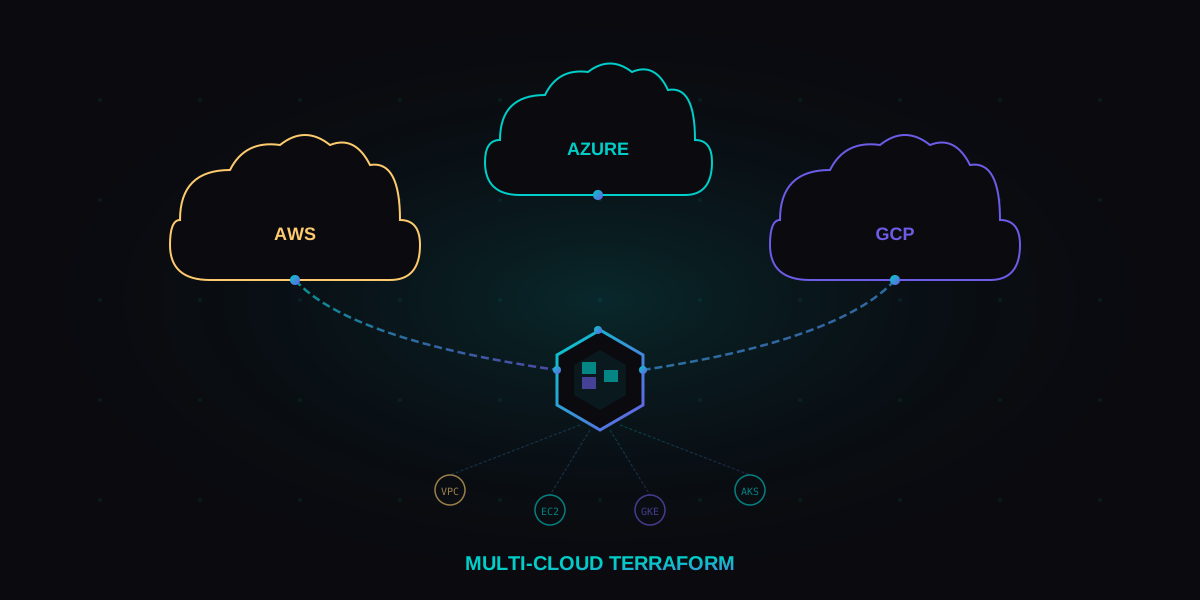
Multi-cloud Terraform manages infrastructure across AWS, GCP, and Azure from a single codebase
Why Multi-Cloud
Multi-cloud is no longer a theoretical architecture pattern. By 2026, 89% of enterprises run workloads across two or more cloud providers, according to Flexera's State of the Cloud report. The drivers are concrete: regulatory compliance that mandates data residency, best-of-breed service selection (BigQuery for analytics, AWS for compute, Azure for Active Directory integration), M&A inheritance, and genuine disaster recovery across provider boundaries.
The honest truth: multi-cloud adds complexity. You are managing multiple identity systems, networking models, billing structures, and API surfaces. The question is not whether multi-cloud is harder. It is. The question is whether your business requirements justify that complexity.
When multi-cloud is justified, Infrastructure as Code becomes non-negotiable. Manual provisioning across one cloud is painful. Across three, it is impossible. Terraform (and its fork OpenTofu) emerged as the dominant tool for this problem because of one key design decision: provider plugins. Every cloud gets a first-class provider, and your workflow stays the same.
The real reasons teams go multi-cloud
- Regulatory compliance - EU data residency laws may require a European provider alongside your primary US cloud
- Best-of-breed services - GCP BigQuery for analytics, AWS Lambda for serverless, Azure AD for identity
- M&A inheritance - Acquiring a company that runs on a different cloud than yours
- Disaster recovery - True provider-level redundancy (not just multi-region)
- Negotiation leverage - Credible multi-cloud capability gives you pricing power with sales teams
- Talent availability - Hiring from a broader pool of cloud engineers
Terraform vs OpenTofu - BSL vs MPL
In August 2023, HashiCorp changed Terraform's license from MPL 2.0 (Mozilla Public License) to BSL 1.1 (Business Source License). The BSL restricts anyone from offering a competing commercial product based on Terraform's code. In response, the Linux Foundation forked Terraform as OpenTofu under the original MPL 2.0 license.
By May 2026, the fork has matured significantly. OpenTofu 1.9 runs in production at thousands of organizations. The two projects have diverged in meaningful ways, though they still share the same HCL syntax and most provider plugins.
| Feature | Terraform 1.10 (BSL 1.1) | OpenTofu 1.9 (MPL 2.0) |
|---|---|---|
| License | BSL 1.1 - restricts competitive use | MPL 2.0 - fully open source |
| State encryption | Not built-in (use backend encryption) | Native client-side state encryption |
| Provider registry | registry.terraform.io | registry.opentofu.org (mirrors + originals) |
| Early variable evaluation | Partial (1.10) | Full support since 1.8 |
| for_each on providers | Not supported | Supported since 1.7 |
| Cloud integration | Terraform Cloud / HCP Terraform | Any backend (Spacelift, env0, Scalr) |
| Community governance | HashiCorp (IBM) controlled | Linux Foundation, open governance |
| Migration effort | N/A | Minimal - rename binary, update CI |
The practical impact: if you are building a product that competes with HashiCorp's offerings, you must use OpenTofu. If you are an end-user provisioning your own infrastructure, both work. OpenTofu's native state encryption and for_each on providers are genuine technical advantages for multi-cloud work.
terraform binary with tofu, update your CI scripts, and point provider sources to the OpenTofu registry. State files are compatible. Most teams complete migration in a single sprint.
# Install OpenTofu (Linux/macOS)
curl -fsSL https://get.opentofu.org/install-opentofu.sh | sh

# Verify installation
tofu version
# OpenTofu v1.9.0

# Initialize existing Terraform project with OpenTofu
cd my-infrastructure/
tofu init
tofu plan  # Same workflow, same HCL, same state
Multi-Cloud Module Patterns
The fundamental challenge of multi-cloud Terraform is abstraction without over-abstraction. You need modules that work across providers without hiding the provider-specific features that make each cloud valuable. There are three proven patterns in 2026.
Pattern 1: Provider-specific modules with a shared interface
This is the most common and most practical pattern. You create separate modules for each cloud provider, but they expose the same output interface. A wrapper module selects the right provider module based on a variable.
# modules/compute/aws/main.tf
variable "instance_name" { type = string }
variable "instance_size" { type = string }
variable "subnet_id"     { type = string }

resource "aws_instance" "this" {
  ami           = data.aws_ami.ubuntu.id
  instance_type = var.instance_size
  subnet_id     = var.subnet_id

  tags = {
    Name = var.instance_name
  }
}

output "instance_id"  { value = aws_instance.this.id }
output "private_ip"   { value = aws_instance.this.private_ip }
output "public_ip"    { value = aws_instance.this.public_ip }
# modules/compute/gcp/main.tf
variable "instance_name" { type = string }
variable "instance_size" { type = string }
variable "subnet_id" { type = string }
resource "google_compute_instance" "this" {
name = var.instance_name
machine_type = var.instance_size
zone = "us-central1-a"
boot_disk {
initialize_params {
image = "ubuntu-os-cloud/ubuntu-2404-lts"
}
}
network_interface {
subnetwork = var.subnet_id
access_config {}
}
}
output "instance_id" { value = google_compute_instance.this.id }
output "private_ip" { value = google_compute_instance.this.network_interface[0].network_ip }
output "public_ip" { value = google_compute_instance.this.network_interface[0].access_config[0].nat_ip }# modules/compute/main.tf - Wrapper module
variable "cloud_provider" {
type = string
default = "aws"
validation {
condition = contains(["aws", "gcp", "azure"], var.cloud_provider)
error_message = "cloud_provider must be aws, gcp, or azure."
}
}
variable "instance_name" { type = string }
variable "instance_size" { type = string }
variable "subnet_id" { type = string }
module "aws" {
source = "./aws"
count = var.cloud_provider == "aws" ? 1 : 0
instance_name = var.instance_name
instance_size = var.instance_size
subnet_id = var.subnet_id
}
module "gcp" {
source = "./gcp"
count = var.cloud_provider == "gcp" ? 1 : 0
instance_name = var.instance_name
instance_size = var.instance_size
subnet_id = var.subnet_id
}
output "instance_id" {
value = var.cloud_provider == "aws" ? module.aws[0].instance_id : module.gcp[0].instance_id
}
output "private_ip" {
value = var.cloud_provider == "aws" ? module.aws[0].private_ip : module.gcp[0].private_ip
}Pattern 2: Terragrunt DRY configuration
Terragrunt wraps Terraform/OpenTofu to eliminate repetition across environments and clouds. It is especially useful for multi-cloud because it manages backend configuration, provider versions, and variable inheritance across dozens of root modules.
# terragrunt.hcl (root)
locals {
  account_vars = read_terragrunt_config(find_in_parent_folders("account.hcl"))
  region_vars  = read_terragrunt_config(find_in_parent_folders("region.hcl"))
  cloud        = local.account_vars.locals.cloud_provider
}

generate "provider" {
  path      = "provider.tf"
  if_exists = "overwrite_terragrunt"
  contents  = local.cloud == "aws" ? templatefile("aws-provider.tftpl", {
    region = local.region_vars.locals.region
  }) : templatefile("gcp-provider.tftpl", {
    project = local.account_vars.locals.project_id
    region  = local.region_vars.locals.region
  })
}

remote_state {
  backend = local.cloud == "aws" ? "s3" : "gcs"
  config = local.cloud == "aws" ? {
    bucket         = "myorg-terraform-state"
    key            = "${path_relative_to_include()}/terraform.tfstate"
    region         = "us-west-2"
    encrypt        = true
    dynamodb_table = "terraform-locks"
  } : {
    bucket = "myorg-terraform-state"
    prefix = path_relative_to_include()
  }
}
Pattern 3: Monorepo with workspaces per cloud
For smaller teams, a single repository with directory-based separation works well. Each cloud gets its own directory, its own state, and its own CI pipeline. Shared modules live in a modules/ directory.
infrastructure/
  modules/
    networking/       # Shared interface, provider-specific implementations
    compute/
    database/
    monitoring/
  environments/
    production/
      aws/
        main.tf       # Uses modules/compute/aws
        backend.tf    # S3 backend
      gcp/
        main.tf       # Uses modules/compute/gcp
        backend.tf    # GCS backend
      azure/
        main.tf       # Uses modules/compute/azure
        backend.tf    # Azure Blob backend
    staging/
      aws/
gcp/State Management
State is the hardest problem in multi-cloud Terraform. Every terraform apply writes a state file that maps your HCL configuration to real cloud resources. In a multi-cloud setup, you need a deliberate strategy for where state lives, how it is locked, and how it is encrypted.
Rule 1: One state file per cloud per environment
Never combine AWS and GCP resources in the same state file. When a GCP API timeout causes a state lock, you do not want your AWS resources blocked too. Blast radius isolation is the primary design principle.
# aws/production/backend.tf
terraform {
  backend "s3" {
    bucket         = "myorg-tfstate-prod"
    key            = "aws/production/terraform.tfstate"
    region         = "us-west-2"
    encrypt        = true
    dynamodb_table = "terraform-locks"
    kms_key_id     = "alias/terraform-state"
  }
}

# gcp/production/backend.tf
terraform {
  backend "gcs" {
    bucket = "myorg-tfstate-prod"
    prefix = "gcp/production"
  }
}

# azure/production/backend.tf
terraform {
  backend "azurerm" {
    resource_group_name  = "tfstate-rg"
    storage_account_name = "myorgtfstateprod"
    container_name       = "tfstate"
    key                  = "azure/production/terraform.tfstate"
  }
}
Rule 2: Cross-cloud references via data sources
When your GCP workload needs to reference an AWS resource (like a VPN gateway IP), use terraform_remote_state data sources or, better yet, output the values to a shared parameter store.
# In GCP config, reference AWS state outputs
data "terraform_remote_state" "aws_network" {
  backend = "s3"
  config = {
    bucket = "myorg-tfstate-prod"
    key    = "aws/production/networking/terraform.tfstate"
    region = "us-west-2"
  }
}

# Use the AWS VPN gateway IP in GCP
resource "google_compute_vpn_tunnel" "to_aws" {
  name          = "gcp-to-aws-tunnel"
  peer_ip       = data.terraform_remote_state.aws_network.outputs.vpn_gateway_ip
  shared_secret = var.vpn_shared_secret

  target_vpn_gateway = google_compute_vpn_gateway.this.id
}
Rule 3: State encryption at rest and in transit
Every backend listed above encrypts state at rest by default (S3 with SSE, GCS with Google-managed keys, Azure Blob with SSE). But state files contain secrets: database passwords, API keys, private IPs. OpenTofu's native client-side encryption adds a second layer.
# OpenTofu native state encryption (tofu 1.7+)
terraform {
  encryption {
    key_provider "aws_kms" "state_key" {
      kms_key_id = "alias/tofu-state-encryption"
      region     = "us-west-2"
    }

    method "aes_gcm" "encrypt" {
      keys = key_provider.aws_kms.state_key
    }

    state {
      method   = method.aes_gcm.encrypt
      enforced = true
    }

    plan {
      method   = method.aes_gcm.encrypt
      enforced = true
    }
  }
}terraform apply simultaneously will corrupt your state. S3 uses DynamoDB for locking. GCS has built-in locking. Azure Blob uses blob leases. Never disable locking in production.
Provider-Agnostic Patterns with Crossplane
Crossplane takes a fundamentally different approach to multi-cloud infrastructure. Instead of writing HCL and running terraform apply, you define infrastructure as Kubernetes custom resources. Crossplane's controllers continuously reconcile the desired state against the actual state in each cloud provider.
This is a paradigm shift. Terraform is imperative-declarative: you declare what you want, then run a command to make it happen. Crossplane is fully declarative: you submit a YAML manifest, and the controller loop handles creation, updates, and drift correction automatically.
# Crossplane Composition - abstract "Database" that works on any cloud
apiVersion: apiextensions.crossplane.io/v1
kind: Composition
metadata:
  name: database-aws
  labels:
    provider: aws
spec:
  compositeTypeRef:
    apiVersion: platform.myorg.io/v1alpha1
    kind: Database
  resources:
    - name: rds-instance
      base:
        apiVersion: rds.aws.upbound.io/v1beta1
        kind: Instance
        spec:
          forProvider:
            engine: postgres
            engineVersion: "16"
            instanceClass: db.r6g.large
            allocatedStorage: 100
            publiclyAccessible: false
          providerConfigRef:
            name: aws-production
      patches:
        - fromFieldPath: spec.parameters.size
          toFieldPath: spec.forProvider.instanceClass
          transforms:
            - type: map
              map:
                small: db.r6g.medium
                medium: db.r6g.large
                large: db.r6g.xlarge
# Crossplane Claim - deploy a database without knowing which cloud
apiVersion: platform.myorg.io/v1alpha1
kind: Database
metadata:
name: orders-db
namespace: production
spec:
parameters:
size: medium
engine: postgres
version: "16"
compositionSelector:
matchLabels:
provider: aws # Change to "gcp" or "azure" to switch cloudsWhen to use Crossplane vs Terraform
| Scenario | Best tool | Why |
|---|---|---|
| Day-zero infrastructure provisioning | Terraform/OpenTofu | Better plan/apply workflow, mature ecosystem |
| Continuous drift correction | Crossplane | Controller loop detects and fixes drift automatically |
| Developer self-service platform | Crossplane | Developers submit claims via kubectl, no HCL knowledge needed |
| Complex dependency graphs | Terraform/OpenTofu | Better dependency resolution and planning |
| GitOps-native workflow | Crossplane + ArgoCD | Infrastructure reconciled from Git like application code |
| Existing HCL codebase | Terraform/OpenTofu | No rewrite needed, incremental adoption possible |
Many production teams use both. Terraform provisions the foundational infrastructure (VPCs, Kubernetes clusters, IAM). Crossplane manages the workload-level resources inside those clusters (databases, caches, queues) with continuous reconciliation. This layered approach gives you the best of both worlds. For a deeper comparison of IaC tools, see our Infrastructure as Code guide.
Real Examples - AWS + GCP + Azure
Theory is useful. Working code is better. Here is a complete multi-cloud deployment that provisions a VPC/VNet on each provider, peers them via VPN, and deploys a managed Kubernetes cluster on each. This is the pattern used by organizations that need workloads distributed across all three major clouds.
Multi-cloud networking foundation
# providers.tf - Pin every provider version
terraform {
  required_version = ">= 1.9.0"

  required_providers {
    aws = {
      source  = "hashicorp/aws"
      version = "~> 5.80"
    }
    google = {
      source  = "hashicorp/google"
      version = "~> 6.10"
    }
    azurerm = {
      source  = "hashicorp/azurerm"
      version = "~> 4.10"
    }
  }
}

provider "aws" {
  region = "us-west-2"
  default_tags {
    tags = {
      Environment = var.environment
      ManagedBy   = "terraform"
      Project     = "multi-cloud-platform"
    }
  }
}

provider "google" {
  project = var.gcp_project_id
  region  = "us-central1"
}

provider "azurerm" {
  features {}
  subscription_id = var.azure_subscription_id
}
# aws-network.tf
module "aws_vpc" {
source = "terraform-aws-modules/vpc/aws"
version = "5.16.0"
name = "multi-cloud-vpc"
cidr = "10.0.0.0/16"
azs = ["us-west-2a", "us-west-2b", "us-west-2c"]
private_subnets = ["10.0.1.0/24", "10.0.2.0/24", "10.0.3.0/24"]
public_subnets = ["10.0.101.0/24", "10.0.102.0/24", "10.0.103.0/24"]
enable_nat_gateway = true
single_nat_gateway = var.environment != "production"
enable_vpn_gateway = true
enable_dns_hostnames = true
tags = { Cloud = "aws" }
}
# AWS EKS cluster
module "eks" {
source = "terraform-aws-modules/eks/aws"
version = "20.31.0"
cluster_name = "multi-cloud-eks"
cluster_version = "1.31"
vpc_id = module.aws_vpc.vpc_id
subnet_ids = module.aws_vpc.private_subnets
eks_managed_node_groups = {
default = {
instance_types = ["m7g.large"]
min_size = 2
max_size = 10
desired_size = 3
}
}
}# gcp-network.tf
resource "google_compute_network" "main" {
name = "multi-cloud-vpc"
auto_create_subnetworks = false
}
resource "google_compute_subnetwork" "private" {
name = "private-subnet"
ip_cidr_range = "10.1.0.0/16"
region = "us-central1"
network = google_compute_network.main.id
secondary_ip_range {
range_name = "pods"
ip_cidr_range = "10.2.0.0/16"
}
secondary_ip_range {
range_name = "services"
ip_cidr_range = "10.3.0.0/20"
}
}
# GKE Autopilot cluster
resource "google_container_cluster" "main" {
name = "multi-cloud-gke"
location = "us-central1"
enable_autopilot = true
network = google_compute_network.main.id
subnetwork = google_compute_subnetwork.private.id
ip_allocation_policy {
cluster_secondary_range_name = "pods"
services_secondary_range_name = "services"
}
release_channel {
channel = "REGULAR"
}
}# azure-network.tf
resource "azurerm_resource_group" "main" {
name = "multi-cloud-rg"
location = "East US 2"
}
resource "azurerm_virtual_network" "main" {
name = "multi-cloud-vnet"
address_space = ["10.4.0.0/16"]
location = azurerm_resource_group.main.location
resource_group_name = azurerm_resource_group.main.name
}
resource "azurerm_subnet" "aks" {
name = "aks-subnet"
resource_group_name = azurerm_resource_group.main.name
virtual_network_name = azurerm_virtual_network.main.name
address_prefixes = ["10.4.1.0/24"]
}
# AKS cluster
resource "azurerm_kubernetes_cluster" "main" {
name = "multi-cloud-aks"
location = azurerm_resource_group.main.location
resource_group_name = azurerm_resource_group.main.name
dns_prefix = "multicloud"
kubernetes_version = "1.31"
default_node_pool {
name = "default"
node_count = 3
vm_size = "Standard_D4s_v5"
vnet_subnet_id = azurerm_subnet.aks.id
}
identity {
type = "SystemAssigned"
}
network_profile {
network_plugin = "azure"
network_policy = "calico"
}
}Cross-cloud VPN connectivity
# aws-to-gcp-vpn.tf
resource "aws_vpn_connection" "to_gcp" {
  vpn_gateway_id      = module.aws_vpc.vgw_id
  customer_gateway_id = aws_customer_gateway.gcp.id
  type                = "ipsec.1"
  static_routes_only  = true

  tags = { Name = "aws-to-gcp-vpn" }
}

resource "aws_customer_gateway" "gcp" {
  bgp_asn    = 65000
  ip_address = google_compute_address.vpn_static_ip.address
  type       = "ipsec.1"

  tags = { Name = "gcp-gateway" }
}

resource "google_compute_address" "vpn_static_ip" {
  name = "vpn-static-ip"
}

resource "google_compute_vpn_gateway" "to_aws" {
  name    = "gcp-to-aws-gateway"
  network = google_compute_network.main.id
}

resource "google_compute_vpn_tunnel" "to_aws" {
  name          = "gcp-to-aws-tunnel"
  peer_ip       = aws_vpn_connection.to_gcp.tunnel1_address
  shared_secret = aws_vpn_connection.to_gcp.tunnel1_preshared_key

  target_vpn_gateway = google_compute_vpn_gateway.to_aws.id

  local_traffic_selector  = ["10.1.0.0/16"]
  remote_traffic_selector = ["10.0.0.0/16"]
}Testing IaC - Terratest, Checkov, and OPA
Infrastructure code that is not tested is infrastructure code that will break in production. The IaC testing ecosystem has matured significantly by 2026. A proper testing pyramid for Terraform includes four layers: static analysis, policy checks, integration tests, and cost regression tests.
Layer 1: Static analysis with tflint and terraform validate
# terraform validate catches syntax and type errors
tofu validate

# tflint catches provider-specific issues
tflint --init
tflint --recursive

# Example .tflint.hcl
plugin "aws" {
  enabled = true
  version = "0.33.0"
  source  = "github.com/terraform-linters/tflint-ruleset-aws"
}

plugin "google" {
  enabled = true
  version = "0.30.0"
  source  = "github.com/terraform-linters/tflint-ruleset-google"
}

rule "terraform_naming_convention" {
  enabled = true
  format  = "snake_case"
}
Layer 2: Policy-as-code with Checkov and OPA
Checkov scans Terraform plans and HCL files against 1,000+ built-in security policies. OPA (Open Policy Agent) with Rego lets you write custom policies. Use both: Checkov for baseline cloud security, OPA for organization-specific rules.
# Checkov scan against Terraform plan
tofu plan -out=tfplan
tofu show -json tfplan > tfplan.json

checkov -f tfplan.json \
  --framework terraform_plan \
  --check CKV_AWS_18,CKV_AWS_19,CKV_AWS_145 \
  --compact

# Checkov custom policy example
# policies/require_encryption.py
from checkov.terraform.checks.resource.base_resource_check import BaseResourceCheck
from checkov.common.models.enums import CheckResult, CheckCategories

class S3BucketEncryption(BaseResourceCheck):
    def __init__(self):
        name = "Ensure S3 bucket has KMS encryption"
        id = "CUSTOM_AWS_001"
        supported_resources = ["aws_s3_bucket"]
        categories = [CheckCategories.ENCRYPTION]
        super().__init__(name=name, id=id,
                         categories=categories,
                         supported_resources=supported_resources)

    def scan_resource_conf(self, conf):
        # Check for server-side encryption configuration
        if "server_side_encryption_configuration" in conf:
            return CheckResult.PASSED
        return CheckResult.FAILED
# OPA Rego policy - enforce tagging standards across all clouds
# policies/tagging.rego
package terraform.tagging
import rego.v1
required_tags := {"Environment", "ManagedBy", "Project", "CostCenter"}
deny contains msg if {
resource := input.planned_values.root_module.resources[_]
tags := object.get(resource.values, "tags", {})
missing := required_tags - {key | tags[key]}
count(missing) > 0
msg := sprintf(
"%s '%s' is missing required tags: %v",
[resource.type, resource.name, missing]
)
}
deny contains msg if {
resource := input.planned_values.root_module.resources[_]
resource.values.tags.Environment
not resource.values.tags.Environment in {"production", "staging", "development"}
msg := sprintf(
"%s '%s' has invalid Environment tag: %s",
[resource.type, resource.name, resource.values.tags.Environment]
)
}# Run OPA against Terraform plan
tofu show -json tfplan > tfplan.json
opa eval \
--data policies/ \
--input tfplan.json \
"data.terraform.tagging.deny" \
--format prettyLayer 3: Integration tests with Terratest
Terratest deploys real infrastructure, validates it, and tears it down. It is the gold standard for IaC integration testing. The tradeoff: it is slow (minutes per test) and costs real money. Run it in CI on pull requests to shared modules, not on every commit.
// test/multi_cloud_test.go
package test

import (
    "testing"

    "github.com/gruntwork-io/terratest/modules/aws"
    "github.com/gruntwork-io/terratest/modules/gcp"
    "github.com/gruntwork-io/terratest/modules/terraform"
    "github.com/stretchr/testify/assert"
)

func TestMultiCloudNetworking(t *testing.T) {
    t.Parallel()

    terraformOptions := terraform.WithDefaultRetryableErrors(t,
        &terraform.Options{
            TerraformDir: "../environments/test/aws",
            Vars: map[string]interface{}{
                "environment": "test",
                "instance_size": "t3.micro",
            },
        },
    )

    // Deploy infrastructure
    defer terraform.Destroy(t, terraformOptions)
    terraform.InitAndApply(t, terraformOptions)

    // Validate AWS VPC was created
    vpcId := terraform.Output(t, terraformOptions, "vpc_id")
    vpc := aws.GetVpcById(t, vpcId, "us-west-2")
    assert.Equal(t, "10.0.0.0/16", vpc.CidrBlock)

    // Validate subnets
    subnets := aws.GetSubnetsForVpc(t, vpcId, "us-west-2")
    assert.Equal(t, 6, len(subnets))

    // Validate EKS cluster is active
    clusterName := terraform.Output(t, terraformOptions, "cluster_name")
    cluster := aws.GetEksCluster(t, "us-west-2", clusterName)
    assert.Equal(t, "ACTIVE", cluster.Status)
}
Layer 4: Cost regression with Infracost
Infracost estimates the monthly cost of your Terraform changes before they are applied. In a multi-cloud setup, this prevents surprise bills when someone changes an instance type or adds a resource in a cloud you are less familiar with.
# Generate cost breakdown for all clouds
infracost breakdown --path environments/production/aws --format json > aws-costs.json
infracost breakdown --path environments/production/gcp --format json > gcp-costs.json
infracost breakdown --path environments/production/azure --format json > azure-costs.json

# Compare costs against the main branch (in CI)
infracost diff --path . --compare-to infracost-base.json --format github-comment| Testing layer | Tool | Speed | Cost | When to run |
|---|---|---|---|---|
| Static analysis | tflint, terraform validate | Seconds | Free | Every commit |
| Policy checks | Checkov, OPA | Seconds | Free | Every commit |
| Integration tests | Terratest | 5-20 minutes | Real cloud costs | PR to shared modules |
| Cost regression | Infracost | 30 seconds | Free tier available | Every PR |
CI/CD Pipelines - GitHub Actions, Atlantis, and Spacelift
Running terraform apply from a laptop is fine for learning. In production multi-cloud environments, every change must flow through a CI/CD pipeline with plan review, policy checks, cost estimation, and approval gates. Three tools dominate this space in 2026.
GitHub Actions - the DIY approach
GitHub Actions gives you full control over the pipeline. You write the workflow, you manage the credentials, you handle the concurrency. This is the most flexible option but requires the most maintenance.
# .github/workflows/terraform-multicloud.yml
name: Multi-Cloud Terraform
on:
  pull_request:
    paths: ["environments/**", "modules/**"]
  push:
    branches: [main]
    paths: ["environments/**", "modules/**"]

permissions:
  id-token: write
  contents: read
  pull-requests: write

env:
  TF_VERSION: "1.9.5"
  TOFU_VERSION: "1.9.0"

jobs:
  detect-changes:
    runs-on: ubuntu-latest
    outputs:
      aws: ${{ steps.filter.outputs.aws }}
      gcp: ${{ steps.filter.outputs.gcp }}
      azure: ${{ steps.filter.outputs.azure }}
    steps:
      - uses: actions/checkout@v4
      - uses: dorny/paths-filter@v3
        id: filter
        with:
          filters: |
            aws:
              - 'environments/**/aws/**'
              - 'modules/**'
            gcp:
              - 'environments/**/gcp/**'
              - 'modules/**'
            azure:
              - 'environments/**/azure/**'
              - 'modules/**'

  plan-aws:
    needs: detect-changes
    if: needs.detect-changes.outputs.aws == 'true'
    runs-on: ubuntu-latest
    steps:
      - uses: actions/checkout@v4
      - uses: opentofu/setup-opentofu@v1
        with:
          tofu_version: ${{ env.TOFU_VERSION }}

      - uses: aws-actions/configure-aws-credentials@v4
        with:
          role-to-assume: arn:aws:iam::123456789012:role/terraform-ci
          aws-region: us-west-2

      - name: Tofu Plan
        working-directory: environments/production/aws
        run: |
          tofu init -input=false
          tofu plan -input=false -out=tfplan
          tofu show -no-color tfplan > plan.txt

      - name: Checkov Scan
        uses: bridgecrewio/checkov-action@v12
        with:
          directory: environments/production/aws
          framework: terraform

      - name: Infracost
        uses: infracost/actions/setup@v3
        with:
          api-key: ${{ secrets.INFRACOST_API_KEY }}
      - run: |
          infracost breakdown --path environments/production/aws \
            --format json --out-file /tmp/infracost.json
          infracost comment github \
            --path /tmp/infracost.json \
            --repo ${{ github.repository }} \
            --pull-request ${{ github.event.pull_request.number }} \
            --github-token ${{ secrets.GITHUB_TOKEN }}

  plan-gcp:
    needs: detect-changes
    if: needs.detect-changes.outputs.gcp == 'true'
    runs-on: ubuntu-latest
    steps:
      - uses: actions/checkout@v4
      - uses: opentofu/setup-opentofu@v1
        with:
          tofu_version: ${{ env.TOFU_VERSION }}

      - uses: google-github-actions/auth@v2
        with:
          workload_identity_provider: ${{ secrets.GCP_WIF_PROVIDER }}
          service_account: terraform-ci@myproject.iam.gserviceaccount.com

      - name: Tofu Plan
        working-directory: environments/production/gcp
        run: |
          tofu init -input=false
          tofu plan -input=false -out=tfplan

  apply:
    needs: [plan-aws, plan-gcp]
    if: github.ref == 'refs/heads/main'
    runs-on: ubuntu-latest
    environment: production
    steps:
      - uses: actions/checkout@v4
      - uses: opentofu/setup-opentofu@v1
        with:
          tofu_version: ${{ env.TOFU_VERSION }}
      - name: Apply AWS
        working-directory: environments/production/aws
        run: |
          tofu init -input=false
          tofu apply -input=false -auto-approve
Atlantis - pull request automation
Atlantis runs Terraform plan and apply directly from pull request comments. It is self-hosted, free, and integrates with GitHub, GitLab, and Bitbucket. For multi-cloud, you configure separate projects per cloud directory.
# atlantis.yaml
version: 3
projects:
  - name: aws-production
    dir: environments/production/aws
    workspace: default
    terraform_version: v1.9.5
    autoplan:
      when_modified: ["**/*.tf", "../../modules/**"]
      enabled: true
    apply_requirements: [approved, mergeable]
    workflow: aws

  - name: gcp-production
    dir: environments/production/gcp
    workspace: default
    terraform_version: v1.9.5
    autoplan:
      when_modified: ["**/*.tf", "../../modules/**"]
      enabled: true
    apply_requirements: [approved, mergeable]
    workflow: gcp

workflows:
  aws:
    plan:
      steps:
        - run: checkov -d . --framework terraform --compact
        - init
        - plan
    apply:
      steps:
        - apply
  gcp:
    plan:
      steps:
        - run: checkov -d . --framework terraform --compact
        - init
        - plan
    apply:
      steps:
        - apply
Spacelift - managed Terraform platform
Spacelift is a managed platform that handles state, credentials, policy enforcement, and drift detection. It supports Terraform, OpenTofu, Pulumi, CloudFormation, and Ansible. For multi-cloud teams, Spacelift's stack dependencies and policy-as-code features reduce operational overhead significantly.
Spacelift pricing starts at $0.014 per managed resource per hour (about $10/resource/month). For a 500-resource multi-cloud deployment, that is roughly $5,000/month. Compare that against the engineering time to maintain a custom GitHub Actions pipeline with equivalent features.
| Feature | GitHub Actions | Atlantis | Spacelift |
|---|---|---|---|
| Hosting | GitHub-managed | Self-hosted | SaaS or self-hosted |
| Cost | Free tier + minutes | Free (open source) | $0.014/resource/hour |
| Policy engine | DIY (Checkov/OPA) | DIY (custom workflows) | Built-in OPA + Rego |
| Drift detection | DIY (scheduled plans) | Not built-in | Built-in, scheduled |
| State management | DIY (S3/GCS/Blob) | DIY | Built-in or BYO |
| Multi-cloud credentials | OIDC per provider | Environment variables | Cloud integrations |
| Stack dependencies | Manual job ordering | Not supported | Built-in DAG |
| Setup effort | High | Medium | Low |
Cost Management with Infracost
Multi-cloud cost management is harder than single-cloud because each provider has different pricing models, discount structures, and billing APIs. Infracost solves the Terraform-specific piece: estimating costs before deployment and catching cost regressions in pull requests.
Infracost configuration for multi-cloud
# infracost.yml - multi-cloud project config
version: 0.1
projects:
  - path: environments/production/aws
    name: aws-production
    terraform_var_files:
      - terraform.tfvars
    usage_file: infracost-usage-aws.yml

  - path: environments/production/gcp
    name: gcp-production
    terraform_var_files:
      - terraform.tfvars
    usage_file: infracost-usage-gcp.yml

  - path: environments/production/azure
    name: azure-production
    terraform_var_files:
      - terraform.tfvars
    usage_file: infracost-usage-azure.yml
# infracost-usage-aws.yml - usage estimates for accurate pricing
version: 0.1
resource_usage:
aws_instance.web:
operating_system: linux
monthly_hrs: 730 # 24/7
aws_lambda_function.api:
monthly_requests: 10000000
request_duration_ms: 200
aws_s3_bucket.data:
standard:
storage_gb: 500
monthly_tier_1_requests: 1000000
monthly_tier_2_requests: 5000000
aws_nat_gateway.main:
monthly_data_processed_gb: 100Cost policies in CI
Infracost integrates with OPA to enforce cost policies. You can block PRs that exceed a monthly cost threshold or require additional approval for expensive changes.
# policies/cost-policy.rego
package infracost

import rego.v1

deny contains msg if {
    maxDiff := 500.0
    msg := sprintf(
        "Monthly cost increase of $%v exceeds $%v threshold. Requires platform team approval.",
        [input.diffTotalMonthlyCost, maxDiff]
    )
    to_number(input.diffTotalMonthlyCost) > maxDiff
}

deny contains msg if {
    r := input.projects[_].breakdown.resources[_]
    r.monthlyCost
    to_number(r.monthlyCost) > 2000
    msg := sprintf(
        "Resource %s costs $%v/month. Resources over $2,000/month require architecture review.",
        [r.name, r.monthlyCost]
    )
}
Multi-cloud cost comparison dashboard
Run Infracost across all three clouds and compare equivalent workloads. This data is invaluable for deciding where to place new workloads and for cost optimization reviews.
# Generate combined cost report
infracost breakdown --path . --format html --out-file cost-report.html

# Example output (abbreviated):
# Project                  Monthly Cost
# aws-production           $12,450
#   EKS cluster            $2,190
#   EC2 instances          $4,320
#   RDS PostgreSQL         $1,890
#   NAT Gateway            $1,050
#   S3 + CloudFront        $3,000
#
# gcp-production           $9,870
#   GKE Autopilot          $1,650
#   Compute Engine          $3,210
#   Cloud SQL              $1,740
#   Cloud NAT              $780
#   GCS + CDN              $2,490
#
# azure-production         $11,200
#   AKS                    $1,980
#   Virtual Machines       $3,890
#   Azure Database         $1,650
#   NAT Gateway            $890
#   Blob + CDN             $2,790
#
# TOTAL $33,520/monthCommon Pitfalls and Anti-Patterns
After working with dozens of multi-cloud Terraform codebases, these are the mistakes that cause the most pain. Every one of them has cost real teams real money and real downtime.
1. The "universal abstraction" trap
Teams try to build a single module that abstracts away all cloud differences. The result is a module with 200 variables, 50 conditionals, and support for none of the provider-specific features that make each cloud valuable. You end up with the lowest common denominator of all three clouds.
modules/database that tries to create RDS, Cloud SQL, and Azure Database with the same interface. Each has different replication models, backup strategies, and performance tuning options. Abstract the interface, not the implementation.
2. Shared state across clouds
Putting AWS and GCP resources in the same state file means a GCP API outage blocks your AWS deployments. It also means a single terraform destroy can wipe infrastructure across multiple clouds. Always isolate state per cloud per environment.
3. Inconsistent provider version pinning
# BAD - unpinned providers will break your builds
terraform {
  required_providers {
    aws    = { source = "hashicorp/aws" }
    google = { source = "hashicorp/google" }
  }
}

# GOOD - pinned with pessimistic constraint
terraform {
  required_providers {
    aws = {
      source  = "hashicorp/aws"
      version = "~> 5.80"  # Allows 5.80.x but not 5.81.0
    }
    google = {
      source  = "hashicorp/google"
      version = "~> 6.10"
    }
    azurerm = {
      source  = "hashicorp/azurerm"
      version = "~> 4.10"
    }
  }
}
4. No CIDR planning
Teams assign overlapping IP ranges to different clouds, then discover they cannot create VPN tunnels or peering connections. Plan your entire IP address space across all clouds before writing a single line of HCL. Document it in a shared spreadsheet or, better yet, in a Terraform locals block.
# cidr-plan.tf - document your IP allocation
locals {
  cidr_plan = {
    aws = {
      vpc_cidr     = "10.0.0.0/16"
      pod_cidr     = "10.10.0.0/16"
      service_cidr = "10.20.0.0/20"
    }
    gcp = {
      vpc_cidr     = "10.1.0.0/16"
      pod_cidr     = "10.11.0.0/16"
      service_cidr = "10.21.0.0/20"
    }
    azure = {
      vnet_cidr    = "10.4.0.0/16"
      pod_cidr     = "10.14.0.0/16"
      service_cidr = "10.24.0.0/20"
    }
  }
}
5. Manual credential management
Storing cloud credentials as long-lived secrets in CI is a security risk. Use OIDC federation for all three clouds. GitHub Actions, GitLab CI, and Spacelift all support OIDC tokens that exchange for short-lived cloud credentials with no stored secrets.
# AWS OIDC provider for GitHub Actions
resource "aws_iam_openid_connect_provider" "github" {
  url             = "https://token.actions.githubusercontent.com"
  client_id_list  = ["sts.amazonaws.com"]
  thumbprint_list = ["ffffffffffffffffffffffffffffffffffffffff"]
}

resource "aws_iam_role" "terraform_ci" {
  name = "terraform-ci"

  assume_role_policy = jsonencode({
    Version = "2012-10-17"
    Statement = [{
      Effect = "Allow"
      Principal = {
        Federated = aws_iam_openid_connect_provider.github.arn
      }
      Action = "sts:AssumeRoleWithWebIdentity"
      Condition = {
        StringEquals = {
          "token.actions.githubusercontent.com:aud" = "sts.amazonaws.com"
        }
        StringLike = {
          "token.actions.githubusercontent.com:sub" = "repo:myorg/infrastructure:*"
        }
      }
    }]
  })
}
6. Ignoring provider-specific best practices
Each cloud has conventions that Terraform cannot enforce. AWS expects tags on everything. GCP expects labels. Azure expects resource groups. Ignoring these conventions means your resources are invisible to the cloud provider's native cost management, security, and compliance tools.
7. No drift detection
Someone logs into the AWS console and changes a security group. Someone uses gcloud to resize an instance. Your Terraform state is now wrong. Schedule regular terraform plan runs (or use Spacelift/Crossplane drift detection) to catch manual changes before they cause incidents.
8. Testing only in one cloud
Your CI pipeline runs Terratest against AWS but skips GCP and Azure "to save time." The GCP module has a bug that only surfaces during apply. Test every cloud in CI, even if you run the tests less frequently for secondary clouds.
9. Monolithic root modules
A single root module with 500 resources takes 10 minutes to plan and has a massive blast radius. Break your infrastructure into small, focused root modules: networking, compute, database, monitoring. Each gets its own state file and its own CI pipeline.
10. No runbook for provider outages
Multi-cloud is supposed to provide resilience, but only if you have tested failover procedures. Document what happens when AWS us-east-1 goes down. Can your GCP workloads handle the traffic? Have you tested DNS failover? Terraform provisions the infrastructure, but operational readiness requires runbooks and regular drills.