Alteryx Deep Dive - Data Analytics, Career Paths & Certifications
From drag-and-drop workflows to a six-figure analytics career - the complete 2026 Alteryx guide.
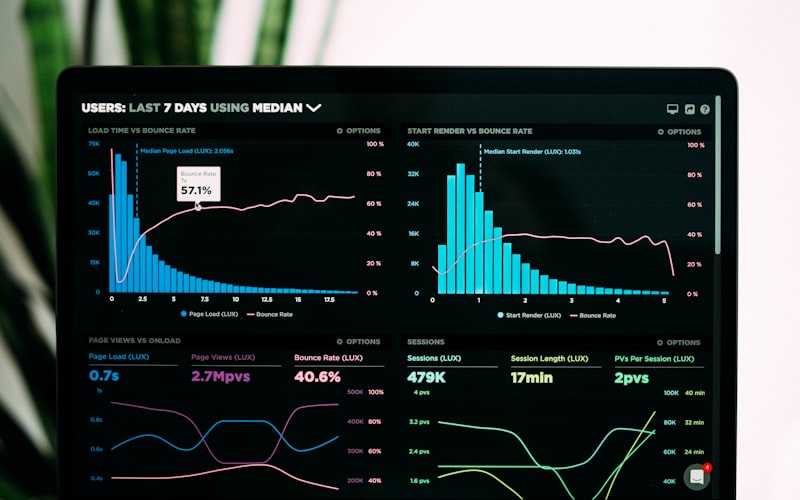
Alteryx transforms raw data into actionable insights - no code required
What Is Alteryx?
Alteryx is a visual, drag-and-drop analytics automation platform that lets you blend data from dozens of sources, clean it, transform it, run predictive models, and output reports - all without writing code. Think of it as a visual programming language purpose-built for data.

Alteryx - used by nearly half the Global 2000
In March 2024, Alteryx was taken private by Clearlake Capital and Insight Partners for $4.4 billion. Under new CEO Andy MacMillan (appointed December 2024), the company rebranded to the Alteryx One Platform and pivoted toward becoming an "AI Data Clearinghouse" - preparing clean, governed, AI-ready data for enterprise LLMs.
Key Stats
- 8,000+ enterprise customers worldwide
- Used by nearly half the Global 2000
- 200+ drag-and-drop tools in Designer
- Heavy adoption in finance, consulting, insurance, healthcare, and retail
- Average salary for Alteryx professionals: $124,800/year
Alteryx Designer - The Core Tool
Alteryx Designer is the flagship desktop application (Windows-only). You build workflows by dragging tools onto a canvas and connecting them with wires. Data flows left to right through your pipeline.

Alteryx Designer workflows transform raw data into analytics-ready outputs
Tool Palette Categories
| Category | What It Does | Key Tools |
|---|---|---|
| Input/Output | Connect to data sources and destinations | Input Data, Output Data, Browse, Directory |
| Preparation | Clean, filter, and shape data | Select, Filter, Formula, Data Cleanse Pro, Sample, Unique |
| Join | Combine datasets | Join, Join Multiple, Union, Find Replace, Fuzzy Match |
| Transform | Reshape and aggregate | Summarize, Cross Tab, Transpose, Running Total, Tile |
| Parse | Extract structured data from text | RegEx, Text to Columns, DateTime, JSON Parse, XML Parse |
| Spatial | Geographic analysis | Trade Area, Spatial Match, Find Nearest, Distance, Geocoder |
| Predictive | Statistical modeling and ML | Linear/Logistic Regression, Random Forest, ARIMA, Score |
| Reporting | Generate formatted output | Table, Chart, Report Map, Render (PDF/HTML/Excel) |
| Developer | Advanced automation | Control Container, Macros, Dynamic Input/Output, Run Command |
The Formula Tool - Alteryx's Swiss Army Knife
The Formula tool is where you'll spend most of your time. It uses a proprietary expression language:
// String operations
Trim(Uppercase([CustomerName]))
Left([PhoneNumber], 3)                    // Area code
Regex_Replace([Email], ".+@", "***@")     // Mask email prefix

// Conditional logic
IIF([Revenue] > 100000, "Enterprise",
  IIF([Revenue] > 10000, "Mid-Market", "SMB"))

// Date operations
DateTimeDiff([EndDate], [StartDate], "days")
DateTimeFormat(DateTimeNow(), "%Y-%m-%d")

// Null handling
IIF(IsNull([Region]), "Unknown", [Region])

// Math
Round([Price] * [Quantity] * (1 - [Discount]), 2)

// Type conversion
ToNumber(Regex_Replace([Revenue], "[$,]", ""))
ToString([OrderID], 0)
Multi-Row Formula - Row-Over-Row Calculations
// Running total (reference previous row)
[Row-1:RunningTotal] + [Amount]

// Percent change from previous period
([Revenue] - [Row-1:Revenue]) / [Row-1:Revenue] * 100

// Fill down (carry forward non-null values)
IIF(IsNull([Category]), [Row-1:Category], [Category])

// Flag first occurrence in a group
IIF([CustomerID] != [Row-1:CustomerID], "First", "Repeat")
2025-2026 Designer Updates
- AMP Engine default: Alteryx Multi-threaded Processing is now the default for new workflows - significantly faster than the legacy sequential engine
- Alteryx Copilot: AI assistant bundled with Designer 2025.2+ - create workflows via natural language
- GenAI Tools: Prompt tool, LLM Override, Synthetic Input - bring LLMs directly into workflows
- Data Cleanse Pro: Enhanced UI for data cleaning operations
- Dark Mode (Beta): Finally
- Decoupled updates: Designer can now be upgraded independently from Server
Hands-On Workflow Examples
These are real-world patterns you'll build daily. Each workflow reads left-to-right - data enters on the left, transforms in the middle, and outputs on the right.
1. ETL Pipeline - Database to Data Warehouse
Workflow: Sales ETL Pipeline
─────────────────────────────────────────────────────────
[Input: SQL Server via ODBC]
  → [Select: Drop 12 unused columns]
  → [Filter: WHERE OrderDate >= '2025-01-01']
  → [Formula: LineTotal = [Qty] * [Price] * (1 - [Discount])]
  → [Summarize: Group By Region, Product
                Sum of Revenue
                Count of Orders
                Avg of LineTotal]
  → [Join: Enrich with Customer dimension table on CustomerID]
  → [Output: Snowflake via Bulk Loader]

Performance: ~2.4M rows in 47 seconds (AMP Engine)
2. Data Cleansing - Messy CSV to Clean Dataset
Workflow: Customer Data Cleansing
─────────────────────────────────────────────────────────
[Input: Wildcard *.csv from /data/imports/]
  → [Auto Field: Optimize data types (Int64 → Int16, etc.)]
  → [Select: Rename columns to standard names]
  → [Formula:
       Name = Trim(TitleCase([raw_name]))
       Email = Lowercase(Trim([raw_email]))
       Phone = Regex_Replace([raw_phone], "[^0-9]", "")]
  → [RegEx: Parse phone → (\d{3})(\d{3})(\d{4})
            Output: AreaCode, Exchange, Number]
  → [Filter: Remove WHERE [Status] = "Deleted"]
  → [Unique: Deduplicate on [CustomerID]
             → Unique records → Output
             → Duplicates → Error log]
  → [Multi-Row Formula: Fill down NULL regions]
  → [Output: Cleaned .yxdb file]

Result: 340K records → 298K clean, 42K flagged for review
3. Predictive Model - Customer Churn
Workflow: Churn Prediction Model
─────────────────────────────────────────────────────────
[Input: Customer activity data]
  → [Formula: Feature engineering
       DaysSinceLastOrder = DateTimeDiff(DateTimeNow(), [LastOrderDate], "days")
       AvgOrderValue = [TotalRevenue] / [OrderCount]
       IsHighValue = IIF([TotalRevenue] > 5000, 1, 0)]
  → [Select: Choose 15 features + target variable [Churned]]
  → [Create Samples: 70% Estimation / 30% Validation]

  Estimation sample:
  → [Boosted Model: Target = [Churned], Features = 15 predictors]

  Validation sample:
  → [Score: Apply trained model]
  → [Confusion Matrix: Evaluate accuracy]
  → [Lift Chart: Visualize model performance]

  Full dataset:
  → [Score: Predict churn probability for all customers]
  → [Filter: WHERE [ChurnProbability] > 0.7]
  → [Output: High-risk customers to CRM via API]

Model accuracy: 84.2% | AUC: 0.89
4. API Integration - REST API to Database
Workflow: API Data Ingestion
─────────────────────────────────────────────────────────
[Text Input: BaseURL = "https://api.example.com/v1/orders"]
  → [Generate Rows: Create page numbers 1-50]
  → [Formula:
       URL = [BaseURL] + "?page=" + ToString([PageNum]) + "&limit=100"
       AuthHeader = "Bearer " + [APIToken]]
  → [Download Tool:
       GET request
       Header: Authorization = [AuthHeader]
       Header: Content-Type = application/json]
  → [Filter: Check HTTP 200 in [DownloadHeaders]]
  → [JSON Parse: Parse [DownloadData]]
  → [Cross Tab + Text to Columns: Flatten nested JSON]
  → [Select + Formula: Clean column names and types]
  → [Output: Write to PostgreSQL]

Ingested: 4,850 records across 50 pages in 12 seconds
5. Spatial Analysis - Retail Site Selection
Workflow: Store Site Selection Analysis
─────────────────────────────────────────────────────────
[Input: Candidate store locations (Lat/Long)]
  → [Create Points: Convert Lat/Long to spatial objects]
  → [Trade Area: Draw 5/10/15 mile radius rings]

[Input: Census demographic data]
  → [Spatial Match: Which demographics fall in each trade area?]
  → [Summarize: Population, median income, households per ring]

[Input: Competitor locations]
  → [Find Nearest: 3 closest competitors to each candidate]
  → [Distance: Calculate miles between store and competitors]

  → [Join: Combine demographics + competition data]
  → [Formula: Score = (Population * 0.3) + (Income * 0.4) - (CompetitorCount * 0.3)]
  → [Sort: Descending by Score]
  → [Report Map: Visualize top 10 candidates with trade areas]
  → [Render: Output to PDF report]
Macros - Reusable Workflow Components
Alteryx has three macro types for building reusable, parameterized components:
| Macro Type | What It Does | Use Case |
|---|---|---|
| Standard | Reusable workflow packaged as a single tool | Common transformations you use across workflows |
| Batch | Runs once per record from a control input | Process multiple files, apply different filters per region |
| Iterative | Loops until a condition is met | Recursive calculations, convergence algorithms, hierarchy traversal |
Alteryx One Cloud Platform
In spring 2025, Alteryx unified its products under the Alteryx One Platform brand:
- Designer Cloud (formerly Trifacta) - browser-based data preparation with visual profiling
- Auto Insights - AI-driven pattern detection and data storytelling with Magic Documents
- Machine Learning - automated ML (AutoML) with project management
- Intelligence Suite - OCR, NER, sentiment analysis, image recognition, text classification
- AiDIN - the AI engine powering Copilot, GenAI tools, and workflow summaries
- AI Data Clearinghouse - governance for preparing AI-ready data with PII anonymization and compliance workflows
Database & Cloud Integrations
| Platform | Connector | Notable Features |
|---|---|---|
| Snowflake | Native + In-DB | Bulk loader, push-down processing, OAuth |
| Databricks | Native | Unity Catalog, UPSERT, CSV bulk loader |
| AWS | S3, Redshift, Glue, Athena | Trusted Identity Propagation (new 2025.2) |
| Azure | SQL, Synapse, Blob Storage | Azure-hosted Databricks support |
| GCP | BigQuery, Cloud Storage | Bulk output support |
| Salesforce | Native | Read/write Salesforce objects |
| Tableau | Hyper output | Direct .hyper file generation |
Python & R Integration
# Python Tool in Alteryx Designer
# Access the incoming data as a pandas DataFrame
from ayx import Alteryx

# Read input anchor #1
df = Alteryx.read("#1")

# Custom transformation using pandas
df['Revenue_Normalized'] = (df['Revenue'] - df['Revenue'].mean()) / df['Revenue'].std()
df['Quarter'] = pd.to_datetime(df['OrderDate']).dt.quarter

# Scikit-learn model (when built-in predictive tools aren't enough)
from sklearn.ensemble import GradientBoostingClassifier
model = GradientBoostingClassifier(n_estimators=200, max_depth=5)
model.fit(X_train, y_train)
df['Prediction'] = model.predict(X_test)

# Write back to Alteryx output anchor #1
Alteryx.write(df, 1)
Pricing & Editions
| Edition | Estimated Price | Deployment | Includes |
|---|---|---|---|
| Starter | ~$4,950/user/year | Cloud only | Designer Cloud, basic prep/blend, up to 10 users |
| Professional | ~$5K-$10K/user/year | Cloud or hybrid | Designer Desktop or Cloud, Auto Insights, Copilot, Intelligence Suite, GenAI |
| Enterprise | $20K-$80K+/year | Hybrid | Everything + Server, Cloud Execution, App Builder, advanced governance |
Annual contracts only. No monthly billing. No free tier - but see Getting Started for Free below.
Launching a Data Science & Analytics Career with Alteryx

Alteryx skills open doors in finance, consulting, insurance, and healthcare
Alteryx is one of the fastest paths from "I know Excel" to a six-figure analytics career. The visual interface means you can build production-grade data pipelines without learning to code first - and the industries that use it (finance, consulting, insurance) pay well.
Career Progression Path
| Level | Role | Salary Range | Alteryx Skills | Certification |
|---|---|---|---|---|
| Entry (0-2 yr) | Data Analyst | $65K-$85K | Core tools, data prep, basic blending | Designer Core |
| Mid (2-5 yr) | Alteryx Developer | $85K-$115K | Advanced workflows, spatial, macros | Designer Advanced |
| Senior (5-8 yr) | Senior Analyst / Lead | $115K-$145K | Complex design, mentoring, cross-functional | Designer Expert |
| Specialist (5-10 yr) | Data Scientist | $130K-$170K | Predictive modeling, ML, Python integration | Predictive Master |
| Leadership (8+ yr) | Analytics Manager/Director | $135K-$200K+ | Platform governance, team strategy | Server Admin |
Industries That Hire Alteryx Talent
- Financial Services: JPMorgan Chase (162+ postings), Goldman Sachs, Wells Fargo, Bank of America, BNY Mellon - risk analytics, regulatory reporting, fraud detection
- Consulting: EY, PwC, Deloitte, Accenture, BCG, Cherry Bekaert - client data prep, process automation, analytics delivery
- Insurance: FWD, Cambia Health, CNO Financial - claims analytics, actuarial analysis, underwriting optimization
- Healthcare: Sanofi, hospital systems - patient data analysis, operational efficiency, regulatory compliance
- Retail: Walmart, Hershey - supply chain analytics, demand forecasting, pricing optimization
Common Career Pivots
- Data Analyst → Analytics Consultant (consulting firms value Alteryx heavily)
- Data Analyst → Data Engineer (Alteryx + SQL + Python combination)
- Analytics Consultant → Analytics Manager → VP of Analytics
- Alteryx Developer → Solutions Architect → Pre-Sales Engineer ($175K-$238K)
Portfolio Projects That Impress Employers
- Automated Financial Reporting Pipeline - Multi-source ETL with business rules and formatted output
- Customer Churn Prediction - Predictive model with feature engineering and business recommendations
- ETL Pipeline with Snowflake/Databricks - End-to-end cloud data warehouse loading
- Spatial Site Selection Analysis - Demographics, competition, and trade area analysis
- Tax/Regulatory Compliance Automation - Multi-state calculations with error handling (huge in finance)
Certifications
| Certification | Cost | Format | Difficulty | Career Impact |
|---|---|---|---|---|
| Designer Core | Free | 80 questions, 2 hours | ⭐⭐ Beginner | Entry-level requirement at many firms |
| Designer Advanced | Free | Multiple choice, 2 hours | ⭐⭐⭐ Intermediate | Differentiator for mid-level roles |
| Designer Expert | $150 | Performance-based | ⭐⭐⭐⭐⭐ Hard | Premium credential - few hold it |
| Predictive Master | $150 | Performance-based | ⭐⭐⭐⭐⭐ Hard | Data science credibility |
| Server Admin | Free | Multiple choice | ⭐⭐⭐ Intermediate | Enterprise/IT roles |
| Cloud Core | Free | Multiple choice | ⭐⭐ Beginner | Cloud-focused roles |
| ML Fundamentals | Free | 40 questions, 1 hour | ⭐⭐ Beginner | ML awareness credential |
Salary Data & Job Market (2026)

Alteryx skills command premium salaries - especially in finance and consulting
| Role | Salary Range | Average |
|---|---|---|
| Data Analyst (with Alteryx) | $65K - $110K | $95K |
| Alteryx Developer | $90K - $160K | $130K |
| Analytics Consultant | $90K - $155K | $135K |
| Data Engineer (with Alteryx) | $100K - $165K | $140K |
| Data Scientist (with Alteryx) | $110K - $170K | $150K |
| Analytics Manager | $115K - $175K | $155K |
| Senior Solutions Consultant | $135K - $240K+ | $175K+ |
Job Market Snapshot
- Indeed: 2,000+ active Alteryx job postings in the US
- ZipRecruiter: 2,800+ Alteryx jobs; 3,150+ remote positions
- Top locations: Atlanta, Chicago, Dallas, New York, Houston, Boston, Charlotte
- Remote-friendly: 368+ remote and 306+ hybrid positions on Indeed alone
- Overall average: $124,800/year (entry: ~$110K, experienced: $150K+)
The Demand-Supply Gap
BeBee analysis shows 2,512 jobs requiring Alteryx skills with a significant demand-supply gap. The talent pool is smaller than Python or SQL, which means Alteryx-certified professionals face less competition and can command premium rates - especially in finance and consulting.
Alteryx vs the Competition
| Dimension | Alteryx | Power BI | KNIME | Dataiku | Python |
|---|---|---|---|---|---|
| Focus | Data prep & analytics automation | BI & visualization | Open-source data science | Enterprise AI/ML | General-purpose |
| Pricing | $5K+/user/yr | $10-20/user/mo | Free (desktop) | Enterprise pricing | Free |
| Code Required | No | No | No | Optional | Yes |
| Spatial Analytics | Strong | Limited | Via extensions | Limited | Via libraries |
| Predictive/ML | Good | Limited | Excellent | Excellent | Excellent |
| Learning Curve | 40-60 hours | 20-40 hours | 40-60 hours | 60-80 hours | 200+ hours |
| Enterprise Governance | Strong | Strong (MS ecosystem) | KNIME Server | Strong | Custom setup |
Alteryx vs Python - The Real Answer
Performance Optimization Tips
- Drop columns early - Use Select tool before Joins and Spatial tools
- Filter early - Push filtering upstream to reduce record count
- Enable AMP Engine - Canvas → Runtime → Use AMP Engine (multi-threaded, significantly faster)
- Use .yxdb format - Alteryx-native format has the fastest I/O
- Avoid the Data Cleansing tool - It's a hidden macro with dozens of tools. Use Formula +
Trim()instead (10-50× faster) - Push SQL to the database - Use WHERE clauses in the Input Data SQL editor instead of reading full tables
- Use In-DB tools - For large databases, In-DB tools push processing to the database engine
- Disable Browse tools - Canvas → Runtime → Disable All Browse Tools in production
- Enable Performance Profiling - Shows time per tool, sorted slowest-first. Essential for bottleneck identification.
- Cache and Run - Right-click a tool → Cache and Run Workflow. Only re-executes downstream tools.
Getting Started for Free
Alteryx has no free tier, but there are legitimate ways to learn without paying:
SparkED Program
- Students: Free 1-year renewable Alteryx Designer license with Intelligence Suite. Includes self-guided learning and certification access.
- Independent Learners: Free 90-day Designer license (renewable for another 90 days). For anyone wanting to enhance job skills or start a new career.
- Educators: Classroom licenses and curriculum support.
- DataCamp Partnership: Additional online courses through SparkED.
Learning Path
- Week 1-2: Get SparkED license. Complete the Interactive Lessons on Alteryx Community.
- Week 3-4: Work through 10 Weekly Challenges (community.alteryx.com).
- Month 2: Build your first real project - an ETL pipeline with data you care about.
- Month 3: Take the Designer Core certification (free).
- Month 4-6: Build 2-3 portfolio projects. Start applying for analyst roles.
- Month 6-12: Take Designer Advanced certification (free). Target $85K+ roles.
Resources
- Alteryx Community - Forums, Weekly Challenges, certification prep
- DataCamp - Alteryx Fundamentals track (12 hours)
- Weekly Challenges - The single best way to build practical skills
- Join a User Group - Regional meetups in NYC, Toronto, Phoenix, Dublin, and more
The Bottom Line
Alteryx is one of the most direct paths from business analyst to six-figure data professional. The visual interface removes the coding barrier, the certifications are mostly free, the SparkED program gives you the software for free, and the industries that use it - finance, consulting, insurance - pay premium salaries. Start with SparkED, earn your Core cert, build a portfolio, and you're competitive for $85K+ roles within 6 months.