Astro 5 Guide: Full-Stack Web Development in 2026
What is Astro 5
Astro is an open-source web framework designed for building fast, content-driven websites. It ships zero JavaScript to the browser by default and uses an islands architecture to selectively hydrate only the interactive components that need client-side JS. With 55,000+ GitHub stars and adoption by companies like Google, Microsoft, Porsche, and Nordstrom, Astro has become one of the most popular frameworks for content-focused web development.
Astro 5, released in December 2024, introduced three headline features: a completely rebuilt Content Layer that is up to 5x faster than Astro 4, Server Islands for mixing static and dynamic content at the component level, and astro:env for type-safe environment variable management. These features solidified Astro's position as the go-to framework for blogs, documentation sites, marketing pages, and e-commerce storefronts.
Unlike traditional SPA frameworks that ship a JavaScript runtime to every visitor, Astro renders pages to static HTML at build time. Interactive components (called islands) only load their framework runtime when they appear on screen and need interactivity. A blog post with a single interactive search widget ships the React runtime only for that widget, not for the entire page.
Islands Architecture
Islands architecture is the core design pattern that makes Astro fundamentally different from Next.js, SvelteKit, or Nuxt. The concept was first described by Etsy architect Katie Sylor-Miller in 2019 and later formalized by Preact creator Jason Miller. Astro was the first major framework to implement it as a first-class feature.
In a traditional SPA, the entire page is a single JavaScript application. Every component, whether it is a static header or an interactive form, participates in the same hydration process. The browser downloads, parses, and executes the full framework runtime before anything becomes interactive.
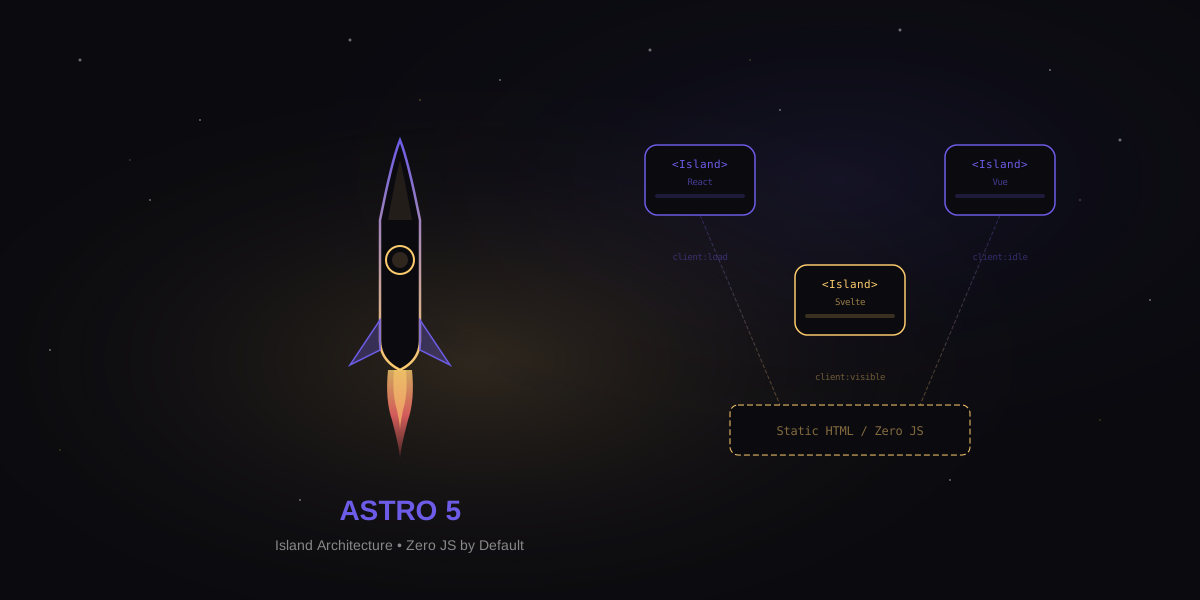
Islands architecture flips this model. The page is rendered as static HTML on the server. Individual interactive components are marked as islands that hydrate independently. Each island loads only the JavaScript it needs, when it needs it. The rest of the page remains pure HTML with zero JS overhead.
---
// src/pages/index.astro
// Static content renders as HTML - zero JS
import Header from '../components/Header.astro';
import Hero from '../components/Hero.astro';
import SearchWidget from '../components/SearchWidget.jsx';
import NewsletterForm from '../components/NewsletterForm.svelte';
---

<Header />
<Hero />

<!-- This React component hydrates when visible -->
<SearchWidget client:visible />

<!-- This Svelte component hydrates on page load -->
<NewsletterForm client:load />

<!-- Static footer - zero JS -->
<footer>Built with Astro</footer>
The result is dramatic. A typical content page built with Next.js ships 80-200KB of JavaScript before any application code. The same page built with Astro ships 0KB by default, plus only the bytes needed for each interactive island.
Zero JavaScript by Default
Astro's zero-JS default is not a marketing claim. It is a measurable architectural decision. When you build a page with Astro components (files ending in .astro), the output is pure HTML and CSS. No framework runtime, no hydration script, no router, no state management library. The browser receives exactly what it needs to render the page and nothing more.
This matters for three reasons:
- Performance: Zero JS means zero parse time, zero execution time, and instant interactivity. Time to Interactive (TTI) equals First Contentful Paint (FCP) because there is nothing to execute after the HTML loads.
- Accessibility: HTML works everywhere. Screen readers, low-powered devices, spotty connections, and browsers with JS disabled all get a fully functional page.
- SEO: Search engine crawlers see the complete page content immediately. No waiting for client-side rendering, no hydration mismatches, no content layout shift from late-loading components.
When you do need interactivity, you opt in explicitly with hydration directives. This is the opposite of frameworks like Next.js where you opt out of JavaScript with "use server" directives. Astro's model is simpler: everything is static unless you say otherwise.
Partial Hydration Directives
Astro provides five built-in client directives that control when and how an island hydrates. Each directive gives you fine-grained control over JavaScript loading behavior.
| Directive | When it Hydrates | Best For |
|---|---|---|
client:load | Immediately on page load | Critical UI that must be interactive instantly (nav menus, auth forms) |
client:idle | After page finishes loading (requestIdleCallback) | Important but not urgent components (chat widgets, analytics) |
client:visible | When component scrolls into viewport (IntersectionObserver) | Below-the-fold content (comments, carousels, embedded maps) |
client:media | When a CSS media query matches | Mobile-only or desktop-only interactions (mobile nav, sidebar toggles) |
client:only | Skips server render, hydrates client-side only | Components that depend on browser APIs (canvas, WebGL, localStorage) |
---
import HeavyChart from '../components/Chart.jsx';
import MobileMenu from '../components/MobileMenu.svelte';
import Comments from '../components/Comments.vue';
---

<!-- Hydrate only when scrolled into view -->
<HeavyChart client:visible />

<!-- Hydrate only on mobile screens -->
<MobileMenu client:media="(max-width: 768px)" />

<!-- Hydrate after main thread is idle -->
<Comments client:idle />
The client:visible directive is the most impactful for performance. A page with ten interactive components below the fold loads zero JavaScript until the user scrolls to each one. Combined with Astro's static HTML output, this produces Lighthouse performance scores of 95-100 consistently.
Content Layer and Collections
The Content Layer is the biggest new feature in Astro 5. It replaces the content collections system from Astro 4 with a unified, extensible data pipeline that is up to 5x faster for large sites. Where Astro 4 could only load content from local Markdown and MDX files, the Content Layer pulls data from any source: local files, REST APIs, CMSes (Contentful, Sanity, Storyblok), databases, or custom loaders.
Content collections use Zod schemas for validation and TypeScript type generation. You define the shape of your data once, and Astro enforces it at build time. Missing fields, wrong types, and invalid values are caught before they reach production.
// src/content.config.ts
import { defineCollection, z } from 'astro:content';
import { glob } from 'astro/loaders';

const blog = defineCollection({
  loader: glob({ pattern: '**/*.md', base: './src/content/blog' }),
  schema: z.object({
    title: z.string().max(60),
    description: z.string().min(120).max(160),
    pubDate: z.coerce.date(),
    updatedDate: z.coerce.date().optional(),
    heroImage: z.string(),
    tags: z.array(z.string()),
    draft: z.boolean().default(false),
  }),
});

// Load from an external API
const products = defineCollection({
  loader: async () => {
    const res = await fetch('https://api.example.com/products');
    const data = await res.json();
    return data.map((p: any) => ({
      id: p.slug,
      ...p,
    }));
  },
  schema: z.object({
    name: z.string(),
    price: z.number().positive(),
    category: z.enum(['electronics', 'clothing', 'books']),
    inStock: z.boolean(),
  }),
});

export const collections = { blog, products };
The performance improvement comes from incremental builds. The Content Layer caches parsed content and only reprocesses files that changed. On a site with 10,000 Markdown files, Astro 4 rebuilt all content on every change. Astro 5 rebuilds only the modified files, cutting build times from minutes to seconds.
Server Islands
Server Islands are Astro 5's answer to the personalization problem. Content sites are mostly static, but they often need small dynamic sections: a user avatar, a shopping cart count, personalized recommendations, or A/B test variants. Before Server Islands, you had two bad options: make the entire page dynamic (slow) or hydrate a client-side component that fetches data after load (layout shift).
Server Islands let you mark individual components for server-side rendering at request time while the rest of the page serves from a CDN cache. The static parts load instantly from the edge. The dynamic islands render on the server and stream into the page as they complete.
---
// src/pages/product.astro
import ProductInfo from '../components/ProductInfo.astro';
import UserCart from '../components/UserCart.astro';
import Reviews from '../components/Reviews.astro';
---

<!-- Static: cached at the CDN edge -->
<ProductInfo product={product} />

<!-- Server Island: rendered per-request with user session -->
<UserCart server:defer />

<!-- Server Island: fresh review count on every load -->
<Reviews server:defer productId={product.id} />
The server:defer directive tells Astro to render a placeholder in the initial HTML response and then replace it with the server-rendered content via a subsequent request. The static shell loads in milliseconds from the CDN. The personalized islands fill in shortly after, with optional fallback content shown during loading.
This pattern is ideal for e-commerce (static product pages with dynamic cart/pricing), SaaS dashboards (static layout with dynamic user data), and any site that mixes public content with personalized elements. You get CDN-level performance for the 90% of the page that is static and server-fresh data for the 10% that is dynamic.
astro:env Type-Safe Config
Environment variable management in web frameworks has always been error-prone. Misspelled variable names, missing values in production, and runtime type mismatches cause silent failures that are hard to debug. Astro 5 introduced astro:env to solve this with a schema-based approach that validates environment variables at build time.
// astro.config.mjs
import { defineConfig, envField } from 'astro/config';

export default defineConfig({
  env: {
    schema: {
      API_URL: envField.string({
        context: 'server',
        access: 'secret',
      }),
      PUBLIC_SITE_URL: envField.string({
        context: 'client',
        access: 'public',
        default: 'https://example.com',
      }),
      ITEMS_PER_PAGE: envField.number({
        context: 'server',
        access: 'public',
        default: 25,
        min: 1,
        max: 100,
      }),
      ENABLE_ANALYTICS: envField.boolean({
        context: 'client',
        access: 'public',
        default: false,
      }),
    },
  },
});
The schema distinguishes between server and client contexts, preventing accidental exposure of secrets to the browser. It also supports default values, numeric ranges, and boolean coercion. If a required variable is missing at build time, Astro fails fast with a clear error message instead of deploying a broken site.
---
// Usage in .astro files - fully typed
import { API_URL, ITEMS_PER_PAGE } from 'astro:env/server';
import { PUBLIC_SITE_URL, ENABLE_ANALYTICS } from 'astro:env/client';

// TypeScript knows API_URL is string, ITEMS_PER_PAGE is number
const response = await fetch(`${API_URL}/posts?limit=${ITEMS_PER_PAGE}`);
---
SSR and Hybrid Rendering
Astro supports three rendering modes that you can mix and match at the page level:
- Static (SSG): Pages are pre-rendered at build time to HTML files. Best for content that rarely changes. This is the default mode.
- Server (SSR): Pages are rendered on every request. Required for personalized content, authentication, and real-time data.
- Hybrid: Most pages are static, but specific pages opt into server rendering. The best of both worlds for sites that are mostly content with a few dynamic routes.
// astro.config.mjs
import { defineConfig } from 'astro/config';
import node from '@astrojs/node';

export default defineConfig({
  output: 'hybrid', // static by default, opt-in to SSR per page
  adapter: node({ mode: 'standalone' }),
});
---
// src/pages/dashboard.astro
// This page renders on every request
export const prerender = false;

const session = Astro.cookies.get('session');
if (!session) return Astro.redirect('/login');

const user = await getUser(session.value);
---

<h1>Welcome back, {user.name}</h1>
Hybrid rendering is the sweet spot for most production sites. Your blog posts, docs, and marketing pages build to static HTML for CDN delivery. Your dashboard, checkout, and API routes render on the server with access to cookies, headers, and databases. One framework, one codebase, both rendering strategies.
Multi-Framework Support
Astro's most distinctive feature is its ability to render components from multiple UI frameworks on the same page. You can use React, Vue, Svelte, Solid, Preact, Alpine, and Lit components side by side. Each framework loads its runtime only for the islands that use it.
This is not a theoretical capability. It solves real problems:
- Incremental migration: Moving from React to Svelte? Use both during the transition without rewriting everything at once.
- Best tool for the job: Use React for a complex data table component, Svelte for animations, and Vue for a form wizard, all on the same page.
- Team flexibility: Different teams can use their preferred framework without forcing a company-wide standard.
- Third-party components: Use the best component library regardless of which framework it was built for.
---
// src/pages/dashboard.astro
// Three frameworks, one page, zero conflicts
import ReactDataGrid from '../components/DataGrid.jsx';
import SvelteChart from '../components/Chart.svelte';
import VueFormWizard from '../components/FormWizard.vue';
---

<h1>Dashboard</h1>

<!-- React island: complex data table with sorting/filtering -->
<ReactDataGrid client:visible data={tableData} />

<!-- Svelte island: animated chart with transitions -->
<SvelteChart client:visible metrics={chartData} />

<!-- Vue island: multi-step form with validation -->
<VueFormWizard client:load steps={formSteps} />
Each framework integration is installed as an Astro integration. Add @astrojs/react, @astrojs/vue, and @astrojs/svelte to your config, and Astro handles the rest. Framework runtimes are tree-shaken and only included in the pages that use them.
Performance Benchmarks
Performance is where Astro's architecture pays off in measurable ways. Here are real-world benchmarks comparing Astro 5 against Next.js 15 and SvelteKit 2 for a content-heavy site with 50 pages, 10 interactive components, and standard SEO requirements.
| Metric | Astro 5 | Next.js 15 | SvelteKit 2 |
|---|---|---|---|
| Default JS shipped | 0 KB | 85-200 KB | 15-25 KB |
| Lighthouse Performance | 98-100 | 75-90 | 90-97 |
| Time to Interactive (static page) | 0.3s | 1.2-2.5s | 0.5-0.8s |
| First Contentful Paint | 0.4s | 0.8-1.5s | 0.5-0.7s |
| Total Blocking Time | 0 ms | 150-400 ms | 10-50 ms |
| Build time (50 pages) | 1.8s | 12-18s | 1.5s |
| Build time (1,000 pages) | 4.2s | 45-90s | 8-12s |
| Cumulative Layout Shift | 0 | 0.02-0.15 | 0-0.05 |
The 0 KB default JS is the key differentiator. Next.js ships its React runtime, router, and hydration code on every page regardless of whether the page has interactive elements. SvelteKit compiles away the framework but still ships a small runtime for client-side navigation. Astro ships nothing unless you explicitly add an interactive island.
For sites with 1,000+ pages, Astro 5's Content Layer with incremental builds is a game-changer. Rebuilding a single blog post takes under 200ms regardless of total site size. Next.js ISR (Incremental Static Regeneration) achieves similar results but requires a running server, while Astro's incremental builds work with pure static hosting.
Astro DB with libSQL and Turso
Astro DB is a fully managed SQL database built on Turso and libSQL (a fork of SQLite). It gives Astro projects a built-in database with zero configuration, type-safe queries, and automatic migrations.
// db/config.ts
import { defineDb, defineTable, column } from 'astro:db';

const Comment = defineTable({
  columns: {
    id: column.number({ primaryKey: true }),
    postSlug: column.text(),
    author: column.text(),
    body: column.text(),
    createdAt: column.date({ default: new Date() }),
  },
});

export default defineDb({
  tables: { Comment },
});
---
// src/pages/api/comments.ts
import { db, Comment, eq } from 'astro:db';

export async function GET({ params }) {
  const comments = await db
    .select()
    .from(Comment)
    .where(eq(Comment.postSlug, params.slug))
    .orderBy(Comment.createdAt);

  return new Response(JSON.stringify(comments), {
    headers: { 'Content-Type': 'application/json' },
  });
}

export async function POST({ request }) {
  const { postSlug, author, body } = await request.json();
  const result = await db.insert(Comment).values({
    postSlug, author, body,
  });
  return new Response(JSON.stringify(result), { status: 201 });
}
---
Astro DB uses Drizzle ORM under the hood, so queries are type-safe and composable. During development, it runs a local SQLite database. In production, it connects to Turso's globally distributed edge database with read replicas in 30+ regions. Latency for database reads is typically under 10ms from any location.
The combination of Astro DB with Server Islands creates a powerful pattern: static pages with dynamic, database-driven components that render on the server edge. A blog with a comments section can serve the article from a CDN cache and render fresh comments from the nearest Turso replica, all in a single Astro project.
View Transitions API
Astro was the first major framework to ship built-in support for the browser-native View Transitions API. This API enables smooth, animated page transitions without client-side routing or JavaScript frameworks. Pages feel like a SPA while remaining fully server-rendered with standard navigation.
---
// src/layouts/Base.astro
import { ViewTransitions } from 'astro:transitions';
---

<html>
<head>
  <ViewTransitions />
</head>
<body>
  <header transition:persist>
    <nav>...</nav>
  </header>

  <main transition:animate="slide">
    <slot />
  </main>
</body>
</html>
The transition:persist directive keeps elements like navigation bars and audio players alive across page navigations. The transition:animate directive applies built-in animations (fade, slide, morph) or custom CSS animations to elements during transitions. Astro includes a fallback for browsers that do not yet support the View Transitions API natively.
View Transitions pair perfectly with Astro's static output. You get SPA-like navigation smoothness with MPA reliability. Back/forward navigation works correctly, scroll position restores naturally, and the browser's native loading indicator shows progress. No client-side router means no JavaScript bundle for navigation.
Cloudflare Acquisition
In January 2026, Cloudflare announced the acquisition of the Astro project and its core team. The deal brought Astro's creator Fred K. Schott and the full-time Astro team under Cloudflare's developer platform division. Astro remains fully open source under its existing MIT license.
The acquisition made strategic sense for both sides. Cloudflare needed a first-party framework to compete with Vercel's ownership of Next.js and Netlify's investment in SvelteKit. Astro needed sustainable funding and deeper infrastructure integration. The result has been accelerated development and tighter integration with Cloudflare's edge platform:
- Cloudflare Pages: First-class Astro adapter with automatic Server Islands support on Workers.
- D1 Database: Native integration as an alternative to Turso for Astro DB.
- Workers AI: Built-in AI inference at the edge for Astro Server Islands.
- R2 Storage: Seamless image and asset hosting with automatic optimization.
- Framework neutrality: Cloudflare committed to maintaining Astro's multi-framework support and platform-agnostic deployment. Astro still deploys to Vercel, Netlify, AWS, and any Node.js host.
Deployment Options
Astro's output flexibility means it deploys anywhere. Static sites go to any CDN or object storage. SSR sites need a server runtime. Hybrid sites need both. Here are the major deployment targets and their trade-offs.
Vercel
Install @astrojs/vercel and deploy with vercel deploy. Vercel handles static assets via their edge network and SSR routes via serverless functions. Server Islands work out of the box. Image optimization uses Vercel's built-in service. The free tier covers most personal projects.
Netlify
The @astrojs/netlify adapter deploys SSR routes as Netlify Functions. Static assets serve from Netlify's CDN. Netlify's form handling and identity features integrate cleanly with Astro's form actions. Build times are fast thanks to Netlify's build cache.
Cloudflare Pages
Post-acquisition, Cloudflare Pages is the most deeply integrated option. The @astrojs/cloudflare adapter runs SSR on Workers with sub-millisecond cold starts. Server Islands execute at the edge in 300+ locations. D1 database access has near-zero latency. The free tier includes unlimited bandwidth.
AWS S3 + CloudFront
For static Astro sites, S3 + CloudFront remains the most cost-effective option at scale. Upload the dist/ folder to S3, put CloudFront in front, and you have a globally distributed site for pennies per month. For SSR routes, add Lambda@Edge or Lambda function URLs behind CloudFront. The cloud native guide covers this architecture in detail.
# Deploy static Astro site to AWS S3 + CloudFront
npm run build

# Sync built files to S3
aws s3 sync dist/ s3://my-astro-site/ \
  --delete \
  --cache-control "public, max-age=31536000, immutable"

# Set HTML files with shorter cache
aws s3 sync dist/ s3://my-astro-site/ \
  --exclude "*" --include "*.html" \
  --cache-control "public, max-age=3600, s-maxage=86400" \
  --content-type "text/html"

# Invalidate CloudFront cache
aws cloudfront create-invalidation \
  --distribution-id YOUR_DIST_ID \
  --paths "/*"
Self-hosted (Docker/Node.js)
The @astrojs/node adapter produces a standalone Node.js server. Wrap it in a Docker container and deploy to any container platform: ECS, Cloud Run, Fly.io, Railway, or a plain VPS. This gives you full control over the runtime environment and works well for sites that need WebSocket connections or long-running server processes.
Astro vs Next.js vs SvelteKit
Choosing between Astro, Next.js, and SvelteKit depends on your project's primary workload. Each framework excels in a different zone.
| Use Case | Best Choice | Why |
|---|---|---|
| Blog / docs / marketing site | Astro | Zero JS default, fastest Lighthouse scores, Content Layer handles thousands of pages |
| E-commerce storefront | Astro | Static product pages + Server Islands for cart/pricing. Best Core Web Vitals for SEO. |
| SaaS dashboard | Next.js | Heavy client interactivity, real-time updates, complex state management across routes |
| Social media / real-time app | Next.js | Full client-side routing, optimistic updates, WebSocket integration |
| Internal tools / admin panels | SvelteKit | Minimal boilerplate, fast development, small bundle, excellent form handling |
| Portfolio / personal site | Astro | Simplest mental model, fastest performance, works with any UI framework |
| Full-stack app with complex forms | SvelteKit | Built-in form actions, progressive enhancement, server-side validation |
| Multi-framework migration | Astro | Only framework that supports React + Vue + Svelte on the same page |
The simplest decision framework: if your site is primarily content that people read, use Astro. If your site is primarily an application that people interact with, use Next.js or SvelteKit. If you are unsure, start with Astro. You can always add interactive islands later, and migrating from Astro to a full SPA framework is easier than migrating the other direction.
Check the HTMX guide for another approach to building interactive sites without heavy JavaScript frameworks. HTMX and Astro solve similar problems (less client-side JS) from different angles (hypermedia vs islands).
Getting Started
Astro's CLI scaffolds a new project in under 30 seconds. The setup wizard lets you choose a starter template, TypeScript configuration, and UI framework integrations.
# Create a new Astro project
npm create astro@latest my-site

# Or with specific options
npm create astro@latest my-site -- --template blog --typescript strict

# Add framework integrations
npx astro add react
npx astro add tailwind
npx astro add mdx

# Start development server
npm run dev
The development server starts in under 500ms with hot module replacement (HMR) that updates the browser instantly on file changes. Astro uses Vite under the hood, so you get the same fast development experience as SvelteKit and other Vite-based frameworks.
For production sites, the recommended starting stack is:
- Astro 5 with TypeScript strict mode
- Tailwind CSS 4 for styling (via
@astrojs/tailwind) - MDX for content with embedded components (via
@astrojs/mdx) - One UI framework for interactive islands (React, Svelte, or Vue)
- Astro DB or an external database for dynamic data
- Cloudflare Pages or Vercel for deployment
Astro's theme marketplace has 200+ free and premium starter templates for blogs, portfolios, documentation sites, and e-commerce stores. Most themes include SEO optimization, responsive design, and accessibility features out of the box.
Frequently Asked Questions
Is Astro 5 production-ready?
Yes. Astro 5 has been stable since December 2024 and is used in production by thousands of companies including Google, Microsoft, Porsche, and The Guardian. The framework follows semantic versioning with long-term support for major versions. The Cloudflare acquisition in January 2026 added additional engineering resources and infrastructure backing.
Does Astro work with TypeScript?
Astro has first-class TypeScript support. The .astro file format supports TypeScript in the frontmatter section. Content collections generate TypeScript types automatically from Zod schemas. The astro:env module provides typed environment variables. The CLI offers strict, standard, and relaxed TypeScript presets during project creation.
Can I use Astro for a full-stack application?
Astro supports API routes, server-side rendering, form handling, database access (via Astro DB), authentication, and middleware. For content-first applications with some dynamic features, Astro handles the full stack well. For applications that are primarily interactive (real-time collaboration, complex state management), a dedicated SPA framework like Next.js or SvelteKit is a better fit.
How does Astro handle SEO?
Astro excels at SEO because it outputs static HTML by default. Search engines see the complete page content without waiting for JavaScript execution. Astro includes built-in sitemap generation (@astrojs/sitemap), RSS feed support, canonical URL helpers, and automatic Open Graph image generation. Lighthouse SEO scores of 100 are the norm, not the exception.
npm create astro@latest to scaffold a new project in 30 seconds. Check the official documentation for guides, API references, and migration paths from other frameworks.