OpenAI Codex with GitHub and GitLab
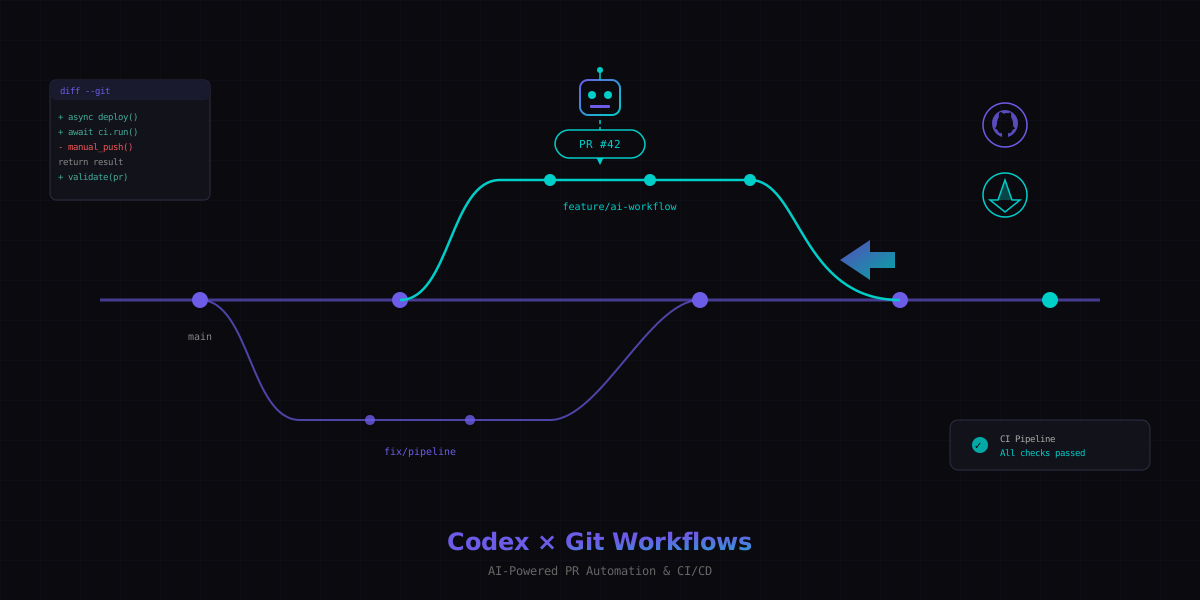
OpenAI Codex is not just a coding agent that lives in a terminal or a web app. Its real power emerges when you connect it to your version control platform. With GitHub integration, Codex creates branches, opens pull requests, reviews code, and fixes CI failures autonomously. GitLab support is coming next.
This guide covers everything: connecting Codex to your repos, using it alongside other agents in GitHub Agent HQ, automating PRs and code reviews, wiring it into CI/CD pipelines with GitHub Actions, the current state of GitLab integration, parallel workflows with git worktrees, AGENTS.md configuration, security hardening, and enterprise features.
If you need the fundamentals of what Codex is and how it works, start with OpenAI Codex - The AI Coding Agent. For CLI-specific usage, see the Codex CLI Tutorial. This article assumes you know what Codex does and want to integrate it into your Git workflow.
1. Connecting Codex to GitHub
Codex connects to GitHub through the official GitHub App. Once installed, it can access your repositories, create branches, and open pull requests on your behalf. The setup takes about two minutes.
Installing the GitHub App
Navigate to the OpenAI Codex page in the GitHub Marketplace and click "Install." You can grant access to all repositories in your organization or select specific ones. For most teams, start with a few repos and expand later.
Permission levels
Codex supports three permission configurations:
| Permission | What Codex can do | Use case |
|---|---|---|
| Read-only | Clone and read code, suggest changes in comments | Code review, analysis, documentation |
| Write | Create branches, push commits, open PRs | Feature implementation, bug fixes |
| Commit | Push directly to existing branches (not main) | Auto-fix CI, apply review suggestions |
Internet access toggle
By default, Codex runs in a network-isolated sandbox. It cannot make outbound HTTP requests, install packages from registries, or call external APIs. This is a security feature.
You can enable internet access per task or globally in your repository settings. When enabled, Codex can:
- Install dependencies from npm, PyPI, or other registries
- Pull container images for testing
- Access external APIs referenced in your code
- Download assets or data files
Repository setup checklist
# 1. Install the Codex GitHub App (via Marketplace UI)

# 2. Create AGENTS.md in your repo root
touch AGENTS.md

# 3. Add your project conventions
cat > AGENTS.md << 'EOF'
# Project Conventions
- Language: TypeScript (strict mode)
- Test framework: Vitest
- Linter: ESLint with @typescript-eslint
- Package manager: pnpm
- Branch naming: feature/TICKET-description
- Commit format: conventional commits
EOF

# 4. Verify Codex has access
# Check Settings > Integrations > GitHub Apps in your repo
2. GitHub Agent HQ
GitHub Agent HQ is the control plane for AI agents operating on your repositories. It launched in early 2026 as part of GitHub's push to make AI agents first-class citizens in the development workflow. Codex is one of several agents you can deploy here.
Multi-agent environment
Agent HQ supports multiple AI agents working simultaneously:
- OpenAI Codex - autonomous coding, PR creation, bug fixes
- GitHub Copilot - inline completions, chat, PR summaries
- Anthropic Claude - code review, documentation, complex reasoning
- Custom agents - your own agents via the Agent HQ API
Requirements
To use Codex in Agent HQ, you need:
- GitHub Copilot Pro+ or Enterprise subscription (required for Agent HQ access)
- OpenAI Codex GitHub App installed on the repository
- Repository admin or maintainer permissions to configure agents
Parallel agents on the same PR
The real power of Agent HQ is running multiple agents on the same pull request. A typical workflow:
- You open a PR with a feature description
- Codex implements the feature on a branch
- Claude reviews the implementation and leaves comments
- Codex addresses the review comments with follow-up commits
- Copilot generates the PR summary and changelog entry
Each agent operates independently. They do not block each other, and their outputs are clearly labeled in the PR timeline so you know which agent did what.
3. PR Workflow
When you assign a task to Codex (via the web app, CLI, or @codex mention in an issue), it follows a consistent workflow to produce a pull request.
How Codex creates PRs
- Clone - Codex clones your repository into a cloud sandbox
- Branch - Creates a new branch from your default branch (or specified base)
- Worktree - Sets up a git worktree for isolated work
- Implement - Makes code changes based on your prompt
- Test - Runs your test suite (if configured in AGENTS.md)
- Commit - Creates atomic commits with descriptive messages
- Push - Pushes the branch to your repository
- PR - Opens a pull request with a populated description
PR descriptions
Codex auto-generates PR descriptions that include:
- Summary of what changed and why
- List of files modified with brief explanations
- Testing notes (what was tested, how to verify)
- Link back to the original issue or prompt
- Any assumptions or decisions made during implementation
Worktree-based flow
Codex uses git worktrees internally to handle multiple tasks without conflicts. Each task gets its own worktree, which means:
- Multiple Codex tasks can run in parallel on the same repo
- No task interferes with another task's working directory
- Each worktree has a clean state based on the latest default branch
- Failed tasks can be discarded without affecting other work
# What Codex does internally (simplified):
git worktree add /sandbox/task-abc123 -b codex/fix-auth-bug main
cd /sandbox/task-abc123
# ... make changes, run tests ...
git add -A
git commit -m "fix: resolve authentication timeout on token refresh"
git push origin codex/fix-auth-bug
# ... open PR via GitHub API ...
4. Code Review with Codex
Codex is not just a code writer. It is also a code reviewer. You can invoke it on any pull request to get detailed, actionable feedback focused on real issues rather than style nitpicks.
Triggering a review
There are two ways to trigger a Codex review:
# Manual trigger - comment on any PR:
@codex review

# With specific focus:
@codex review focus:security,performance

# Review only specific files:
@codex review files:src/auth/*.ts
Automatic reviews
Configure automatic reviews in your repository settings or via a .github/codex.yml file:
# .github/codex.yml
reviews:
  enabled: true
  auto_review: true
  trigger:
    - on: pull_request
      paths:
        - "src/**"
        - "lib/**"
  focus:
    - security
    - correctness
    - performance
  ignore_paths:
    - "**/*.test.ts"
    - "docs/**"
P0/P1 priority system
Codex categorizes findings by severity:
| Priority | Category | Examples |
|---|---|---|
| P0 - Critical | Must fix before merge | SQL injection, auth bypass, data loss, race conditions |
| P1 - Important | Should fix before merge | Missing error handling, resource leaks, incorrect logic |
| P2 - Suggestion | Nice to have | Naming improvements, minor refactors, documentation gaps |
Codex focuses its review on P0 and P1 issues. It will mention P2 suggestions but clearly labels them as optional. This prevents the "wall of nitpicks" problem that makes AI reviews annoying.
Acting on findings
When Codex finds issues, you can ask it to fix them directly:
# Fix all P0 and P1 findings:
@codex fix

# Fix a specific finding:
@codex fix #3

# Fix with additional context:
@codex fix #3 - use the existing ErrorBoundary component
Codex creates a new commit on the same branch addressing the findings. The PR updates automatically, and Codex re-reviews its own fixes to confirm they resolve the issues without introducing new ones.
5. CI/CD with GitHub Actions
The openai/codex-action@v1 GitHub Action brings Codex into your CI/CD pipeline. It can run on any trigger - push, pull request, schedule, or workflow dispatch - and execute Codex tasks in a containerized environment.
Basic setup
# .github/workflows/codex.yml
name: Codex CI
on:
  pull_request:
    types: [opened, synchronize]

permissions:
  contents: write
  pull-requests: write

jobs:
  codex-review:
    runs-on: ubuntu-latest
    steps:
      - uses: actions/checkout@v4
      - uses: openai/codex-action@v1
        with:
          task: "Review this PR for security issues and correctness bugs"
          sandbox: read-only
          model: o4-mini
        env:
          OPENAI_API_KEY: ${{ secrets.OPENAI_API_KEY }}
          GITHUB_TOKEN: ${{ secrets.GITHUB_TOKEN }}
Sandbox modes
The action supports three sandbox modes with increasing levels of access:
| Mode | File access | Command execution | Network | Use case |
|---|---|---|---|---|
read-only | Read | None | Blocked | Code review, analysis |
workspace-write | Read + Write | Sandboxed | Blocked | Auto-fix, refactoring |
danger-full-access | Full | Unrestricted | Allowed | Integration tests, deploys |
danger-full-access mode is named that way for a reason. It gives Codex unrestricted access to your runner environment, including secrets available in the workflow. Only use it in workflows with minimal secrets and strong branch protection.
Safety strategies
Layer these strategies to keep Codex safe in CI:
- Least privilege sandbox - always use the minimum mode needed
- Branch protection - require PR reviews even for Codex-created PRs
- Path restrictions - limit which files Codex can modify
- Timeout limits - set
timeout-minutesto prevent runaway tasks - Cost caps - set
max-tokensto limit API spend per run
Auto-fix failing CI pattern
One of the most powerful patterns: Codex automatically fixes CI failures and pushes a fix commit.
# .github/workflows/codex-autofix.yml
name: Codex Auto-Fix
on:
  workflow_run:
    workflows: ["CI"]
    types: [completed]

jobs:
  auto-fix:
    if: ${{ github.event.workflow_run.conclusion == 'failure' }}
    runs-on: ubuntu-latest
    steps:
      - uses: actions/checkout@v4
        with:
          ref: ${{ github.event.workflow_run.head_branch }}

      - uses: openai/codex-action@v1
        with:
          task: |
            The CI pipeline failed. Read the error logs and fix the issues.
            Only fix actual bugs - do not suppress tests or weaken assertions.
            Run the test suite after fixing to confirm the fix works.
          sandbox: workspace-write
          model: o4-mini
          commit: true
          commit-message: "fix: resolve CI failure [codex-autofix]"
        env:
          OPENAI_API_KEY: ${{ secrets.OPENAI_API_KEY }}
          GITHUB_TOKEN: ${{ secrets.GITHUB_TOKEN }}
Quality gates
Use Codex as a quality gate that blocks merges if issues are found:
# .github/workflows/codex-gate.yml
name: Codex Quality Gate
on:
  pull_request:
    types: [opened, synchronize]

jobs:
  quality-check:
    runs-on: ubuntu-latest
    steps:
      - uses: actions/checkout@v4
      - uses: openai/codex-action@v1
        id: review
        with:
          task: "Review for P0 security and correctness issues. Output JSON."
          sandbox: read-only
          output-format: json
        env:
          OPENAI_API_KEY: ${{ secrets.OPENAI_API_KEY }}

      - name: Fail if P0 issues found
        if: ${{ fromJSON(steps.review.outputs.result).p0_count > 0 }}
        run: |
          echo "P0 issues found - blocking merge"
          exit 1
6. GitLab Integration
GitLab integration for Codex is currently in development. OpenAI has confirmed it is on the roadmap, with early access expected in late 2026. Here is what works today and what is coming.
Current status
- Works today: Codex CLI with any GitLab repository (clone locally, use CLI)
- Works today: GitLab CI/CD pipeline integration via Docker
- Coming soon: Native @codex mentions in MR threads
- Coming soon: GitLab App marketplace listing
- Coming soon: Direct MR creation from Codex web app
.gitlab-ci.yml template
You can use Codex in GitLab CI today by running the CLI in a pipeline job:
# .gitlab-ci.yml
stages:
  - review
  - fix

codex-review:
  stage: review
  image: node:22-slim
  rules:
    - if: $CI_PIPELINE_SOURCE == "merge_request_event"
  before_script:
    - npm install -g @openai/codex
  script:
    - |
      codex --quiet --approval-mode full-auto \
        --model o4-mini \
        "Review the changes in this MR for security and correctness issues.
         Output findings as markdown to stdout." \
        > review-output.md
    - cat review-output.md
  artifacts:
    paths:
      - review-output.md
  variables:
    OPENAI_API_KEY: $OPENAI_API_KEY

codex-autofix:
  stage: fix
  image: node:22-slim
  rules:
    - if: $CI_PIPELINE_SOURCE == "merge_request_event"
      when: on_failure
  before_script:
    - npm install -g @openai/codex
    - git config user.email "codex@openai.com"
    - git config user.name "OpenAI Codex"
  script:
    - |
      codex --quiet --approval-mode full-auto \
        --model o4-mini \
        "The pipeline failed. Fix the issues and commit."
    - git push origin HEAD:$CI_MERGE_REQUEST_SOURCE_BRANCH_NAME
  variables:
    OPENAI_API_KEY: $OPENAI_API_KEY
@codex in MR threads (coming)
When native GitLab integration launches, you will be able to mention @codex in merge request discussions just like on GitHub:
# In an MR comment (future):
@codex implement the changes requested in this thread

@codex review this MR focusing on database query performance

@codex fix the failing pipeline
GitLab Duo comparison
GitLab has its own AI assistant called GitLab Duo. Here is how it compares to Codex for Git workflows:
| Feature | OpenAI Codex | GitLab Duo |
|---|---|---|
| Code generation | Full autonomous implementation | Inline suggestions + chat |
| MR creation | Creates MRs autonomously | Does not create MRs |
| Code review | Full PR/MR review with fixes | Vulnerability detection, code suggestions |
| CI/CD integration | GitHub Action + GitLab CI template | Native pipeline troubleshooting |
| Sandbox execution | Isolated cloud sandbox | No sandbox execution |
| Multi-file changes | Yes, across entire codebase | Limited to current file context |
| Pricing | Token-based (OpenAI API) | Included in GitLab Premium/Ultimate |
7. Codex CLI + Git Worktrees
Git worktrees let you check out multiple branches simultaneously in separate directories. Combined with Codex CLI in full-auto mode, this enables true parallel development - multiple Codex instances working on different tasks at the same time.
The parallel tasks pattern
# Create worktrees for three parallel tasks
git worktree add ../project-auth feature/auth-refactor
git worktree add ../project-tests feature/add-integration-tests
git worktree add ../project-docs feature/api-documentation

# Launch Codex in each worktree (separate terminal sessions)
cd ../project-auth && codex --approval-mode full-auto \
  "Refactor the auth module to use JWT refresh tokens"

cd ../project-tests && codex --approval-mode full-auto \
  "Add integration tests for all API endpoints in src/routes/"

cd ../project-docs && codex --approval-mode full-auto \
  "Generate OpenAPI documentation for every route handler"
Detached HEAD workflow
For throwaway experiments, use detached HEAD worktrees:
# Create a detached worktree for experimentation
git worktree add --detach ../project-experiment

cd ../project-experiment
codex --approval-mode full-auto \
  "Prototype a WebSocket implementation for real-time notifications"

# If the experiment works, create a branch from it
git checkout -b feature/websocket-notifications
git push origin feature/websocket-notifications

# If it fails, just remove it
cd ..
git worktree remove project-experiment
Handoff between local and worktree
A common pattern is to start work locally, hand off to Codex in a worktree, then merge the results:
- Create the branch and write the initial architecture locally
- Push the branch
- Create a worktree and let Codex fill in the implementation
- Review the results in your main working directory
- Merge or cherry-pick what you want
# You start the work
git checkout -b feature/new-api
# ... write interfaces, types, route stubs ...
git add -A && git commit -m "feat: scaffold new API structure"
git push origin feature/new-api

# Hand off to Codex in a worktree
git worktree add ../project-api feature/new-api
cd ../project-api
codex --approval-mode full-auto \
  "Implement all route handlers following the interfaces in src/types/.
   Use the existing database service pattern from src/services/db.ts."

# Review in your main directory
cd ../project
git fetch origin
git diff main..origin/feature/new-api
The agentmaxxing pattern
Agentmaxxing means running as many parallel Codex instances as your API rate limits allow. The workflow:
- Break a large task into independent subtasks
- Create a worktree and branch for each subtask
- Launch Codex in full-auto mode in each worktree
- Monitor progress across all instances
- Merge results into a single integration branch
#!/bin/bash
# agentmaxx.sh - parallel Codex execution
TASKS=("fix-auth-bug" "add-rate-limiting" "update-error-handling" "add-metrics")

for task in "${TASKS[@]}"; do
  git worktree add "../project-${task}" -b "codex/${task}" main
  (cd "../project-${task}" && codex --approval-mode full-auto \
    --quiet "$(cat tasks/${task}.md)") &
done

# Wait for all background jobs
wait
echo "All tasks complete. Review branches: codex/*"8. AGENTS.md Configuration
AGENTS.md is the single most impactful file you can add to a repository that uses Codex. It tells the agent your project conventions, coding standards, testing requirements, and review guidelines. Teams that add a well-written AGENTS.md report 40-60% fewer review comments on Codex-generated PRs.
Location hierarchy
Codex reads AGENTS.md files from multiple locations, with more specific files taking precedence:
~/.codex/AGENTS.md- global defaults (your personal preferences)/repo-root/AGENTS.md- repository-wide conventions/repo-root/src/AGENTS.md- directory-specific overrides/repo-root/src/auth/AGENTS.md- subdirectory-specific rules
Rules merge top-down. A subdirectory AGENTS.md can override or extend the root file. This lets you have different conventions for different parts of a monorepo.
Essential sections
A production AGENTS.md should include these sections:
# AGENTS.md

## Project Overview
Brief description of what this project does and its architecture.

## Tech Stack
- Runtime: Node.js 22
- Language: TypeScript 5.4 (strict mode)
- Framework: Fastify 5.x
- Database: PostgreSQL 16 via Drizzle ORM
- Testing: Vitest + Supertest for integration
- Package manager: pnpm

## Coding Conventions
- Use named exports, never default exports
- Prefer async/await over .then() chains
- Error handling: always use custom error classes from src/errors/
- Logging: use the logger from src/lib/logger.ts, never console.log
- File naming: kebab-case for files, PascalCase for classes

## Testing Requirements
- Every new function needs a unit test
- Every new endpoint needs an integration test
- Run tests: pnpm test
- Run specific test: pnpm test src/path/to/file.test.ts
- Minimum coverage: 80% for new code

## Git Conventions
- Branch naming: feature/TICKET-short-description
- Commit format: conventional commits (feat:, fix:, chore:, docs:)
- Always squash-merge PRs

## Review Guidelines
- No TODO comments without a linked ticket
- No console.log in production code
- All database queries must use parameterized inputs
- API responses must follow the envelope pattern in src/types/response.ts
- New dependencies require justification in the PR description
Review guidelines section
The review guidelines section is especially important for Codex code review. When Codex reviews a PR, it checks the code against these guidelines and flags violations. This turns your team's tribal knowledge into automated enforcement.
## Review Guidelines
### Must-fix (P0)
- SQL injection or unsanitized user input in queries
- Missing authentication checks on protected routes
- Secrets or credentials in code (use environment variables)
- Race conditions in concurrent operations

### Should-fix (P1)
- Missing error handling on async operations
- N+1 query patterns
- Missing input validation on API endpoints
- Inconsistent error response formats

### Suggestions (P2)
- Variable naming that does not match conventions
- Missing JSDoc on exported functions
- Opportunities to extract shared logic
Impact metrics
Teams that implement comprehensive AGENTS.md files see measurable improvements:
- 40-60% fewer review comments on Codex-generated PRs
- 70% reduction in "wrong pattern" fixes during review
- 3x faster first-pass approval rate
- Consistent output across different team members using Codex
The investment is small (30-60 minutes to write a good AGENTS.md) and the payoff compounds with every Codex task.
9. Security Best Practices
Giving an AI agent access to your codebase and CI/CD pipeline requires careful security planning. These practices minimize risk while preserving Codex's usefulness.
Token scoping
Never give Codex more access than it needs:
- GitHub App permissions: Grant only the repositories Codex needs. Avoid "All repositories" unless you have a specific reason.
- API keys: Use project-scoped OpenAI API keys, not organization-wide keys. Set spending limits per key.
- GitHub tokens: In Actions workflows, use the automatic
GITHUB_TOKENwith minimal permissions declared in the workflow file.
# Minimal permissions for a Codex review workflow
permissions:
  contents: read
  pull-requests: write
  # Do NOT add: packages, deployments, actions, etc.
Sandbox modes in practice
Choose the right sandbox mode for each use case:
- Code review: Always
read-only. Reviews never need write access. - Auto-fix lint/test: Use
workspace-write. Codex can edit files but cannot run arbitrary commands outside the sandbox. - Full integration tests: Use
danger-full-accessonly in isolated runners with no production secrets.
Branch protection
Configure branch protection rules that apply to Codex just like any other contributor:
- Require PR reviews before merging (even for Codex PRs)
- Require status checks to pass
- Block force pushes
- Require signed commits (Codex signs with its GitHub App key)
# Branch protection via GitHub API (or configure in UI)
# Codex cannot bypass these rules even with write permissions
protection:
  required_pull_request_reviews:
    required_approving_review_count: 1
  required_status_checks:
    strict: true
    contexts: ["ci/tests", "ci/lint"]
  enforce_admins: true
  restrictions: null
Drop sudo
In CI/CD environments, run Codex as a non-root user with no sudo access:
# GitHub Actions - run as non-root
jobs:
  codex-task:
    runs-on: ubuntu-latest
    container:
      image: node:22-slim
      options: --user 1000:1000
    steps:
      - uses: openai/codex-action@v1
        with:
          task: "Fix the failing tests"
          sandbox: workspace-write
Enterprise governance
For organizations with compliance requirements:
- Audit logging: All Codex actions are logged in GitHub's audit log
- IP allowlisting: Restrict which IPs can trigger Codex workflows
- Model restrictions: Pin specific model versions for reproducibility
- Data residency: Codex processes code in OpenAI's infrastructure - verify this meets your data handling policies
- Secret scanning: Enable GitHub secret scanning to catch any credentials Codex might accidentally include in commits
10. Codex vs Copilot vs GitLab Duo
All three tools help developers write code faster, but they operate at different levels of autonomy and integration depth. Here is a detailed comparison.
| Capability | OpenAI Codex | GitHub Copilot | GitLab Duo |
|---|---|---|---|
| Primary mode | Autonomous agent | Inline assistant | Inline assistant |
| Creates PRs/MRs | Yes, autonomously | No (suggests code only) | No |
| Code review | Full review with P0/P1 findings | PR summaries only | Vulnerability scanning |
| Multi-file edits | Entire codebase | Single file context | Single file context |
| Sandbox execution | Yes (cloud + local) | No | No |
| CI/CD integration | GitHub Action + GitLab CI | No native CI action | Pipeline troubleshooting |
| Test execution | Runs tests in sandbox | Cannot run tests | Cannot run tests |
| AGENTS.md support | Yes | No (uses .github/copilot-instructions.md) | No |
| Parallel tasks | Multiple worktrees | Single session | Single session |
| Platform | GitHub (native), GitLab (CI), any (CLI) | GitHub only | GitLab only |
| Pricing model | Per-token API usage | $10-39/user/month | Included in Premium/Ultimate |
| Best for | Autonomous tasks, bulk changes | Real-time completions, chat | GitLab-native workflows |
When to use which
Use Codex when:
- You need autonomous multi-file changes (refactoring, feature implementation)
- You want automated PR creation and code review
- You need CI/CD integration for auto-fixing failures
- You are running parallel tasks across multiple branches
- The task requires running tests to verify correctness
Use Copilot when:
- You are writing code interactively and want real-time suggestions
- You need quick inline completions while typing
- You want chat-based help within your IDE
- You need PR summaries and documentation generation
Use GitLab Duo when:
- Your team is fully on GitLab and wants native integration
- You need pipeline troubleshooting within the GitLab UI
- You want vulnerability explanations in security dashboards
- Budget is fixed (included in existing GitLab subscription)
11. Real Workflow Examples
These are complete, copy-paste workflows for common scenarios. Each one shows the full sequence from trigger to merged PR.
Example 1: Fix a bug via PR
# Option A: Via GitHub issue comment
# In issue #142, comment:
@codex fix this bug. The login form submits twice when the user
double-clicks the submit button. Add debouncing to prevent duplicate
submissions. Write a test to verify.

# Option B: Via Codex web app
# Paste the issue URL and describe the fix

# Option C: Via CLI
codex --approval-mode full-auto \
  "Fix issue #142: login form double-submit bug. Add debouncing to
   the submit handler in src/components/LoginForm.tsx. Add a test."
Result: Codex creates branch codex/fix-142-login-double-submit, implements the fix, adds a test, runs the test suite, and opens a PR linking to issue #142.
Example 2: Implement a feature
# In a GitHub issue or Codex web app:
@codex implement rate limiting for the /api/v1/* endpoints.

Requirements:
- Use a sliding window algorithm
- 100 requests per minute per API key
- 429 response with Retry-After header when exceeded
- Store counters in Redis (connection config in src/config/redis.ts)
- Add integration tests
- Update the API documentation in docs/api.md
Result: Codex creates a feature branch, implements the rate limiter as middleware, adds Redis counter logic, writes integration tests, updates docs, and opens a PR with a detailed description of the implementation choices.
Example 3: Auto-fix CI
# .github/workflows/codex-ci-fix.yml
name: Auto-fix CI Failures
on:
  workflow_run:
    workflows: ["Test Suite"]
    types: [completed]

jobs:
  fix:
    if: |
      github.event.workflow_run.conclusion == 'failure' &&
      startsWith(github.event.workflow_run.head_branch, 'feature/')
    runs-on: ubuntu-latest
    steps:
      - uses: actions/checkout@v4
        with:
          ref: ${{ github.event.workflow_run.head_branch }}
          fetch-depth: 0

      - name: Download failure logs
        uses: actions/download-artifact@v4
        with:
          name: test-results
          run-id: ${{ github.event.workflow_run.id }}

      - uses: openai/codex-action@v1
        with:
          task: |
            CI failed on this branch. The test results are in ./test-results/.
            Read the failures, fix the code, and verify by running: pnpm test
            Do not weaken tests or skip assertions.
          sandbox: workspace-write
          commit: true
          commit-message: "fix: resolve test failures [codex-autofix]"
        env:
          OPENAI_API_KEY: ${{ secrets.OPENAI_API_KEY }}
          GITHUB_TOKEN: ${{ secrets.GITHUB_TOKEN }}
Example 4: Multi-agent workflow in Agent HQ
This workflow uses three agents on a single feature PR:
# Step 1: Create an issue with the feature spec
Title: Add user preferences API
Body: [detailed requirements]

# Step 2: Assign to Codex for implementation
@codex implement this feature following the spec above

# Step 3: Codex opens PR #87 with the implementation

# Step 4: Claude reviews (auto-triggered via Agent HQ config)
# Claude leaves review comments on PR #87

# Step 5: Codex addresses review feedback
@codex fix the issues Claude raised in this review

# Step 6: Copilot generates the final PR summary
# (auto-triggered on PR update)

# Step 7: Human reviews the final state and merges
The entire cycle from issue to merge-ready PR can complete in under 15 minutes for a medium-complexity feature, with the human only needing to do the final review and merge.
12. Enterprise Features
For organizations running Codex at scale, OpenAI provides enterprise-grade features for governance, analytics, and configuration management.
Analytics dashboard
The enterprise dashboard tracks:
- Tasks completed - total Codex tasks across all repos
- PR acceptance rate - percentage of Codex PRs merged without major changes
- Time saved - estimated developer hours saved (based on task complexity)
- Token usage - API consumption by team, repo, and task type
- Review metrics - P0/P1 findings caught, fix rate, false positive rate
- Cost per PR - average API cost for each Codex-generated pull request
Compliance API
The compliance API lets you enforce organizational policies programmatically:
# codex-policy.yml (organization-level)
compliance:
  allowed_models:
    - o4-mini
    - codex-mini
  blocked_models:
    - o3  # Too expensive for routine tasks

  sandbox_policy:
    default: workspace-write
    max_allowed: workspace-write  # Block danger-full-access org-wide

  data_handling:
    allow_internet: false  # Default no internet for all tasks
    exceptions:
      - repo: "org/public-api"
        allow_internet: true

  cost_controls:
    max_tokens_per_task: 100000
    max_daily_spend_per_user: 50.00
    alert_threshold: 0.8  # Alert at 80% of limit
Plugin system
Enterprise customers can extend Codex with custom plugins:
- Custom reviewers - add domain-specific review rules (HIPAA compliance, PCI-DSS checks)
- Notification hooks - send Codex activity to Slack, Teams, or PagerDuty
- Approval workflows - require manager approval for Codex tasks on certain repos
- Custom sandbox images - pre-configure the sandbox with your internal tools and dependencies
Managed configuration
Instead of relying on per-repo AGENTS.md files, enterprise admins can push configuration centrally:
# Organization-level AGENTS.md override
# Pushed to all repos via the Codex admin API
global_rules:
  - "All code must pass SonarQube quality gate before PR creation"
  - "Never modify files in the /infrastructure/ directory"
  - "Always include ticket number in commit messages"
  - "Use approved libraries only (see internal registry)"

repo_overrides:
  "org/payments-service":
    additional_rules:
      - "All changes require PCI-DSS compliance check"
      - "No new dependencies without security team approval"
  "org/public-docs":
    relaxed_rules:
- "Internet access allowed for link validation"Codex transforms GitHub and GitLab from passive code hosts into active development partners. Start with the basics - connect your repo, add AGENTS.md, and try a single PR. Then expand to automated reviews, CI/CD integration, and multi-agent workflows as your team builds confidence in the tool.
For the fundamentals of Codex itself, read OpenAI Codex - The AI Coding Agent. For hands-on CLI usage, see the Codex CLI Tutorial. For a broader look at how AI agents integrate with development tools, check out Code Repos, AI Agents, IDEs and CLIs.