Kiro CLI with GitHub and GitLab
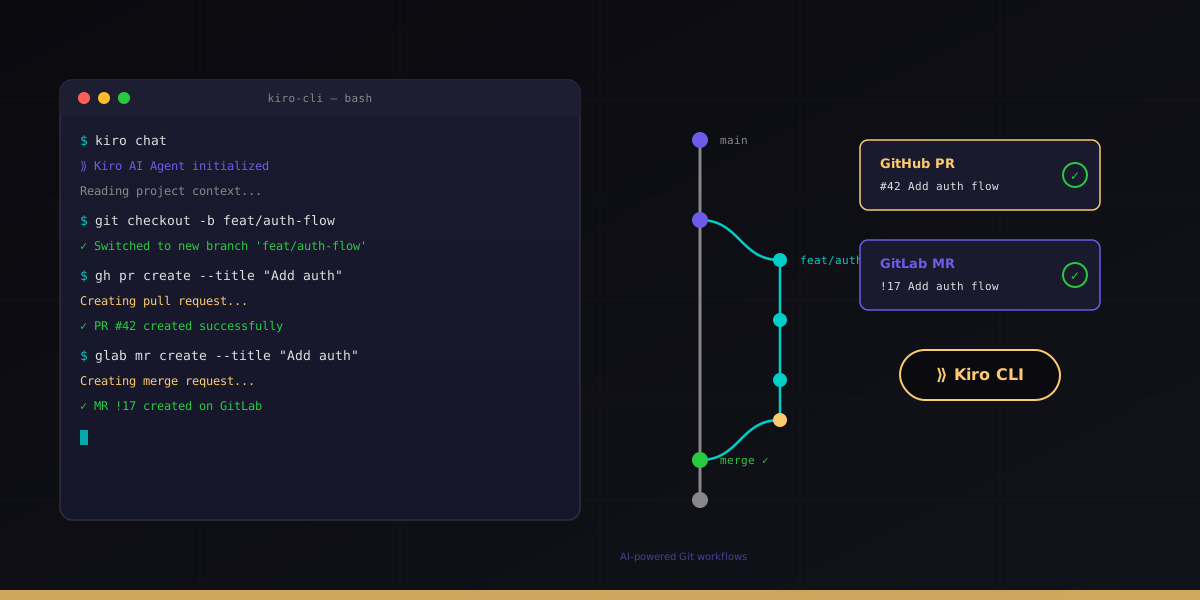
Kiro CLI is Amazon's agentic AI coding assistant that brings spec-driven development to your terminal. Unlike tools that rely on ad-hoc prompting, Kiro structures work through requirements, design documents, and task lists before writing a single line of code. When connected to GitHub or GitLab, it becomes a full development automation platform.
This guide covers everything you need to integrate Kiro CLI into your Git workflow: installation, authentication, interactive and headless modes, GitHub Actions, GitLab CI pipelines, the hooks system, steering files, and AWS-native features. Whether you are a solo developer or running Kiro across a team CI/CD pipeline, this is the complete reference.
For a broader look at AI coding agents and version control, see Code Repos, AI Agents, IDEs and CLIs. For OpenAI's competing tool, check the Codex GitHub and GitLab guide.
1. What is Kiro CLI
Kiro CLI is Amazon's terminal-based agentic AI coding tool. It launched in 2026 as the successor to AWS Q Developer CLI, built entirely on AWS Bedrock infrastructure. It uses Claude (Anthropic) and Amazon Nova models to understand codebases, generate code, and execute multi-step development tasks.
Core philosophy
Kiro takes a fundamentally different approach from other AI coding tools. Instead of "vibe coding" where you prompt and hope for the best, Kiro uses spec-driven development:
- Requirements first - define what you are building before any code is written
- Design documents - architectural decisions are explicit, not implicit in generated code
- Task decomposition - large features break into trackable, verifiable subtasks
- Steering files - project context persists across sessions via .kiro/steering/
- Hooks - automated guardrails that run before, during, and after agent actions
Architecture
Kiro runs locally in your terminal but leverages AWS Bedrock for model inference. The architecture looks like this:
┌─────────────────────────────────────────────┐
│  Your Terminal (kiro-cli chat)               │
│  ├── Built-in tools: shell, read, write     │
│  ├── Code intelligence: AST, fuzzy search   │
│  ├── AWS tools: use_aws, knowledge base     │
│  └── Hooks engine: pre/post tool execution  │
└──────────────────┬──────────────────────────┘
                   │ API calls
                   ▼
┌─────────────────────────────────────────────┐
│  AWS Bedrock                                │
│  ├── Claude Sonnet 4 (default)              │
│  ├── Claude Haiku (fast tasks)              │
│  └── Amazon Nova (cost-optimized)           │
└─────────────────────────────────────────────┘
What makes it different
Unlike GitHub Copilot (inline completions) or ChatGPT (conversational), Kiro is an autonomous agent. It reads your codebase, plans changes across multiple files, executes shell commands, runs tests, and iterates until the task is complete. The spec-driven approach means it documents its reasoning and lets you approve the plan before execution.
2. Installation and Authentication
Kiro CLI installs with a single curl command and supports multiple authentication methods depending on your environment.
Installation
# Install Kiro CLI (Linux/macOS)
curl -fsSL https://kiro.dev/install | bash

# Verify installation
kiro-cli --version

# Start an interactive session
kiro-cli chat
The installer adds kiro-cli to your PATH and sets up the configuration directory at ~/.kiro/.
Authentication methods
Kiro supports five authentication methods, each suited to different environments:
| Method | Use case | Command |
|---|---|---|
| GitHub OAuth | Personal development | kiro-cli auth login --github |
| Google Workspace users | kiro-cli auth login --google | |
| AWS Builder ID | AWS ecosystem developers | kiro-cli auth login --builder-id |
| IAM Identity Center | Enterprise SSO | kiro-cli auth login --idc |
| API Key | CI/CD, headless, automation | export KIRO_API_KEY=your-key |
Interactive login
# Login with GitHub (opens browser for OAuth)
kiro-cli auth login --github

# Login with AWS Builder ID
kiro-cli auth login --builder-id

# Verify your identity
kiro-cli whoami
# Output: Authenticated as: username (GitHub OAuth)
# Plan: Pro (1000 credits/month)
# Credits remaining: 847
API key for headless mode
For CI/CD pipelines and automation, generate an API key:
# Generate a new API key
kiro-cli api-key create --name "github-actions-prod"

# Output:
# API Key: kiro_ak_xxxxxxxxxxxxxxxxxxxxxxxxxxxx
# Name: github-actions-prod
# Created: 2026-05-04T19:30:00Z
#
# Store this key securely. It will not be shown again.

# List existing keys
kiro-cli api-key list

# Revoke a key
kiro-cli api-key revoke --name "github-actions-prod"3. Git Integration
Kiro CLI has deep Git integration through its built-in tools. It does not require a separate Git plugin or extension - version control operations are native to the agent.
Built-in tools
Kiro operates on your codebase through three core tool categories:
- shell - executes any terminal command including git operations
- read - reads files, directories, and images with structured output
- write - creates and edits files with precise string replacement or insertion
Code intelligence
Beyond basic file operations, Kiro includes AST-aware code intelligence:
# Kiro can search symbols across your codebase
# (these happen automatically during tasks)

# AST parsing - understands code structure
# Fuzzy search - finds symbols by approximate name
# Pattern search - structural code matching via ast-grep
# Document symbols - lists all definitions in a file
This means when Kiro creates a branch or commit, it understands the semantic meaning of changes, not just text diffs.
Creating branches and commits
In an interactive session, ask Kiro to manage Git operations naturally:
# Start a session in your project
cd my-project
kiro-cli chat

# Ask Kiro to create a feature branch
> Create a new branch called feature/add-user-auth and implement
  JWT authentication for the /api/users endpoint

# Kiro will:
# 1. Run: git checkout -b feature/add-user-auth
# 2. Read existing code to understand the project structure
# 3. Implement the feature across multiple files
# 4. Run tests to verify
# 5. Stage and commit with a descriptive message
Understanding history
# Ask Kiro to analyze recent changes
> What changed in the last 5 commits? Summarize the intent of each.

# Ask about specific files
> Show me the git blame for src/auth/middleware.ts and explain
  why the token validation logic changed last week

# Find when a bug was introduced
> Use git bisect to find which commit broke the login testsgit add ..
4. GitHub Workflow
Kiro integrates with GitHub through two modes: interactive development where you drive the session, and headless mode where Kiro runs autonomously in GitHub Actions.
Interactive development flow
# Typical interactive workflow
kiro-cli chat

> Create a branch feature/payment-webhooks, implement Stripe webhook
  handling for payment_intent.succeeded and payment_intent.failed events,
  add tests, commit, and push

# Kiro executes:
# git checkout -b feature/payment-webhooks
# [reads codebase, implements feature, writes tests]
# git add src/webhooks/ tests/webhooks/
# git commit -m "feat: add Stripe webhook handlers for payment intents"
# git push -u origin feature/payment-webhooks

# Then create the PR using GitHub CLI
> Create a pull request with a description summarizing the changes

# Kiro runs: gh pr create --title "feat: Stripe webhook handlers" \
#   --body "..." --base main
Headless mode in GitHub Actions
For automated workflows, Kiro runs without human interaction using an API key:
# .github/workflows/kiro-review.yml
name: Kiro Code Review
on:
  pull_request:
    types: [opened, synchronize]

jobs:
  review:
    runs-on: ubuntu-latest
    steps:
      - uses: actions/checkout@v4
        with:
          fetch-depth: 0

      - name: Install Kiro CLI
        run: curl -fsSL https://kiro.dev/install | bash

      - name: Review PR changes
        env:
          KIRO_API_KEY: ${{ secrets.KIRO_API_KEY }}
        run: |
          kiro-cli chat --headless --prompt "
            Review the changes in this PR. Check for:
            1. Security vulnerabilities
            2. Performance issues
            3. Missing error handling
            4. Test coverage gaps
            Output a markdown summary with findings.
          " > review.md

      - name: Post review comment
        uses: actions/github-script@v7
        with:
          script: |
            const fs = require('fs');
            const review = fs.readFileSync('review.md', 'utf8');
            github.rest.issues.createComment({
              issue_number: context.issue.number,
              owner: context.repo.owner,
              repo: context.repo.repo,
              body: review
            });
Community action
The clouatre-labs/setup-kiro-action simplifies setup:
# .github/workflows/kiro-fix.yml
name: Kiro Auto-Fix
on:
  workflow_run:
    workflows: ["CI"]
    types: [completed]
    branches: [main]

jobs:
  fix:
    if: ${{ github.event.workflow_run.conclusion == 'failure' }}
    runs-on: ubuntu-latest
    steps:
      - uses: actions/checkout@v4

      - uses: clouatre-labs/setup-kiro-action@v1
        with:
          api-key: ${{ secrets.KIRO_API_KEY }}

      - name: Fix failing tests
        run: |
          kiro-cli chat --headless --prompt "
            The CI pipeline failed. Read the test output, identify the
            root cause, fix the code, and verify by running the tests.
            Do not weaken assertions or skip tests.
          "

      - name: Commit and push fixes
        run: |
          git config user.name "kiro-bot"
          git config user.email "kiro-bot@users.noreply.github.com"
          git add -A
          git commit -m "fix: resolve CI failures [kiro-autofix]" || exit 0
          git push
Automated PR summaries
# .github/workflows/kiro-pr-summary.yml
name: PR Summary
on:
  pull_request:
    types: [opened]

jobs:
  summarize:
    runs-on: ubuntu-latest
    steps:
      - uses: actions/checkout@v4
        with:
          fetch-depth: 0

      - uses: clouatre-labs/setup-kiro-action@v1
        with:
          api-key: ${{ secrets.KIRO_API_KEY }}

      - name: Generate summary
        env:
          GH_TOKEN: ${{ secrets.GITHUB_TOKEN }}
        run: |
          DIFF=$(git diff origin/main...HEAD)
          kiro-cli chat --headless --prompt "
            Summarize this PR diff for reviewers. Include:
            - What changed and why (infer from commit messages and code)
            - Files modified with brief descriptions
            - Potential risks or areas needing careful review
            Diff: $DIFF
          " | gh pr comment ${{ github.event.number }} --body-file -
5. GitLab Workflow
Kiro works with GitLab repositories through headless mode in CI/CD pipelines and the glab CLI for merge request creation.
GitLab CI integration
# .gitlab-ci.yml
stages:
  - review
  - fix

kiro-review:
  stage: review
  image: ubuntu:24.04
  rules:
    - if: $CI_PIPELINE_SOURCE == "merge_request_event"
  before_script:
    - curl -fsSL https://kiro.dev/install | bash
    - export PATH="$HOME/.local/bin:$PATH"
  script:
    - |
      kiro-cli chat --headless --prompt "
        Review the merge request changes between $CI_MERGE_REQUEST_DIFF_BASE_SHA
        and HEAD. Focus on code quality, security, and test coverage.
        Output findings as a structured markdown report.
      " > review-report.md
  artifacts:
    paths:
      - review-report.md
  variables:
    KIRO_API_KEY: $KIRO_API_KEY

kiro-autofix:
  stage: fix
  image: ubuntu:24.04
  rules:
    - if: $CI_PIPELINE_SOURCE == "merge_request_event"
      when: on_failure
  before_script:
    - curl -fsSL https://kiro.dev/install | bash
    - export PATH="$HOME/.local/bin:$PATH"
    - apt-get update && apt-get install -y git
  script:
    - |
      kiro-cli chat --headless --prompt "
        The pipeline failed. Analyze the job logs, identify the issue,
        and fix the code. Run tests locally to verify before committing.
      "
    - git config user.name "kiro-bot"
    - git config user.email "kiro-bot@noreply.gitlab.com"
    - git add -A
    - git commit -m "fix: resolve pipeline failures [kiro-autofix]" || true
    - git push origin HEAD:$CI_MERGE_REQUEST_SOURCE_BRANCH_NAME
  variables:
    KIRO_API_KEY: $KIRO_API_KEY
MR creation via glab CLI
# Interactive workflow with GitLab
kiro-cli chat

> Implement the feature described in issue #42, create a branch,
  commit the changes, push, and create a merge request

# Kiro will use glab CLI if available:
# git checkout -b feature/42-user-preferences
# [implements feature]
# git add . && git commit -m "feat: user preferences API (#42)"
# git push -u origin feature/42-user-preferences
# glab mr create --title "feat: user preferences API" \
#   --description "Implements #42..." --target-branch main
MCP servers for GitLab
For deeper GitLab integration, configure the gitlab-mr-mcp Model Context Protocol server:
{
  "mcpServers": {
    "gitlab-mr": {
      "command": "npx",
      "args": ["gitlab-mr-mcp"],
      "env": {
        "GITLAB_TOKEN": "${GITLAB_TOKEN}",
        "GITLAB_URL": "https://gitlab.com"
      }
    }
  }
}
This MCP server gives Kiro direct access to:
- Read and create merge requests with full metadata
- Post review comments on specific lines
- Read pipeline status and job logs
- Analyze pipeline performance and suggest optimizations
- Manage MR labels, assignees, and milestones
Pipeline optimization analysis
# Ask Kiro to optimize your GitLab CI pipeline
kiro-cli chat

> Analyze our .gitlab-ci.yml and suggest optimizations. Look for:
  - Jobs that can run in parallel
  - Unnecessary dependencies between stages
  - Cache opportunities for faster builds
- Docker layer caching improvements6. Spec-Driven Development
Spec-driven development is Kiro's defining feature. Instead of jumping straight to code generation, Kiro creates a structured specification that you review and approve before implementation begins.
The spec workflow
When you give Kiro a complex task, it follows this sequence:
- Requirements - Kiro generates a requirements document listing what the feature must do, edge cases, and acceptance criteria
- Design - An architectural design document covering data models, API contracts, component interactions, and technology choices
- Tasks - A numbered task list breaking the implementation into discrete, verifiable steps
# Example: spec-driven feature development
kiro-cli chat

> I need a rate limiting system for our API. It should support
  per-user limits, sliding window algorithm, Redis backend,
  and return proper 429 responses with retry-after headers.

# Kiro responds with:
# 📋 Requirements (you review and approve)
# 📐 Design Document (you review and approve)
# ✅ Task List:
#   1. Create Redis connection module
#   2. Implement sliding window counter
#   3. Add rate limit middleware
#   4. Configure per-route limits
#   5. Add 429 response formatting
#   6. Write integration tests
#   7. Add monitoring metrics
#
# Kiro asks: "Shall I proceed with implementation?"
Spec vs vibe coding
| Aspect | Spec-Driven (Kiro) | Vibe Coding (ad-hoc prompting) |
|---|---|---|
| Planning | Explicit requirements and design | Implicit in the prompt |
| Predictability | You approve the plan first | Output varies each run |
| Large features | Decomposed into tracked tasks | One-shot attempt, often incomplete |
| Team alignment | Specs are reviewable artifacts | Only the code is reviewable |
| Debugging | Trace back to which task failed | Start over from scratch |
| Credit cost | Higher upfront, lower rework | Lower upfront, higher rework |
Credit costs for specs
Generating specs consumes credits because the model reasons about architecture before writing code. A typical spec generation for a medium feature costs 5-15 credits. The implementation phase costs additional credits based on complexity. However, teams report that spec-driven development reduces total credit usage by 30-50% because there is less rework and fewer failed attempts.
7. Steering Files (.kiro/steering/)
Steering files are persistent configuration documents that tell Kiro about your project. They live in .kiro/steering/ and are automatically loaded at the start of every session.
Project configuration
# Directory structure
.kiro/
└── steering/
    ├── product.md    # Business context and product goals
    ├── tech.md       # Technical stack and conventions
    └── structure.md  # Codebase layout and architecture
product.md
# Product Context

## What we are building
A B2B SaaS platform for invoice management targeting small businesses.

## Key user personas
- Small business owner (non-technical, needs simple UI)
- Accountant (power user, needs bulk operations and exports)

## Current priorities
- Q2 2026: Multi-currency support
- Q2 2026: QuickBooks integration
- Q3 2026: Mobile app (React Native)
tech.md
# Technical Stack

## Languages and frameworks
- Backend: Node.js 22 with TypeScript (strict mode)
- Frontend: React 19 with Next.js 15
- Database: PostgreSQL 16 via Prisma ORM
- Cache: Redis 7 (ElastiCache)
- Queue: SQS with dead-letter queues

## Conventions
- API style: REST with OpenAPI 3.1 specs
- Auth: JWT with refresh tokens, stored in httpOnly cookies
- Testing: Vitest (unit), Playwright (e2e)
- Linting: ESLint flat config + Prettier
- Commits: Conventional Commits format
- Branch naming: feature/TICKET-short-description

## Infrastructure
- AWS CDK for IaC
- ECS Fargate for compute
- CloudFront for CDN
- GitHub Actions for CI/CD
structure.md
# Codebase Structure

## Monorepo layout (pnpm workspaces)
- apps/web - Next.js frontend
- apps/api - Express backend
- packages/shared - Shared types and utilities
- packages/db - Prisma schema and migrations
- infra/ - CDK stacks

## Key patterns
- Repository pattern for data access (packages/db/repositories/)
- Service layer for business logic (apps/api/services/)
- React Query for server state (apps/web/hooks/)
- Zod schemas for validation (packages/shared/schemas/)
Scope levels
Steering files support three scope levels:
| Scope | Location | Use case |
|---|---|---|
| Workspace | .kiro/steering/ in repo root | Project-specific context, committed to Git |
| Global | ~/.kiro/steering/ | Personal preferences across all projects |
| Team | Shared via Git or artifact | Organization-wide standards |
AGENTS.md support
Kiro also reads AGENTS.md files (compatible with OpenAI Codex format) for project conventions. If both .kiro/steering/ and AGENTS.md exist, Kiro merges them with steering files taking precedence for conflicts.
Best practices
- Keep steering files concise - 50-200 lines each. Kiro reads them every session.
- Update them as your project evolves. Stale context leads to stale code.
- Commit workspace steering files to Git so the whole team benefits.
- Use global steering for personal style preferences (editor settings, preferred patterns).
- Include negative instructions ("never use any in TypeScript", "do not add console.log").
8. Hooks System
Hooks are automated scripts that run at specific points in Kiro's execution lifecycle. They act as guardrails, validators, and automation triggers.
Hook types
| Hook | When it fires | Use case |
|---|---|---|
| AgentSpawn | When a new agent or subagent starts | Set up environment, load context |
| UserPromptSubmit | After user sends a message | Validate input, add context |
| PreToolUse | Before any tool executes | Block dangerous operations, require approval |
| PostToolUse | After a tool completes | Validate output, log actions, trigger side effects |
| Stop | When the agent finishes a task | Run final checks, generate reports, clean up |
Hook configuration
{
  "hooks": [
    {
      "type": "PreToolUse",
      "tool": "shell",
      "command": "bash .kiro/hooks/validate-shell-command.sh",
      "description": "Block destructive git commands"
    },
    {
      "type": "PostToolUse",
      "tool": "write",
      "command": "bash .kiro/hooks/lint-on-save.sh",
      "description": "Run linter after file writes"
    },
    {
      "type": "Stop",
      "command": "bash .kiro/hooks/generate-summary.sh",
      "description": "Generate session summary on completion"
    }
  ]
}
Tool matching
The tool field in hook configuration supports pattern matching:
"tool": "shell"- matches only shell tool invocations"tool": "write"- matches file write operations"tool": "use_aws"- matches AWS API calls"tool": "*"- matches all tool invocations
Exit codes
Hook scripts communicate with Kiro through exit codes:
#!/bin/bash
# .kiro/hooks/validate-shell-command.sh

# The proposed command is passed via stdin or environment
COMMAND="$KIRO_TOOL_INPUT"

# Block force pushes
if echo "$COMMAND" | grep -q "git push.*--force"; then
  echo "BLOCKED: Force push is not allowed. Use --force-with-lease instead."
  exit 1  # Exit 1 = block the action
fi

# Block main branch operations
if echo "$COMMAND" | grep -q "git checkout main.*&&.*git push"; then
  echo "BLOCKED: Direct pushes to main are not allowed."
  exit 1
fi

exit 0  # Exit 0 = allow the action
CI/CD hook patterns
#!/bin/bash
# .kiro/hooks/post-write-lint.sh
# Runs after every file write to ensure code quality

FILE="$KIRO_TOOL_OUTPUT_PATH"

# Only lint TypeScript/JavaScript files
if [[ "$FILE" == *.ts ]] || [[ "$FILE" == *.tsx ]]; then
  npx eslint --fix "$FILE"
  if [ $? -ne 0 ]; then
    echo "Lint errors found in $FILE. Please fix before continuing."
    exit 1
  fi
fi

exit 0
#!/bin/bash
# .kiro/hooks/stop-generate-changelog.sh
# Generates a changelog entry when Kiro completes a task
CHANGES=$(git diff --name-only HEAD~1 2>/dev/null)
if [ -n "$CHANGES" ]; then
echo "## Changes made this session" > .kiro/last-session.md
echo "$CHANGES" | while read file; do
echo "- Modified: $file" >> .kiro/last-session.md
done
fi
exit 09. Headless Mode and CI/CD
Headless mode lets Kiro run without human interaction, making it ideal for CI/CD pipelines, scheduled tasks, and automated workflows.
API key generation
# Generate a dedicated key for each pipeline
kiro-cli api-key create --name "prod-ci-review"
kiro-cli api-key create --name "staging-ci-fix"
kiro-cli api-key create --name "nightly-docs-gen"

# Each key can be independently revoked without affecting others
kiro-cli api-key list
# NAME              CREATED              LAST USED
# prod-ci-review    2026-04-20T10:00:00  2026-05-04T15:30:00
# staging-ci-fix    2026-04-22T08:00:00  2026-05-04T12:00:00
# nightly-docs-gen  2026-04-25T09:00:00  2026-05-04T02:00:00
GitHub Actions complete example
# .github/workflows/kiro-ci.yml
name: Kiro CI Tasks
on:
  push:
    branches: [main]
  pull_request:
    types: [opened, synchronize]
  schedule:
    - cron: '0 2 * * 1'  # Weekly Monday 2 AM

jobs:
  # Job 1: Code review on PRs
  review:
    if: github.event_name == 'pull_request'
    runs-on: ubuntu-latest
    steps:
      - uses: actions/checkout@v4
        with:
          fetch-depth: 0

      - uses: clouatre-labs/setup-kiro-action@v1
        with:
          api-key: ${{ secrets.KIRO_API_KEY }}

      - name: Review changes
        run: |
          kiro-cli chat --headless --prompt "
            Review the diff between origin/main and HEAD.
            Check for security issues, performance problems,
            missing error handling, and test coverage gaps.
            Format output as markdown with severity levels.
          " > review.md

      - name: Comment on PR
        uses: actions/github-script@v7
        with:
          script: |
            const fs = require('fs');
            const body = fs.readFileSync('review.md', 'utf8');
            github.rest.issues.createComment({
              issue_number: context.issue.number,
              owner: context.repo.owner,
              repo: context.repo.repo,
              body: body
            });

  # Job 2: Documentation generation on main push
  docs:
    if: github.event_name == 'push'
    runs-on: ubuntu-latest
    steps:
      - uses: actions/checkout@v4

      - uses: clouatre-labs/setup-kiro-action@v1
        with:
          api-key: ${{ secrets.KIRO_API_KEY }}

      - name: Generate API docs
        run: |
          kiro-cli chat --headless --prompt "
            Read all route handlers in src/routes/ and generate
            OpenAPI 3.1 documentation. Update docs/openapi.yaml
            with any new or changed endpoints.
          "

      - name: Commit docs if changed
        run: |
          git diff --quiet docs/ || {
            git config user.name "kiro-bot"
            git config user.email "kiro-bot@users.noreply.github.com"
            git add docs/
            git commit -m "docs: auto-update API documentation [kiro]"
            git push
          }

  # Job 3: Weekly dependency audit
  audit:
    if: github.event_name == 'schedule'
    runs-on: ubuntu-latest
    steps:
      - uses: actions/checkout@v4

      - uses: clouatre-labs/setup-kiro-action@v1
        with:
          api-key: ${{ secrets.KIRO_API_KEY }}

      - name: Audit dependencies
        run: |
          kiro-cli chat --headless --prompt "
            Run npm audit and analyze the results. For each
            vulnerability, determine if it affects our code paths.
            Create a report with recommended actions: update,
            replace, or accept risk with justification.
          " > audit-report.md

      - name: Create issue with findings
        uses: actions/github-script@v7
        with:
          script: |
            const fs = require('fs');
            const body = fs.readFileSync('audit-report.md', 'utf8');
            github.rest.issues.create({
              owner: context.repo.owner,
              repo: context.repo.repo,
              title: 'Weekly Dependency Audit - ' + new Date().toISOString().split('T')[0],
              body: body,
              labels: ['security', 'dependencies']
            });
GitLab CI complete example
# .gitlab-ci.yml
stages:
  - review
  - docs
  - audit

variables:
  KIRO_API_KEY: $KIRO_API_KEY

.kiro-setup: &kiro-setup
  before_script:
    - curl -fsSL https://kiro.dev/install | bash
    - export PATH="$HOME/.local/bin:$PATH"

kiro-mr-review:
  stage: review
  <<: *kiro-setup
  rules:
    - if: $CI_PIPELINE_SOURCE == "merge_request_event"
  script:
    - |
      kiro-cli chat --headless --prompt "
        Review changes between $CI_MERGE_REQUEST_DIFF_BASE_SHA and HEAD.
        Focus on security, performance, and correctness.
        Output a structured markdown report.
      " > review.md
    - |
      glab mr note $CI_MERGE_REQUEST_IID --message "$(cat review.md)"
  artifacts:
    paths:
      - review.md

kiro-docs-update:
  stage: docs
  <<: *kiro-setup
  rules:
    - if: $CI_COMMIT_BRANCH == "main"
  script:
    - |
      kiro-cli chat --headless --prompt "
        Check if any API routes changed since the last commit.
        If so, update the OpenAPI spec in docs/openapi.yaml.
      "
    - |
      git diff --quiet docs/ || {
        git config user.name "kiro-bot"
        git config user.email "kiro-bot@noreply.gitlab.com"
        git add docs/
        git commit -m "docs: auto-update API docs [kiro]"
        git push origin main
      }

kiro-weekly-audit:
  stage: audit
  <<: *kiro-setup
  rules:
    - if: $CI_PIPELINE_SOURCE == "schedule"
  script:
    - |
      kiro-cli chat --headless --prompt "
        Audit all dependencies for known vulnerabilities.
        Analyze which vulnerabilities are reachable in our code.
        Generate a prioritized remediation plan.
      " > audit.md
  artifacts:
    paths:
      - audit.md
Use cases for headless mode
- Code review - automated PR/MR review with severity-tagged findings
- Documentation generation - keep API docs, READMEs, and changelogs in sync
- Dependency audit - weekly vulnerability analysis with reachability assessment
- Test generation - auto-generate tests for new code on each push
- Migration scripts - generate database migrations from schema changes
- Release notes - compile changelogs from commit history
10. Multi-File Editing and Subagents
Kiro excels at changes that span multiple files. It uses subagents to parallelize work and maintains consistency across the entire codebase.
Parallel tasks with subagents
When Kiro encounters a task that can be parallelized, it spawns subagents to work on independent subtasks simultaneously:
kiro-cli chat

> Refactor the authentication module: extract the JWT logic into a
  shared package, update all 12 route files that import it, update
  the tests, and fix any TypeScript errors.

# Kiro's approach:
# 1. Main agent: analyzes the codebase, creates the plan
# 2. Subagent A: creates packages/auth/ with extracted JWT logic
# 3. Subagent B: updates route file imports (6 files)
# 4. Subagent C: updates remaining route files (6 files)
# 5. Subagent D: updates test files
# 6. Main agent: verifies TypeScript compilation, runs tests
Monitoring with Ctrl+G
During complex operations, press Ctrl+G to see the current state of all active subagents:
Active Subagents:
┌─────────────────────────────────────────────────────┐
│ [1/4] Creating packages/auth/          ██████░░ 75% │
│ [2/4] Updating routes (batch 1)        ████████ done│
│ [3/4] Updating routes (batch 2)        █████░░░ 60% │
│ [4/4] Updating tests                   ███░░░░░ 40% │
└─────────────────────────────────────────────────────┘
Press Ctrl+G again to dismiss
Refactoring across files
Kiro's code intelligence (AST parsing, symbol search) makes cross-file refactoring reliable:
# Rename a function across the entire codebase
> Rename getUserById to findUserById everywhere it appears.
  Update all imports, references, and test assertions.

# Move a component to a different directory
> Move src/components/UserCard.tsx to src/features/users/components/
  and update all imports across the project.

# Extract a shared utility
> The date formatting logic is duplicated in 8 files. Extract it
  into a shared utility at src/utils/dates.ts and replace all
  duplicates with imports from the new module.
Consistency guarantees
After multi-file edits, Kiro automatically:
- Runs the TypeScript compiler to catch type errors
- Executes the project's test suite
- Verifies that imports resolve correctly
- Checks for circular dependencies introduced by moves
Ctrl+J to scroll through Kiro's output history, Ctrl+K to clear the screen, and Ctrl+G to monitor subagent progress. These work in both interactive and watch modes.
11. AWS Integration
Kiro has native AWS integration through the use_aws tool. It can make AWS API calls directly, generate infrastructure code, and analyze cloud resources without leaving the terminal.
Native Bedrock
Kiro runs on AWS Bedrock, which means your code never leaves the AWS ecosystem during inference. This matters for organizations with data residency requirements or compliance frameworks that restrict where code can be processed.
CDK and CloudFormation generation
kiro-cli chat

> Generate a CDK stack for a serverless API with:
  - API Gateway HTTP API
  - Lambda functions (Node.js 22, ARM64)
  - DynamoDB table with on-demand billing
  - Cognito user pool for auth
  - CloudWatch alarms for errors and latency

# Kiro generates complete CDK TypeScript code with:
# - Proper construct hierarchy
# - IAM least-privilege policies
# - Environment-specific configuration
# - Output exports for cross-stack references
Lambda development
# Create and deploy a Lambda function
> Create a Lambda function that processes SQS messages containing
  order events. It should validate the payload, update DynamoDB,
  and send a confirmation email via SES. Include error handling
  with dead-letter queue support.

# Debug a production Lambda
> Analyze the CloudWatch logs for the payment-processor Lambda
  from the last hour. Find any errors and suggest fixes.
DynamoDB operations
# Design a table schema
> Design a DynamoDB single-table schema for a multi-tenant SaaS
  app with users, organizations, and invoices. Show the access
  patterns and GSI design.

# Query production data (via use_aws tool)
> Query the users table for all items where status is "suspended"
  and last_login is older than 90 days.
CloudWatch log analysis
# Kiro can query and analyze CloudWatch logs directly
> Search CloudWatch Logs for the /aws/lambda/api-handler log group.
  Find all ERROR level entries from the last 24 hours, group them
  by error type, and suggest fixes for the top 3 most frequent.

# Kiro uses the use_aws tool internally:
# aws logs filter-log-events --log-group-name /aws/lambda/api-handler
#   --start-time ... --filter-pattern "ERROR"
The use_aws tool
Kiro's use_aws tool wraps the AWS CLI with structured parameters:
# Kiro can call any AWS service API
# Examples of what it does internally:

# List S3 buckets
# use_aws: s3api list-buckets

# Describe EC2 instances
# use_aws: ec2 describe-instances --filters Name=tag:Environment,Values=prod

# Get Lambda function configuration
# use_aws: lambda get-function-configuration --function-name my-function

# Query DynamoDB
# use_aws: dynamodb query --table-name users --key-condition-expression "pk = :pk"
GovCloud support
Kiro supports AWS GovCloud regions for government and regulated workloads. Configure the region in your AWS profile and Kiro routes Bedrock calls accordingly. All data processing stays within the GovCloud partition boundary.
12. Comparison - Kiro vs Claude Code vs Codex CLI vs Copilot CLI
Four major AI coding CLI tools compete for developer attention in 2026. Each has distinct strengths depending on your workflow and ecosystem.
| Feature | Kiro CLI | Claude Code | Codex CLI | Copilot CLI |
|---|---|---|---|---|
| Vendor | Amazon (AWS) | Anthropic | OpenAI | GitHub/Microsoft |
| Models | Claude + Nova (Bedrock) | Claude Sonnet/Opus | o4-mini, codex-mini | GPT-4o, o3-mini |
| Spec-driven dev | Yes (core feature) | No | No | No |
| Hooks system | Yes (5 hook types) | No | No | No |
| Steering files | Yes (.kiro/steering/) | CLAUDE.md | AGENTS.md | .github/copilot-instructions.md |
| MCP support | Yes | Yes | Limited | No |
| Headless/CI mode | Yes (native) | Yes (--print flag) | Yes (API) | No |
| Subagents | Yes (parallel) | Yes (parallel) | Yes (worktrees) | No |
| AWS integration | Native (use_aws tool) | Via shell | Via shell | Via shell |
| Sandbox execution | Local + hooks | Local | Cloud sandbox | Local |
| Free tier | 50 credits/month | None | Limited | 2000 completions/month |
| Pro pricing | $20/month (1000 credits) | $20/month (via Max) | $200/month (API) | $10/month |
| Git safety | Built-in guardrails | Confirmation prompts | Sandbox isolation | Suggestion only |
| Knowledge bases | Yes (semantic search) | No | No | No |
When to choose Kiro
- You want structured, spec-driven development with approval gates
- Your infrastructure is on AWS and you need native cloud integration
- You need hooks for automated guardrails and CI/CD patterns
- Your team wants persistent project context via steering files
- You need headless mode for pipeline automation
- Budget matters - the free tier and credit system offer predictable costs
When to choose alternatives
- Claude Code - you want the most capable model (Opus) for complex reasoning tasks, or you prefer Anthropic's safety approach
- Codex CLI - you need cloud sandbox isolation, or your team already uses OpenAI's API extensively
- Copilot CLI - you primarily need command-line help and shell suggestions rather than full agentic development
13. Pricing
Kiro uses a credit-based pricing model. Credits are consumed based on model usage, with different multipliers for different models.
Plans
| Plan | Price | Credits/month | Best for |
|---|---|---|---|
| Free | $0 | 50 | Trying Kiro, small personal projects |
| Pro | $20/month | 1,000 | Individual developers, daily use |
| Pro+ | $40/month | 2,000 | Heavy users, multiple projects |
| Power | $200/month | 10,000 | Teams, CI/CD pipelines, enterprise |
Credit system
Credits are consumed per interaction based on the model used and tokens processed:
| Model | Credit multiplier | Typical task cost |
|---|---|---|
| Claude Haiku | 0.5x | 1-3 credits |
| Amazon Nova | 0.5x | 1-3 credits |
| Claude Sonnet | 1x (default) | 3-10 credits |
| Claude Opus | 3x | 10-30 credits |
Cost optimization tips
- Use
/model haikufor simple tasks (formatting, small edits, questions) - Reserve Sonnet (default) for feature implementation and complex reasoning
- Spec-driven development reduces total credits by avoiding rework
- Steering files reduce token usage by providing context upfront
- Check usage with
/usageto track credit consumption
# Check your current usage
kiro-cli chat
> /usage

# Output:
# Plan: Pro (1000 credits/month)
# Used this month: 423 credits
# Remaining: 577 credits
# Resets: June 1, 2026
#
# Top consumers:
#   Spec generation:  89 credits (21%)
#   Code writing:    201 credits (48%)
#   Code review:      78 credits (18%)
#   Shell commands:   55 credits (13%)
14. Slash Commands Reference
Kiro CLI provides slash commands for session management, model selection, and workflow control.
Session commands
| Command | Description |
|---|---|
/save [name] | Save current session to disk for later resumption |
/load [name] | Load a previously saved session |
/usage | Show credit usage for current billing period |
/model [name] | Switch model (haiku, sonnet, opus, nova) |
/code overview | Generate a high-level codebase overview |
Keyboard shortcuts
| Shortcut | Action |
|---|---|
Ctrl+J | Scroll down through output history |
Ctrl+K | Scroll up through output history |
Ctrl+G | Monitor active subagent progress |
! (prefix) | Execute a shell command directly (e.g., !git status) |
Usage examples
# Save a session before closing
> /save auth-refactor

# Resume later
kiro-cli chat
> /load auth-refactor

# Switch to a cheaper model for simple tasks
> /model haiku
> Format this JSON file and fix the indentation

# Switch back for complex work
> /model sonnet
> Implement the caching layer from the spec

# Quick shell command without leaving Kiro
> !git log --oneline -5
> !npm test

# Get a codebase overview for a new project
> /code overview
Headless mode flags
# Run a single prompt and exit
kiro-cli chat --headless --prompt "Fix all TypeScript errors in src/"

# Pipe input from a file
kiro-cli chat --headless --prompt-file task.md

# Set a timeout for CI/CD (seconds)
kiro-cli chat --headless --timeout 300 --prompt "Run the test suite and fix failures"

# Output to a specific file
kiro-cli chat --headless --prompt "Generate a changelog" --output changelog.md
Kiro CLI brings spec-driven development and automated guardrails to your Git workflow. Start with interactive mode to learn the tool, add steering files for project context, then expand to headless CI/CD automation as your confidence grows. The hooks system ensures quality gates are enforced automatically, and native AWS integration makes it the natural choice for teams building on Amazon's cloud.
For the competing approach from OpenAI, see OpenAI Codex with GitHub and GitLab. For hands-on Codex CLI usage, check the Codex CLI Tutorial. For a broader perspective on AI agents in development workflows, read Code Repos, AI Agents, IDEs and CLIs.